Landing Page User Experience | Community
Skip to main content
New Participant
August 6, 2020
Solved

Landing Page User Experience

  • August 6, 2020
  • 1 reply
  • 2881 views

To enhance the user experience for our landing pages I have been instructed to do this. Whenever a user submits a form on the landing page and for instance if the landing page is all about an eBook/whitepaper, we want them to see the eBook on a new tab and the current landing page window should simply redirect to our home page. Can anyone please suggest as to how we can achieve this.

This post is no longer active and is closed to new replies. Need help? Start a new post to ask your question.
Best answer by Yash-3

Thanks @sanfordwhiteman 

Our landing pages are based out of pre-defined templates and the forms used inside is built out separately.

This is how our landing pages would look like:
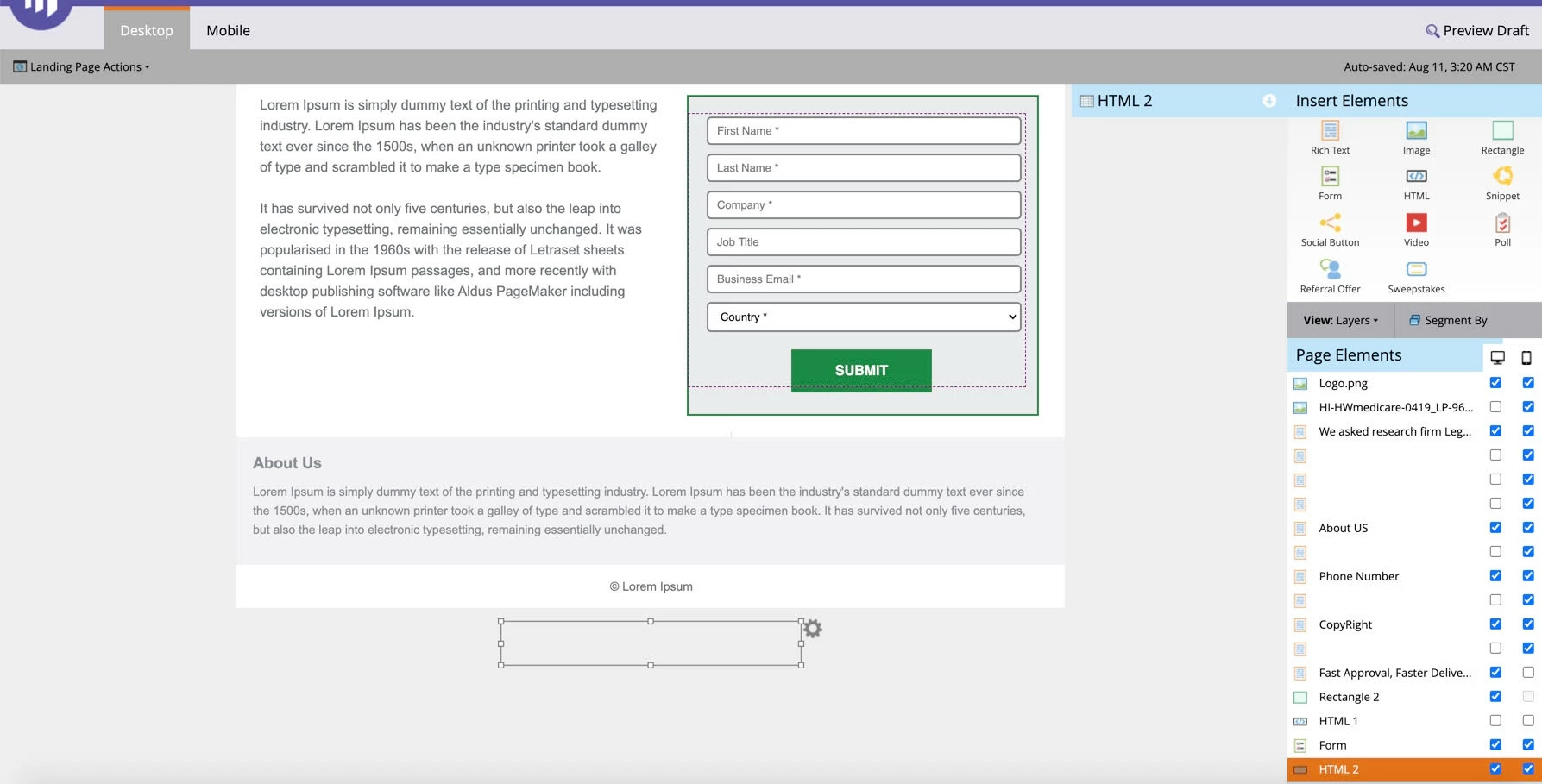
 

 As you can see in the above snapshot I have added a separate HTML component at the last and have defined the script as following:

<script> MktoForms2.whenReady(function(form) { var formEl = form.getFormElem()[0], thankYouWindow; form.onSubmit(function(form) { thankYouWindow = window.open(''); }); form.onSuccess(function(vals, thankYouURL) { thankYouWindow.document.location = 'https://Your_Guide.pdf'; window.location.replace("http://www.ourhomepage.com/"); return false; }); }); </script>


This is working fine for me but just wanted to get this to you for your review. At the initial stage I tried adding the script within 'Edit Meta Page Tags' from the landing page properties but didn't work and then from the other threads I learned you suggested it to be added before the ending body tag and which is why I have added this as an HTML component right below the footer.


Thanks for all your help.


1 reply

SanfordWhiteman
New Participant
August 6, 2020

If you search "thank you new window" there are many past discussions. 

Yash-3AuthorAccepted solution
New Participant
August 11, 2020

Thanks @sanfordwhiteman 

Our landing pages are based out of pre-defined templates and the forms used inside is built out separately.

This is how our landing pages would look like:


 As you can see in the above snapshot I have added a separate HTML component at the last and have defined the script as following:

<script> MktoForms2.whenReady(function(form) { var formEl = form.getFormElem()[0], thankYouWindow; form.onSubmit(function(form) { thankYouWindow = window.open(''); }); form.onSuccess(function(vals, thankYouURL) { thankYouWindow.document.location = 'https://Your_Guide.pdf'; window.location.replace("http://www.ourhomepage.com/"); return false; }); }); </script>


This is working fine for me but just wanted to get this to you for your review. At the initial stage I tried adding the script within 'Edit Meta Page Tags' from the landing page properties but didn't work and then from the other threads I learned you suggested it to be added before the ending body tag and which is why I have added this as an HTML component right below the footer.


Thanks for all your help.


SanfordWhiteman
New Participant
August 11, 2020

Looks fine to me.