Landing page Using Free form | Community
Skip to main content
New Participant
April 27, 2020
Solved

Landing page Using Free form

  • April 27, 2020
  • 3 replies
  • 2639 views

Hi Marketo User,


I have created landing page with free-form method. I have created mobile responsive with segment. I have used javascript code. Landing page is mobile responsive.

Problem- Content alignment setting is not given for Mobile in Marketo. Hence, I am facing content alignment issue.

Please suggest how to resolve and I do not want to create guided landing page for now.

I am using below landing page Elements

1. Custom HTML for Java script

2. Marketo form

3. Rich Text -  only one paragraph

4. banner, logo and footer with custom html

 

This post is no longer active and is closed to new replies. Need help? Start a new post to ask your question.
Best answer by srilekha

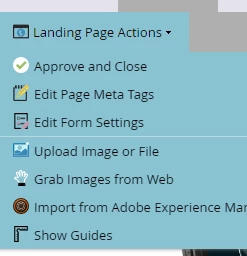
 Select your landing page click on Edit Draft  -> from Landing Page Actions select Edit Page Meta tags.


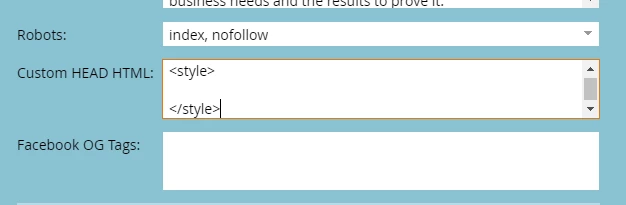
In Custom Head HTML you can write css styles within <style> </style> tags . padding-left or padding-right on element should work try to inspect on element  from browser. 


Thanks,


3 replies

srilekhaAccepted solution
New Participant
April 28, 2020

 Select your landing page click on Edit Draft  -> from Landing Page Actions select Edit Page Meta tags.


In Custom Head HTML you can write css styles within <style> </style> tags . padding-left or padding-right on element should work try to inspect on element  from browser. 


Thanks,


SanfordWhiteman
New Participant
April 27, 2020

Without knowing your URL (i.e. your markup) it's impossible to help you with this. 


Can't set CSS on a screenshot.

New Participant
April 27, 2020

.

Jay