{lead.FirstName:default} not populating when sending test email | Community
Skip to main content
Dec 4, 2017 9:08 PM UTC
Solved

{lead.FirstName:default} not populating when sending test email

I'm trying to send a sample email and the lead name is not populating in the test. Do I need to turn on a specific field for this to show up. Or does it not show up in the test emails at all? We want to be sure the names are populating before we send off the emails.

In our email it shows:

Hi {{lead.FirstName:default=edit me}},

When the email is sent it only shows this:

Hi  ,

Thanks for your answers in advance!

This post is no longer active and is closed to new replies. Need help? Start a new post to ask your question.
Gerard_Donnell4
Gerard_Donnell4Accepted solution
Level 9
Dec 4, 2017 9:49 PM UTC

Hi Elle Turner​,

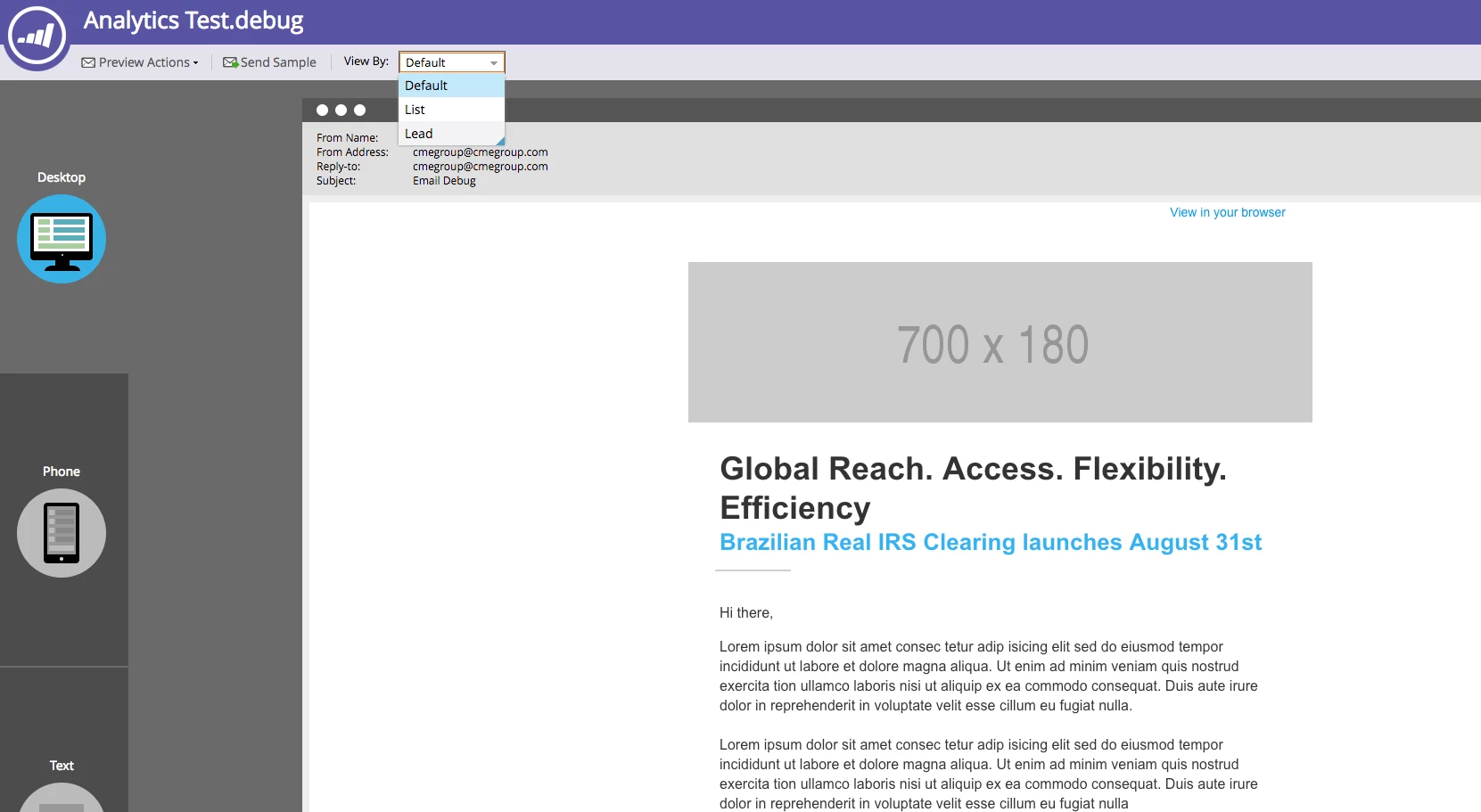
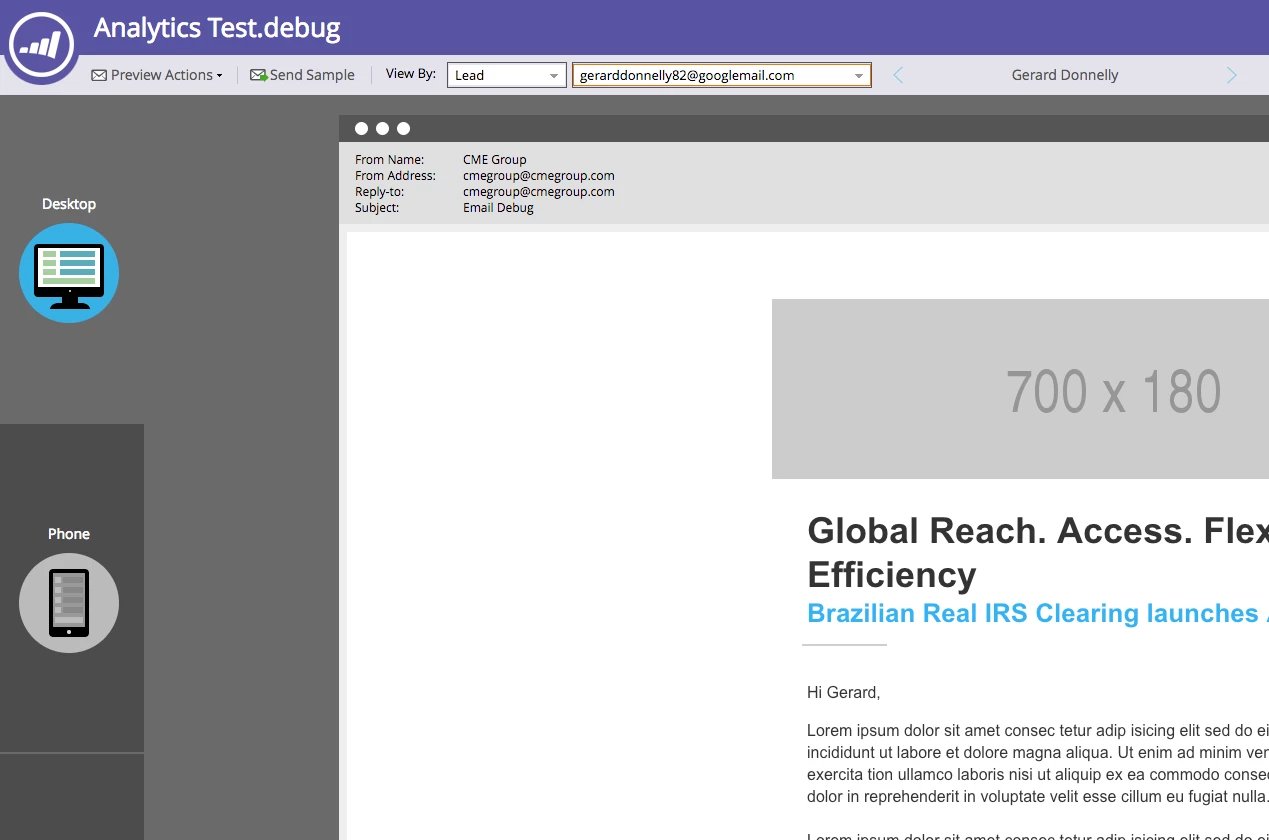
Preview your email and then you will see a drop down.  Select lead from the drop down and then you can type in the leads address that you want to preview the email as.  You can also send a sample from there as the lead as well. When you add the leads address the tokens should populate with their information.  Check out the screen shots below, the first one says Hi "there", which is the default and the second adds in the name instead.

8 replies

Grant_Booth
Level 9
Dec 4, 2017 11:14 PM UTC

Does your instance have a custom field "FirstName" which is a duplicate of the standard field "First Name", which perhaps synced into Marketo from your CRM? Either your token is malformed (should be "First Name") or it's the wrong field and the value is empty.

Translate
Grant_Booth
Level 9
Dec 4, 2017 11:16 PM UTC

Or - alternatively - the lead doesn't have a first name. I recommended giving an actual default instead of leaving it as "edit me". For example:

{{lead.First Name:default=there}}

So if the value is empty it will say "Hi there," instead of "Hi ,"

Translate
Dec 5, 2017 12:53 PM UTC

Hi Grant,

Thank you for responding to my post. I will definitely keep this in mind in the future. Its a great suggestion.

Many thanks!

Translate
Gerard_Donnell4
Gerard_Donnell4Accepted solution
Level 9
Dec 4, 2017 9:49 PM UTC

Hi Elle Turner​,

Preview your email and then you will see a drop down.  Select lead from the drop down and then you can type in the leads address that you want to preview the email as.  You can also send a sample from there as the lead as well. When you add the leads address the tokens should populate with their information.  Check out the screen shots below, the first one says Hi "there", which is the default and the second adds in the name instead.

Translate
SanfordWhiteman
Level 10
Dec 4, 2017 9:13 PM UTC

The token is {{lead.First Name}} (with space).

But you shouldn't release emails to production based on samples alone. Always make sure to send a real email to a test address.

Translate
Dec 4, 2017 9:21 PM UTC

Hi Sanford,

Thank you for responding to my question. I'm aware that this is the lead name but when I add it to Marketo it automatically populates as what I had shown above.

Also, where is the option to send to a test address, as I only see send sample test as an option in the fields.

Thanks so much!

Translate
SanfordWhiteman
Level 10
Dec 4, 2017 9:28 PM UTC

I'm aware that this is the lead name but when I add it to Marketo it automatically populates as what I had shown above.

Certainly doesn't for me....

To send to a test address, set up a list with your test leads. Then right-click Marketing → Send E-Mail.

Translate