Lead Score Report with First, Last, and Company Name | Community
Skip to main content
JB_Peterson
New Participant
April 4, 2016
Solved

Lead Score Report with First, Last, and Company Name

  • April 4, 2016
  • 1 reply
  • 2172 views

Question from a newbie.

Trying to set up a Lead Score Report that shows First Name, Last Name, Company Name as well as the scores. Right now this is what I have.
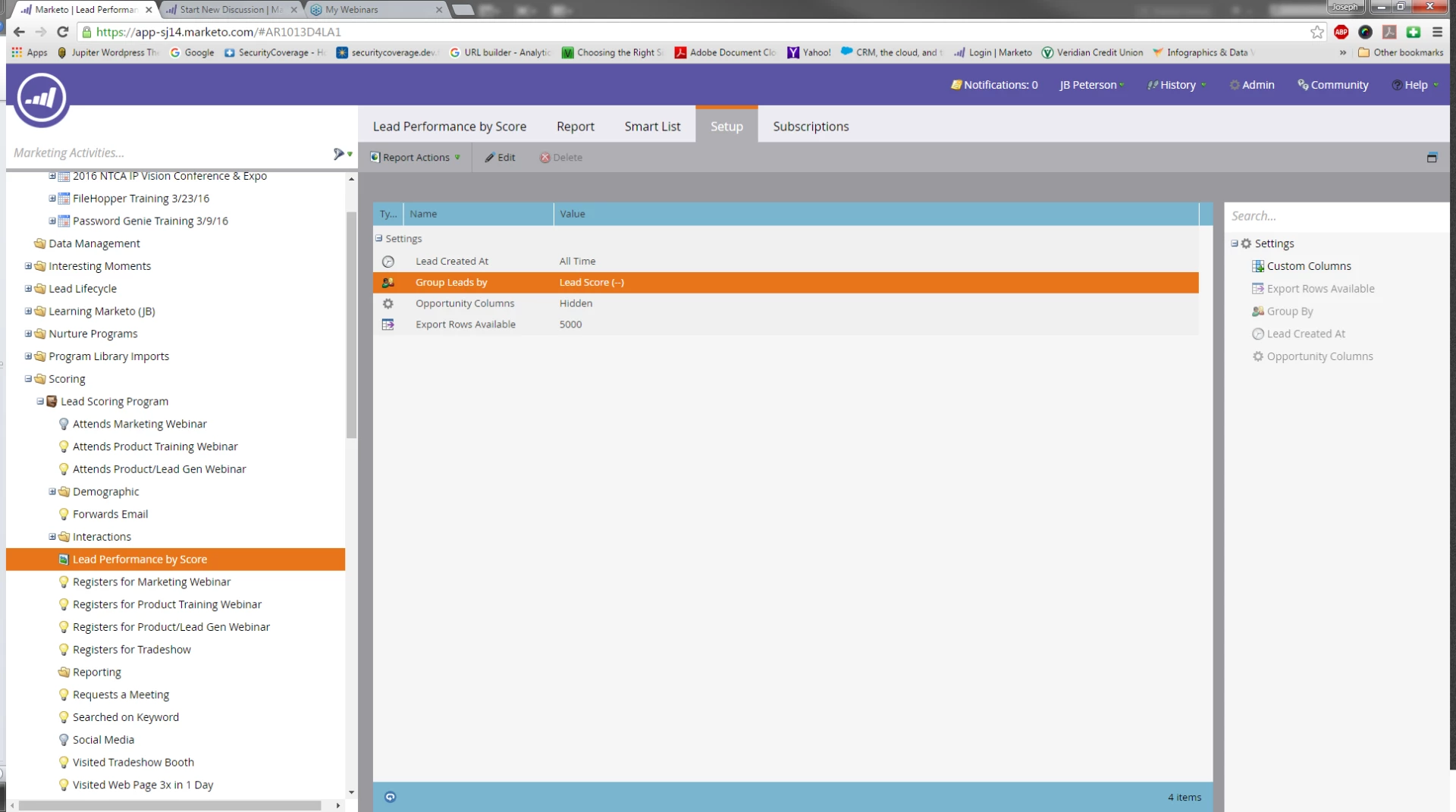
It only shows the Lead Score and Total Leads with that score. How do I add First Name, Last Name and Company Name to this Report?

Thanks,

JB

This post is no longer active and is closed to new replies. Need help? Start a new post to ask your question.
Best answer by Jenn_DiMaria2

Hi, JB!

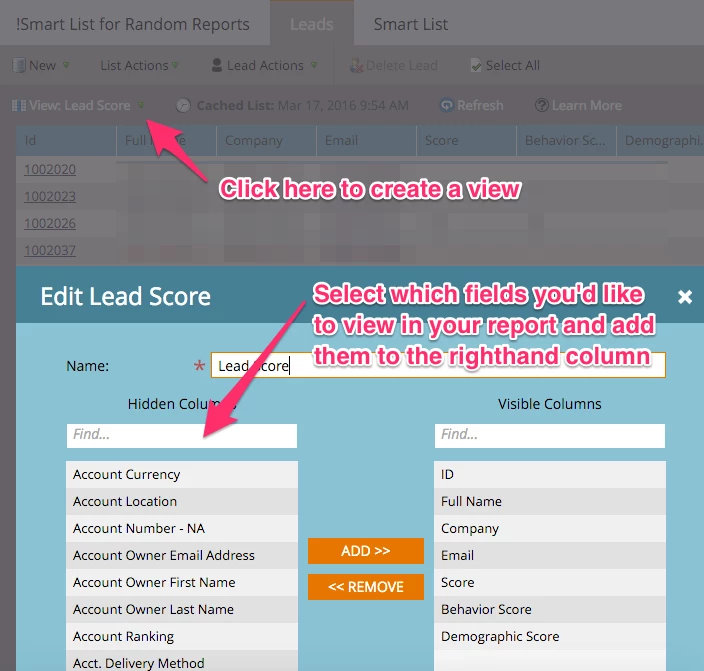
For the Smart List, you would just add whatever filters you'd like to the Smart List and then create a view in the Leads Tab. It should look something like this:

Hope this helps!

1 reply

Grégoire_Miche2
New Participant
April 4, 2016

Hi JB,

If you really want to use the reporting, create a formula field that concatenates the 3 infos. For instance

Perterson, JB - Security Coverage

and group the report by this field.

But it might be simpler to use a smart list with the exact columns you want and subscribe to it or simply export it on demand.

-Greg

JB_Peterson
New Participant
April 4, 2016

Is there an article that details out this process? Either one?

Thanks for the response.

JB

Jenn_DiMaria2
Jenn_DiMaria2Accepted solution
New Participant
April 4, 2016

Hi, JB!

For the Smart List, you would just add whatever filters you'd like to the Smart List and then create a view in the Leads Tab. It should look something like this:

Hope this helps!