Making check boxes "required" | Community
Skip to main content
November 22, 2016
Solved

Making check boxes "required"

  • November 22, 2016
  • 3 replies
  • 9024 views

Hi Everyone! 

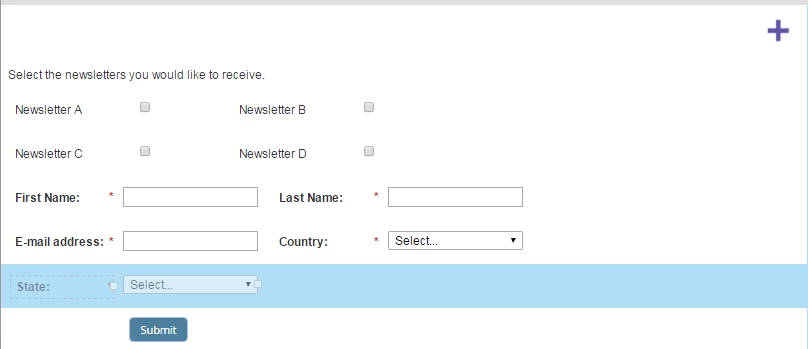
I'm setting up a newsletter sign up page, where we're hoping to use multiple single check boxes to indicate a subscription to the corresponding newsletter.  These boxes map to custom fields in salesforce that are also check boxes. 

The problem we keep running into is making the check boxes "required".  We don't want to allow people to submit the form without having at least one of these boxes checked, but if we select "required" in forms 2.0, you have to check off the boxes.  I'm guessing that this might be solved with some kind of script in an html box on the landing page?   I've suggested going with a select box to make things easy, but the web team is pretty firm on making these check boxes. How would you guys approach this problem?
This post is no longer active and is closed to new replies. Need help? Start a new post to ask your question.
Best answer by SanfordWhiteman

MktoForms2 :: Checkboxes Min/Max Checked

3 replies

Kelly_Sheetz
New Participant
October 11, 2017

Hi Sanford,

I am also looking to do something similar as the above two use cases.

As you can see on the form below, the first two workshop options are at the same time. I want to use javascript to either hide checkbox #2 if checkbox #1 is checked and vice versa OR throw an error message if a lead attempts to submit the form if they selected checkbox #1 and checkbox #2.

LP: AWS Executive Summit Workshops Las Vegas

Thanks in advance!

SanfordWhiteman
New Participant
October 11, 2017

Use my same code above. Your config block would be like this:

var checkboxGroups = [{

  fieldNames: [].map.call(document.querySelectorAll('[name="eventDateCode"][value="cloud-migration"],[name="eventDateCode"][value="cloud-simulation"]'),function(el){ return el.id }),

  minChecked: 1,

  maxChecked: 1,

  minMessage: 'You must check at least one box in this group!'

}];

Kelly_Sheetz
New Participant
October 11, 2017

Thanks, Sanford. This works great in CodePen: https://codepen.io/figureone/pen/8be8e1e6fc1e622f97c412c8933594c9

When I add the script to my landing page, the js doesn't seem to work: AWS Executive Summit Workshops Las Vegas /external-link.jspa?url=https%3A%2F%2Fpages.awscloud.com%2FAWS-reInvent-Exec-Summit-2017---Workshops_Page---Registration-KS-TESTING-ONLY.html

Any thoughts on what I am doing wrong?

SanfordWhiteman
New Participant
June 19, 2017

Move the config section inside whenReady().

SanfordWhiteman
SanfordWhitemanAccepted solution
New Participant
November 22, 2016
November 28, 2016

thank you! 

SanfordWhiteman
New Participant
November 28, 2016

Sure, if you could mark as Correct ​please.