
Managing Engagement Programs - [Marketo Success] Guide Sneak Peek
Check out an excerpt from the ebook below written by @Erik Heldebro, Chief Marketing Officer at Bambuser and @Rachel Noble, Manager Client Services at Digital Pi to learn how they manage engagement program memberships.
Managing Engagement Programs
Nurture programs aren’t just hard to conceive. They can be hard to manage, too, especially if you don’t have a program set up for just that purpose. We call this a Nurture Traffic Controller, and here’s how to build one:
- Create a Default Operational Program named Nurture Traffic Controller.
- In the new program, create three folders: Smart Campaigns, Smart Lists, and Reports.
- In the Smart Lists folder, create a Smart List named “1. Nurture Target Audience.” The Smart List criteria should include anyone who would potentially qualify for any nurture program. We’ll specify which program later. Remember that Marketo filters out Unsubscribed, Marketing Suspended, and Blacklisted leads automatically.
- If you have one Engagement Program that everyone goes into, skip to step 5. Otherwise, you will need to create additional target audience Smart Lists to identify which Engagement Program qualified leads should go into. For example, if you have an Engagement Program specifically for VP’s, create a Smart List “2. VP Target Audience.”
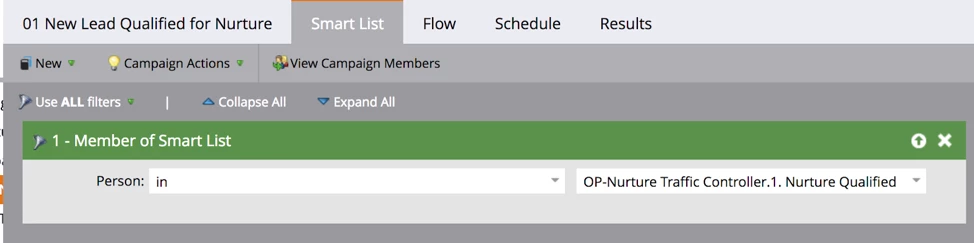
- In the Smart Campaigns folder, create a new Smart Campaign named “1. Add Qualified Leads to Nurture.”
- Smart List:
- Flow:
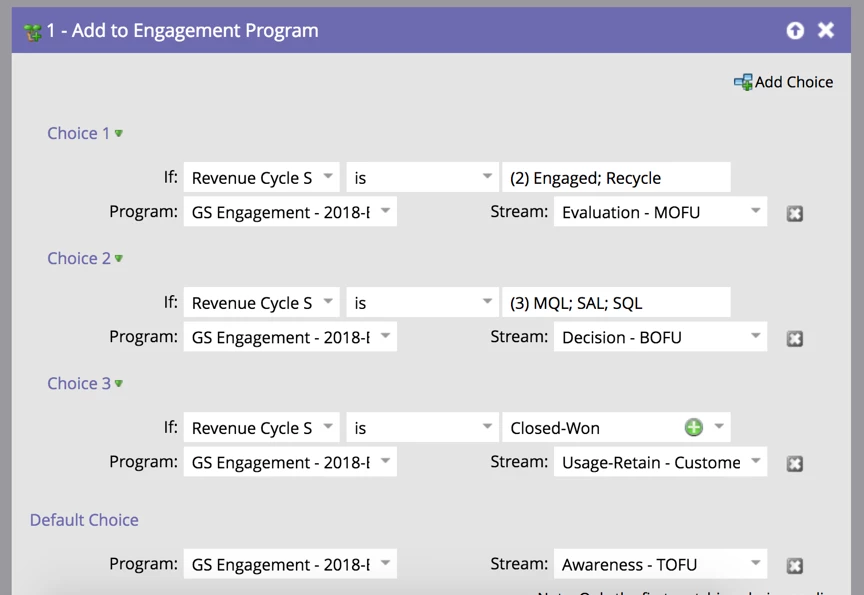
- If you have a generic nurture program, your only Flow step should be: Add to Engagement Program -> Generic Engagement Program, Stream=Stream 1. Add choices to determine which stream if you have multiple streams.
- If you do not have a generic nurture program, you can use the Smart Lists you created in step 4 to identify which program they should go into
- Add to Engagement Program If Member of Smart List A, Engagement Program A Stream = Stream 1 and so on. Like in (i), you can also add choices to determine which stream if any of these programs have multiple streams.
6. Schedule this to run recurring just before the cast of the nurture program(s). If the casts are not consistent, consider scheduling this daily. Remember that the campaign is set so people can only run through once, so you don’t have to worry about this re-assigning everyone to new nurture programs each time it runs.
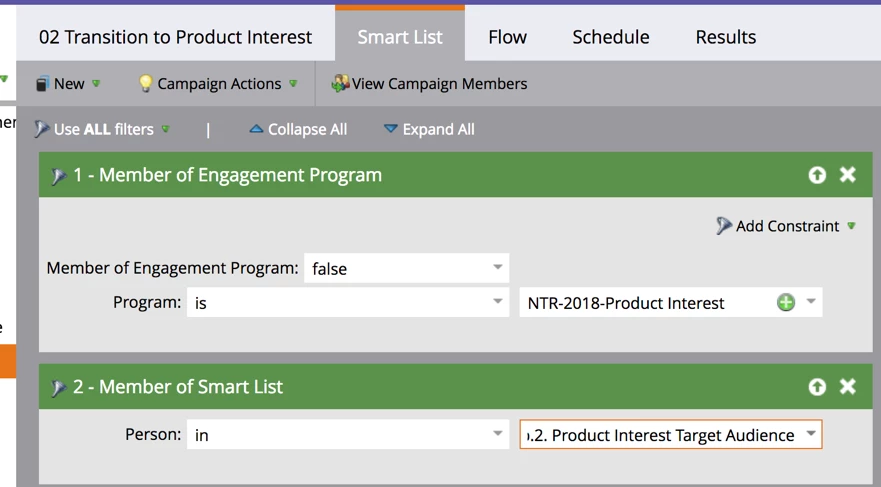
7. If you don’t have any other nurture programs, you’re done! Otherwise, we need to set up transition rules to get people into the correct nurture program. For each additional nurture program, we need to create a new Smart Campaign to transition leads who qualify:
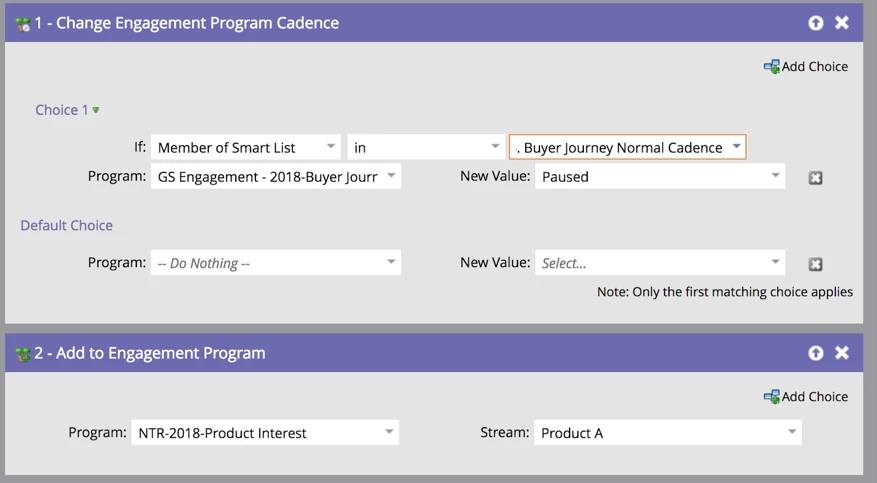
And that Smart List referenced in Flow step #1?
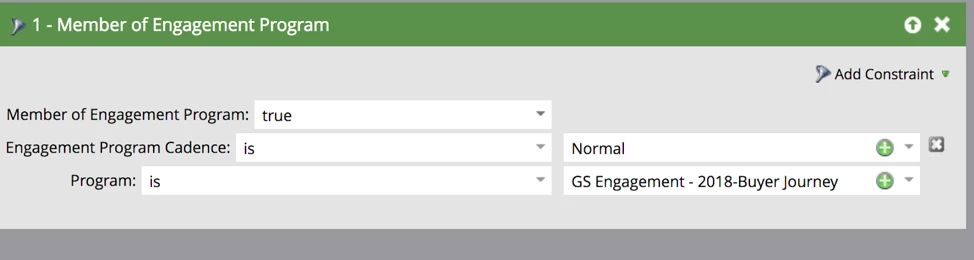
Now your leads will be in the right Engagement Programs!
Engagement Program Checklist
When setting up your Engagement Programs, here’s a checklist you can use to make sure you have everything you need.
- Engagement Program built
- Content Streams created
- Unsubscribed/Invalid Stream created
- Transition Rules defined
- Smart Campaign to track success at the Engagement Program level built and activated
- Emails added to nested Default Programs within the Engagement Program
- Smart Campaigns to track success at nested Default Program level built and activated
- Excluded Smart Campaigns built-in nested Default Programs and activated
- Default Programs/Email Assets added to streams
- Default Programs/Email Assets activated in streams
- Cadence/first Cast scheduled
- Traffic Controller created/updated