
Marketo Integration with WebEx Webinars | Community
Skip to main content
michellechopin
Community Manager
October 31, 2023
Solved

Marketo Integration with WebEx Webinars

  • October 31, 2023
  • 2 replies
  • 5591 views

Happy Halloween Community friends!


I am trying to set up WebEx Webinars in our Marketo instance ahead of an impending event and am struggling REAL hard to do so. I see there is WebEx Webinars and WebEx in the LaunchPoint options - I'm using the former as that is the tool we are using.


However, when I get to the integration details screen and click on Log Into WebEx Webinars, I am taken to the WebEx page where I enter the person's information who has admin rights and get this error:
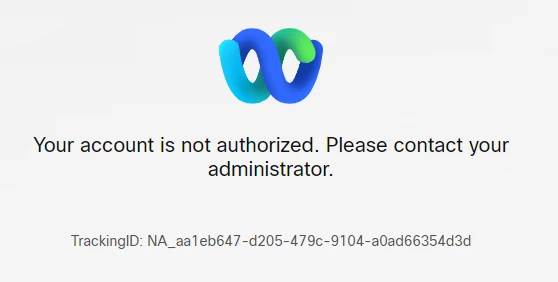
This person is set up as a full admin on WebEx WEBINARs, and that log in page looks like:
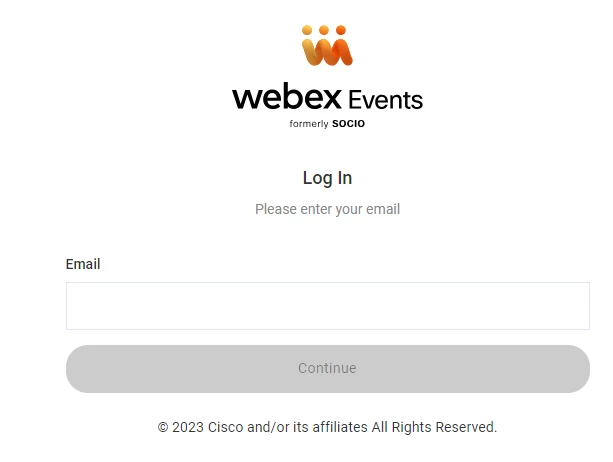
The Marketo documentation to Add WebEx as a LaunchPoint Service also shows that WebEx log in page so I'm assuming it's something I'm doing wrong - does this person need to be an admin in regular WebEx AND Webinars? FYI, logging in using these credentials for the WebEx LaunchPoint service gives me an error because it won't accept any of the sites that I add in (the settings are slightly different).


Any help is appreciated (I also cannot submit support tickets right now but if that's the route to go I will send one as soon as I can).

Michelle 👻
This post is no longer active and is closed to new replies. Need help? Start a new post to ask your question.
Best answer by michellechopin

That's also really good to know @matjazz - especially with Webex having such a variety of products now!


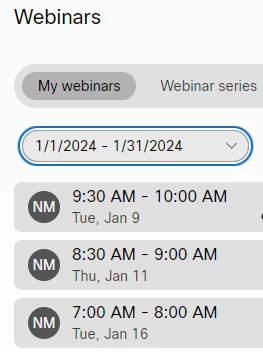
Checking the screenshot that my Webex admin shared, all three webinars (we have dry runs and the live event) are all scheduled for the future (January 2024) and they're listed as webinars by the looks of the UI:

I'll keep your notes in mind as we continue to troubleshoot with Webex though.


I appreciate your help and input  😀

Michelle


Quick update here after figuring things out. If you're using the Webex Webinars platform and wish to integrate with Marketo, these two things must be true:


  1. The Webex Webinars account being used for the integration has to have the right permission in Marketo - while it doesn't require full Admin permissions, the user must have "Access Event Partners" toggled on their role
  2. When adding the webinar to the individual Marketo program(s), the webinar must be created by the person who is connected via the integration
    1. I had to update permissions for the user who had set up these webinars so THEY could add the integration instead of me (the system admin for Marketo) - this is ineffective. 
    2. I have reached out to the Webex Support person we've been working with to ask what larger teams do to get around this because it's not always going to be the case where the same person who is on the integration link is setting up webinars. Surely Webex doesn't expect us to redo the integration every time we need to connect a Marketo program to this tool? Will post updates if/when I get them

Also, @darshil_shah1 , is it possible to get the Marketo documentation updated - each of these should include one or both of the notes/things to remember:

Thanks for all the help in troubleshooting - I'm amazed at how much effort we had to put in to get to this simple answer 😂 but super glad we got it figured out for our upcoming January webinar (and I hope this helps anyone else struggling with the integration too!).


Have a great rest of your week friends  😀

Michelle

2 replies

Darshil_Shah1
Community Manager
November 1, 2023

With Webex retiring its legacy Webex events, Webex integration has undergone some changes. However, the legacy version would still be supported for Marketo customers until EOY this year. Do you happen to have a user who's an admin in both Webex Webinar and Webex that you can try authorizing the Launchpoint service with? I wouldn't be surprised if this turns out to be just a bug.

New Participant
November 1, 2023

Haven`t tried yet the Webex Webinars integration, but with Webex Events it used to be the case that the integration did not work if Webex Events tenant had SSO enabled. Maybe this is the case for Webex Webinars integration as well.


Will try to connect the platforms later this week and post here if it works.

Katja_Keesom
Community Manager
November 1, 2023

Not entirely sure, but worth a check: What are the rights of that same user in Marketo?

michellechopin
Community Manager
November 1, 2023

This person has a custom user role in Marketo with no admin rights. While I would wonder if that was the issue, our GoToWebinar account is linked through a generic user account which doesn't even use Marketo and that one connected with no issues.


Appreciate the suggestion - the more troubleshooting options the better! 😁