
Marketo replacing classes on Landing page. | Community
Skip to main content
Gerard_Donnell4
New Participant
July 23, 2020
Solved

Marketo replacing classes on Landing page.

  • July 23, 2020
  • 2 replies
  • 5382 views

I have a landing page with a Marketo image on it. For some reason Marketo seems to be removing the css class "card-img-top" and replacing it with "lpimg" which is breaking the styles. 

On the first two images it is working fine. It's onlly on the last one this is happening. See the gaps at the sides of the third image. 

See below


Template code: 


<div class="mktoImg" id="Readmore3Image" mktoName="Third Read more Image"> <img src="https://info.thewebsite.com/rs/911-BEG-887/images/planogram-readmore.png" class="card-img-top" alt=""> </div>


The Code when I preview it: 


<div class="mktoImg mktoGen" id="mkto_gen_Readmore3Image"><img src="https://info.thewebsite.com/rs/911-BEG-887/images/Thumb-LP-GalleryCV-300x230.png" class="lpimg" alt="" id="Readmore3Image"></div>


Anyone else experience this?

Thanks, 

Gerard
This post is no longer active and is closed to new replies. Need help? Start a new post to ask your question.
Best answer by Dave_Roberts

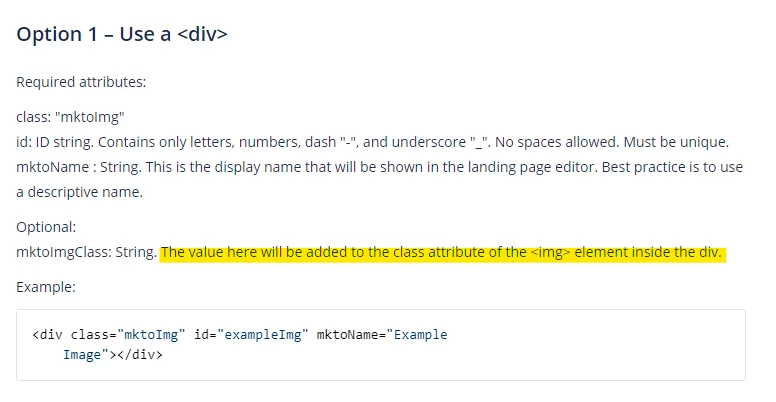
I think you might need to add the class into an optional parameter on the parent .mktoImg div which will write the class to the image when it renders. 


Try this instead maybe:


<div class="mktoImg" id="Readmore3Image" mktoName="Third Read more Image" mktoImgClass="card-img-top"> <img src="https://info.thewebsite.com/rs/911-BEG-887/images/planogram-readmore.png" alt="several images of store display shelves"> </div>


https://docs.marketo.com/display/public/DOCS/Create+a+Guided+Landing+Page+Template

2 replies

Dave_Roberts
Dave_RobertsAccepted solution
New Participant
July 23, 2020

I think you might need to add the class into an optional parameter on the parent .mktoImg div which will write the class to the image when it renders. 


Try this instead maybe:


<div class="mktoImg" id="Readmore3Image" mktoName="Third Read more Image" mktoImgClass="card-img-top"> <img src="https://info.thewebsite.com/rs/911-BEG-887/images/planogram-readmore.png" alt="several images of store display shelves"> </div>


https://docs.marketo.com/display/public/DOCS/Create+a+Guided+Landing+Page+Template

Gerard_Donnell4
New Participant
July 24, 2020

You were spot on @dave_roberts . Can't believe I missed that.

adrianfraguela
New Participant
July 23, 2020

@gerard_donnell4 can you share a URL at all please? Want to check the full page if possible. Thanks