
Marketo Tokens: Ins and Outs
Using Marketo Tokens to create more scalable, dynamic content
Program tokens are the best! Those are the the tokens that start with “my.” and they’re specific to Marketo programs and Marketo folders in the Marketing Activities section which hold programs (i.e., all folders except for local asset folders that are within programs).
We originally started venturing into tokenizing content back when I was venturing into making responsive Marketo landing pages, since the WYSIWYG had become so difficult to use. I had realized pretty quickly that you could bring in all content through tokens in programs, and it cut down the time required to make programs (landing pages, emails, and everything else) from something like 2 hours to 15 minutes.
Enter tokens, which still bring in all of the content—pictures, buttons, value propositions, titles, links, and text—except with tokens. You simply clone from your program template, edit tokens on the program, and all of the changes are populated instantly. We can publish tokenized responsive landing pages (hopefully becoming redundant soon with Marketo's next few releases!) while saving hours with each new program.
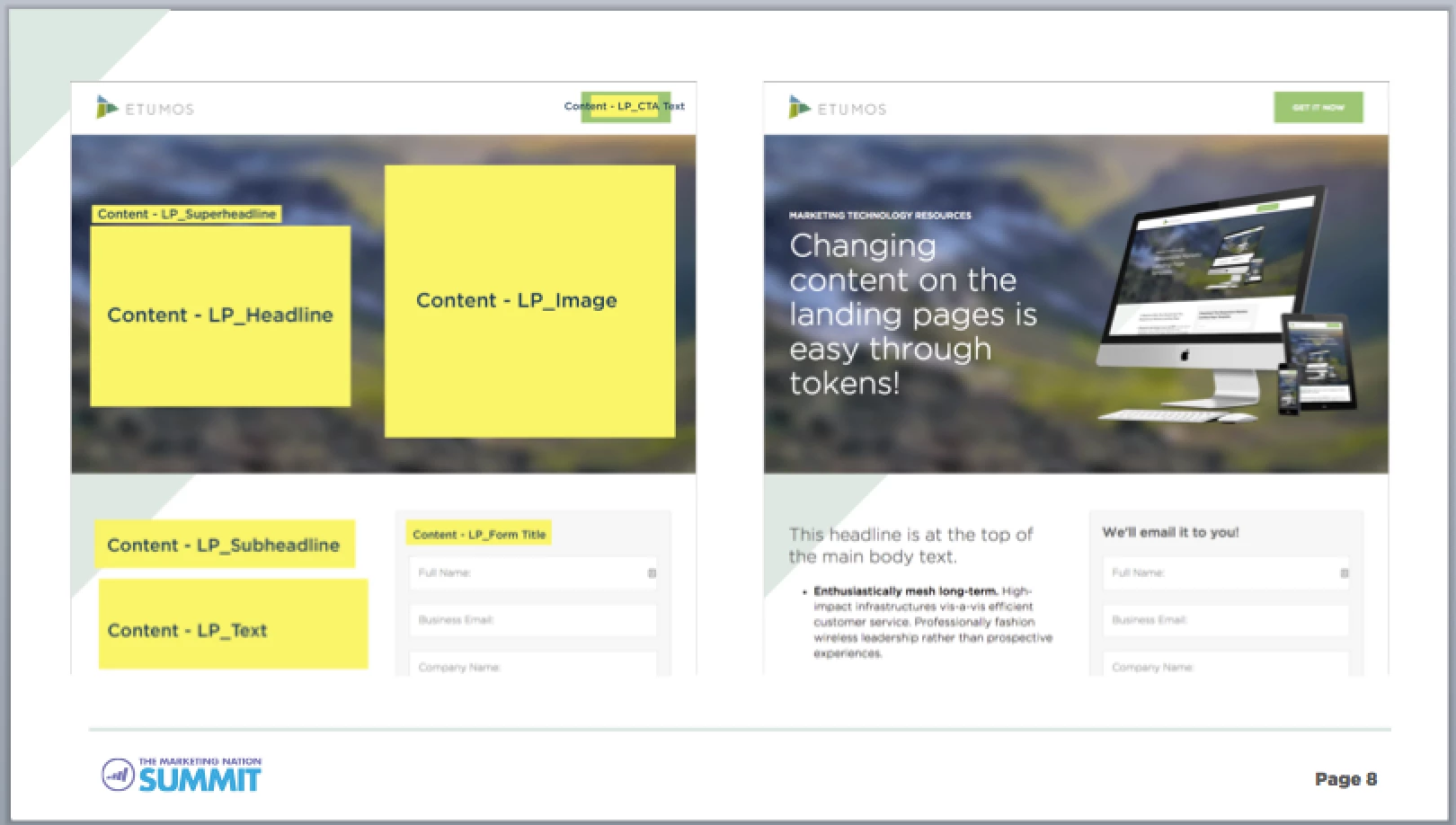
We tokenize everything, and so should everyone. In fact, we don’t even use Marketo’s landing page WYSIWYG editor. We don’t even open it. Same with emails. When we make a Marketo program, we just clone from a template program and change tokens, and it takes about 10 minutes. Before, we would spend 45 minutes nudging elements left and right by single pixels to get it all perfect.
A Quick Tokenization Guide
Program tokens cascade. They can be inherited and overwritten. Ever had to go through yearly updating of the copyright year? Well this way you can save two days of busy work—plop that year into a Universal token.
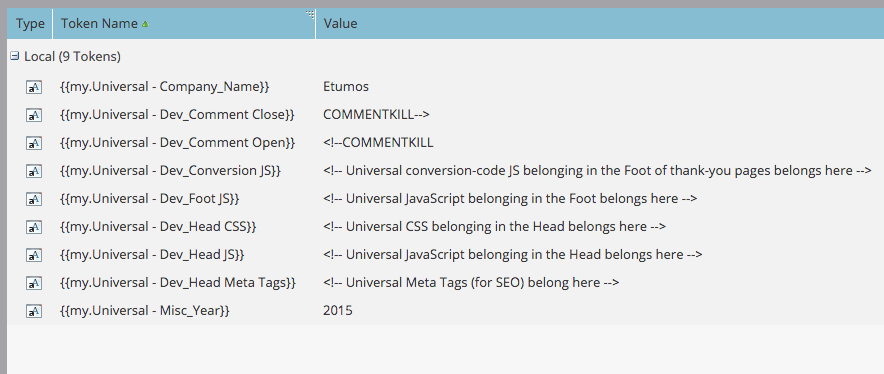
Make a “Universal” folder in your Marketing Activities section. Put tokens in there that you’ll use everywhere. Here's a screenshot example of what we use on the Universal level:
And program tokens! Here's a screenshot of an email campaign template, one that fits in with our engagement programs:
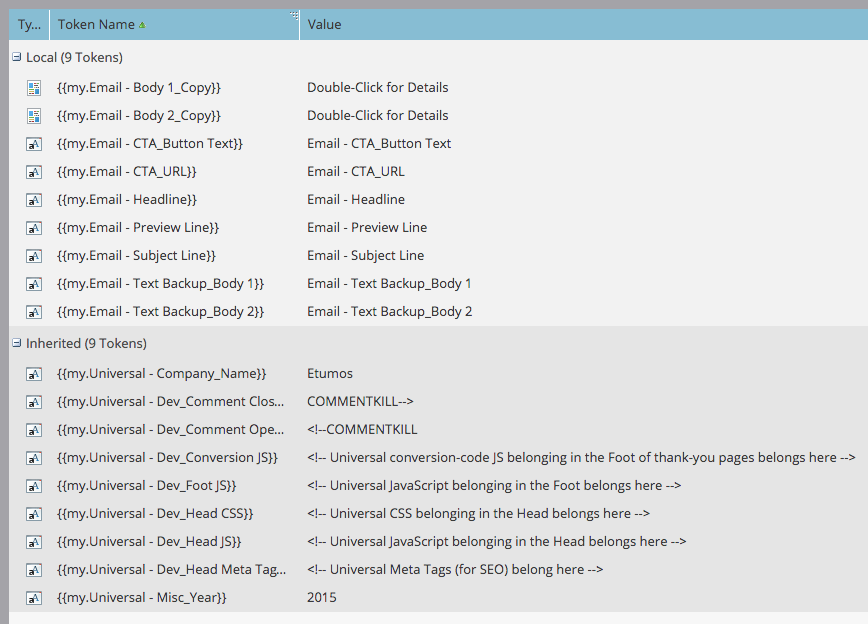
Emails are a fun way to use tokens, because emails don’t actually have to reside within the program itself. They can be housed in the Design Studio and a flow step sending an email within the program means that the non-local email will have local program tokens. Best use? Universal Fulfillment Email.
There are generally three levels of tokens that we use: "Universal" level (on the top-most containing folder), "Folder" level (on any folder below "Universal"), and "Content" level (specific to the program). You can turn your programs into miniature content management systems through program tokens like this.
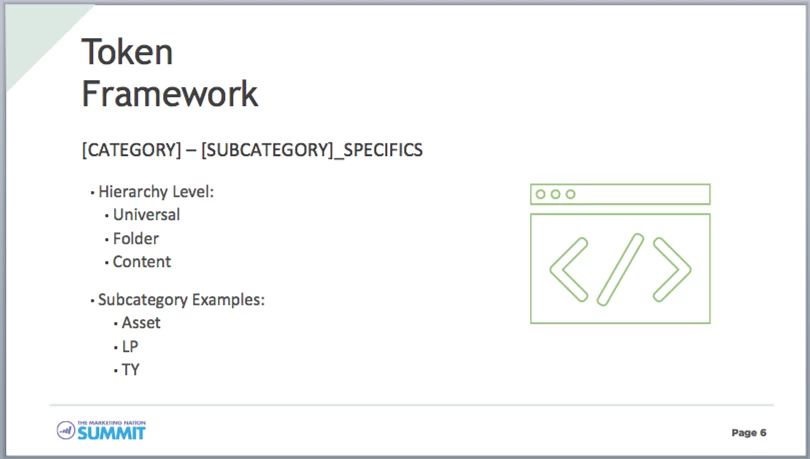
Token nuances—the types of tokens
There are two types of tokens that we use everywhere: text tokens and rich text tokens. They have some nuances to them, which you can see in this table:

Text tokens containing full URLs will not be tracked in Marketo emails! That’s because the way email links are tracked for clicks is through shortening them specific to the user. Because text tokens aren’t filtered through normal processing, they won’t be shortened and you will therefore not find any link tracking to work.
Solution:
“www.{{my.Email - CTA_URL:default=etumos.com}}” — now you have link-tracking tokens!
The best rule of thumb for determining if you should use rich text tokens or text tokens is this: do I want paragraphs? Because they’re going to show up whether you want them or not.
More questions you’ll need to consider:
Will a non-coder need to (and be able to) edit this? Will a non-coder need to change formatting on this?
Is this abnormal code that’s going to be filtered out when I don’t want it to be? JS? CSS? HTML with non-WWC-compliant attributes?
The final word on tokens
Note that you can’t put tokens inside tokens. The only exception is a Calendar token, which takes event tokens but not program tokens.
In text emails, rich text tokens spit out the full HTML. That means someone on a Blackberry (okay, probably just an old Blackberry) is going to see your raw HTML code output in the text-only email. Hence, in that case, we have back-up text tokens instead of rich text tokens.
Want to see tokens in action? It's easiest to see demos, which were luckily recorded during my session from Marketo Summit 2015: Architecting a Scalable and Robust Marketo Instance!