Member Status Not Updating | Community
Skip to main content
New Participant
August 2, 2023
Question

Member Status Not Updating

  • August 2, 2023
  • 2 replies
  • 3592 views

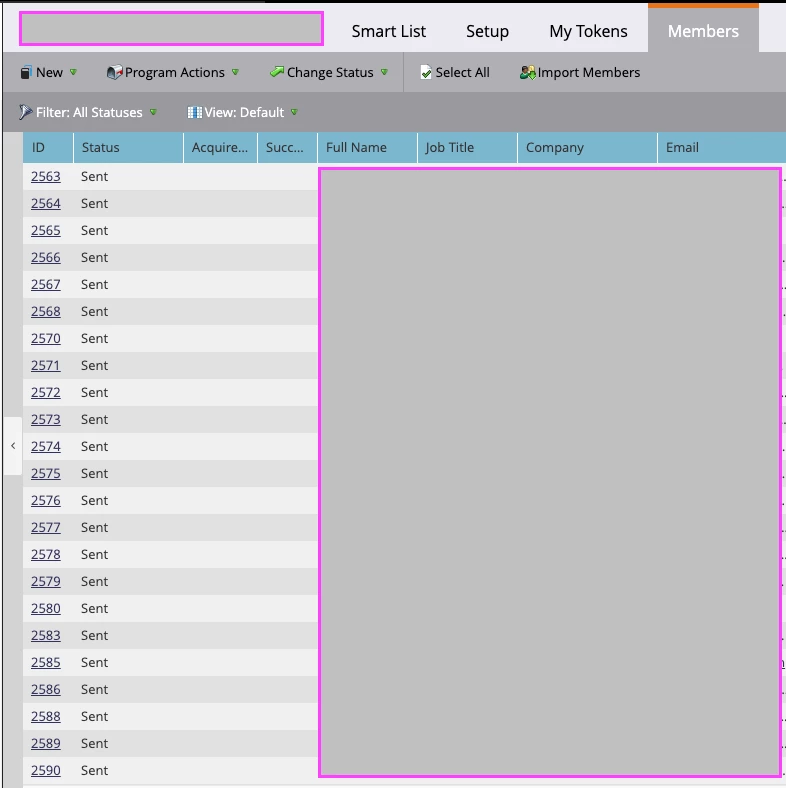
Hi - I imagine this is a really basic question, but I'm trying to help out a client. They have set up email programs, and we would like the member status to update as the user takes action. However, 100% of the members continue to just have the status "Sent". It never updates to the other options: Delivered, Opened, Clicked, etc. How would I get this to update?


I found this documentation: https://experienceleague.adobe.com/docs/marketo/using/product-docs/core-marketo-concepts/smart-campaigns/program-flow-actions/change-program-status.html?lang=en 

However, it is light on details. Does anyone know of better documentation for making sure that campaign members have their status updated correctly for each email?
 

This post is no longer active and is closed to new replies. Need help? Start a new post to ask your question.

2 replies

Community Manager
August 2, 2023

Here are a couple of additional resources that might help:

Marketo Success Series: Email Programs

Marketo Success Series: Channel Building

Creating a Smart Campaign


As mentioned above, next time, you'll need to create a trigger smart campaign that progresses people through the campaign based on certain actions, and you'll want to do this for any status in your program (Opened, Clicked, Unsubscribed, etc.). If your instance is set to have bot activity logged but not filtered, you'll want to be sure to exclude bot activity in the trigger, just as a precaution. 


For this time around, you could create a batch campaign that would run on similar actions (instead of Opens email, the trigger would be Opened email) ... with the same caveat that you'll want to make sure that bot activity is set to false. Depending on when you sent your email, you could also create the trigger campaigns to catch anyone who hasn't engaged just yet -- but this might not be moot if the email was sent a while ago.

New Participant
August 2, 2023

Thanks!

Darshil_Shah1
Community Manager
August 2, 2023

The program status doesn't get updated automatically. You would need to create campaigns to update the Program Status based on the person's respective interaction, e.g., update program status for people who opened email to Opened, clicked email to Clicked status, and so on. FYR, this would go in the campaign's smart list. You can batch-update the program statuses for the programs that have already run, for the rest, you can set this up with triggers.


Use the Change Program Status flow step to update the correct New Status value in the campaign flow.


Also, just want to mention that Opens and Clicks could contain non-human, bot activities, and you might be changing the status values of members based on something that they never did. You can always turn on and filter bot activities, but that would still not guarantee that you won't see any bot activities in your instance.


New Participant
August 2, 2023

Ok, yes I was starting to figure this out as I was playing around more. And good callout on the bot activity. 


Do I need to create campaigns for each email send? Is there a way to create one campaign to set all emails to "delieved", for example? 

Community Manager
August 2, 2023

You will need to create smart campaigns for each email.


The way I would recommend it would be to have a template of a batch program that contains all your needed assets (emails, smart campaigns, lists, reports), and then you don't have to reinvent the wheel each time -- just clone the template. Just make sure all your settings reference your current email before activating or sending.


I wouldn't recommend using "delivered" as a status, as something could be marked as delivered but then later bounce. Frankly, with MPP, image prefetching, and blocking of images altogether, even Opened as a status isn't totally reliable.