MktoForms2 is not defined in Marketo Forms 2 Cross Domain request proxy frame script. | Community
Skip to main content
Mike_Rojas
New Participant
October 8, 2019
Solved

MktoForms2 is not defined in Marketo Forms 2 Cross Domain request proxy frame script.

  • October 8, 2019
  • 3 replies
  • 19100 views

Embedded forms not submitting in FireFox Private mode.  We are using a CNAME to load the form but it looks like there is an additional script on the Marketo side that is loaded with a Marketo CNAMe and not our custom CNAME.  Is this something we can control?

The script is loaded with our CNAME though it's loading the forms.js from the Marketo domain.  Can this be updated to use our CNAMe as well?  

Is there another way around this issue?

Best answer by SanfordWhiteman

Ugh, I though this had been fixed permanently before. Guess we have to use my workaround still.

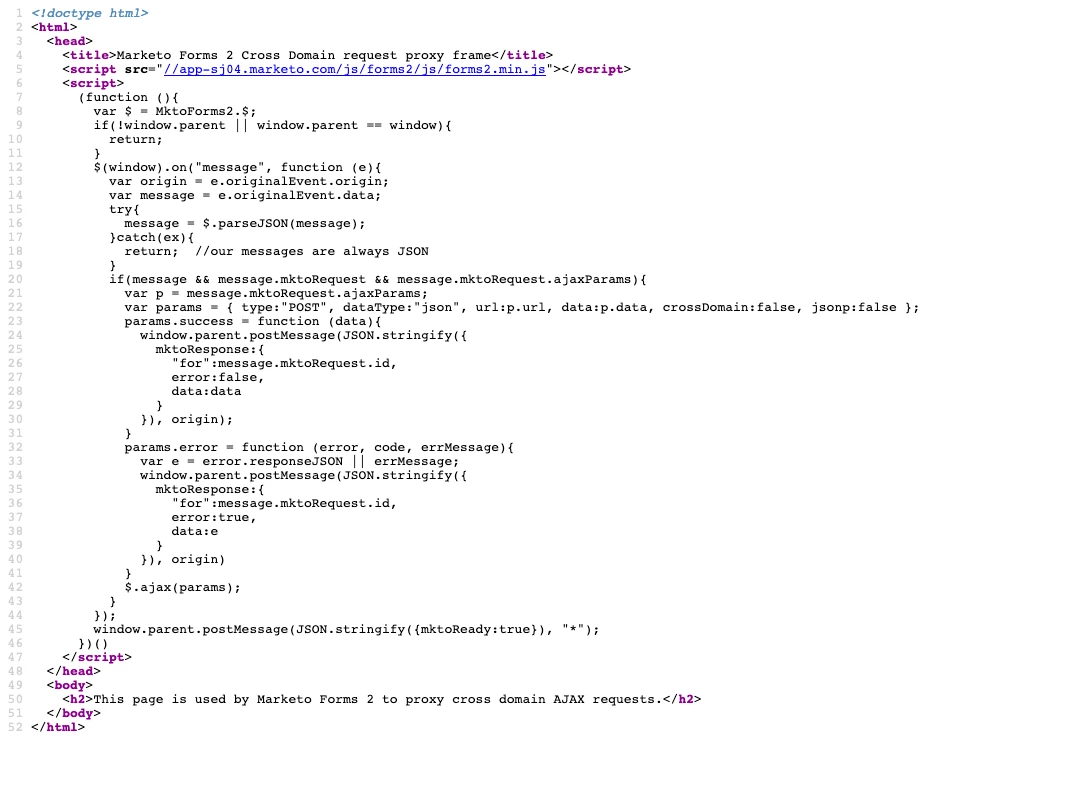
Upload this file to your Design Studio assets:

   Marketo Forms 2 Cross Domain request proxy frame 

Refer to that file in your options before loading the form:

<script src="//p.highspot.com/js/forms2/js/forms2.min.js"></script>
<form id="mktoForm_2998"></form>
<script>
MktoForms2.setOptions({
formXDPath:"/rs/623-OHN-043/images/marketo-xdframe-relative.html"
});
MktoForms2.loadForm("//p.highspot.com", "623-OHN-043", 2998);
</script>

Demo:

   MktoForms2 :: XDFrame relative path for Tracking Protection

3 replies

SanfordWhiteman
New Participant
October 24, 2019

Please point to the the page you're using to test. text/html isn't a mismatch for the HTML content.

New Participant
October 24, 2019
SanfordWhiteman
New Participant
October 24, 2019

I mean the page with the form.

Mike_Rojas
New Participant
October 8, 2019
SanfordWhiteman
SanfordWhitemanAccepted solution
New Participant
October 8, 2019

Ugh, I though this had been fixed permanently before. Guess we have to use my workaround still.

Upload this file to your Design Studio assets:

   Marketo Forms 2 Cross Domain request proxy frame 

Refer to that file in your options before loading the form:

<script src="//p.highspot.com/js/forms2/js/forms2.min.js"></script>
<form id="mktoForm_2998"></form>
<script>
MktoForms2.setOptions({
formXDPath:"/rs/623-OHN-043/images/marketo-xdframe-relative.html"
});
MktoForms2.loadForm("//p.highspot.com", "623-OHN-043", 2998);
</script>

Demo:

   MktoForms2 :: XDFrame relative path for Tracking Protection

Mike_Rojas
New Participant
October 8, 2019

We have deployed this and forms are working in Private mode now. Thank you! 

SanfordWhiteman
New Participant
October 8, 2019

Pls provide the URL of this page.

Also, terminology FYI: the CNAME of your LP Domain/Domain Alias is <accountstring>.mktoweb.com. The LP Domain is an *alias*. 

In other words, the CNAME is the right-hand-side of a CNAME DNS record, not the left.