
Module Component in New Email Editor | Community
Skip to main content
Amanda_Thomas6
New Participant
July 19, 2016
Solved

Module Component in New Email Editor

  • July 19, 2016
  • 2 replies
  • 2406 views

Hello,

I'm using a new email template, "Urbanista". I really like one of the components "coupon2". So, I added one more from the modules tab. (I did not duplicate the existing component). However, when I go to change the picture of the second one it changed the first one. Anyone know a work around?
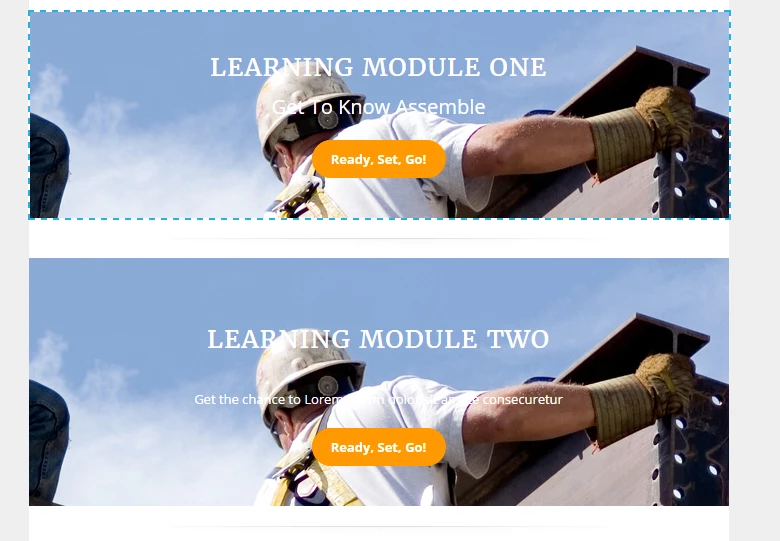
Thank You,

Amanda

Best answer by Justin_Cooperm2

This is expected behavior. It is because the module in that template uses an image variable, not an image element. There is a workaround but it requires you to tweak the code. Not sure if you're comfortable with that but if you want to know how please shoot me an email jcooperman@marketo.com

2 replies

Justin_Cooperm2
Justin_Cooperm2Accepted solution
New Participant
July 19, 2016

This is expected behavior. It is because the module in that template uses an image variable, not an image element. There is a workaround but it requires you to tweak the code. Not sure if you're comfortable with that but if you want to know how please shoot me an email jcooperman@marketo.com

Amanda_Thomas6
New Participant
July 20, 2016

@Justin Cooperman​, I just sent you an email. Thanks for your help!

New Participant
July 19, 2016

Yes, we are having the same issue.  Is this a bug??