
Monitor Email Deliverability with Daily Reports
When something goes wrong with your email deliverability, you want to know as quickly as possible. Last year, the Marketo deliverability team helped me set up reports that I now monitor on a daily basis. Here's a quick guide to how you can do the same:
1. Under Analytics, create four email performance reports:
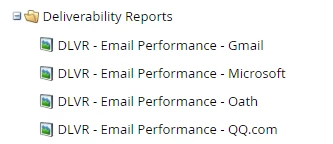
2. On the Setup tab of each report, set each timeline to "Yesterday."
3. For a clear look at how each ISP is performing, add filters to the Smart List tabs of your reports:
- GMAIL FILTERS:
- Email Address contains
@gmail.
- Email Address contains
- MICROSOFT FILTERS:
- Email Address contains
@outlook.
@hotmail.
@live.
@microsoft.
@msn.
- Email Address contains
- OATH FILTERS:
- Email address contains
@aol.
@aim.
@yahoo.
@ymail.
@verizon.
@rocketmail.
- Email address contains
- QQ FILTERS:
- Email address contains
@qq.
- Email address contains
4. Finally, on the Subscriptions tab, schedule the reports to be emailed to you on a daily basis.
I also review a general report of all emails sent the previous day to catch any overarching issues.
I hope this is helpful! If you have any suggestions for how to improve these reports further, I would love to hear them.