Hi @Shelly Wilson,
I've totally been down this road - and for those of us not blessed to have RCE are forced to follow slightly more complicated paths. This is what I would do and have done in the past for quick monthly reporting. Once you set it up once you don't have to do it again in the future.
- Set up a Smart List for each status you want to check
- If you want just the number of people who are currently in the status use the filter "Lead Status" is xxxx
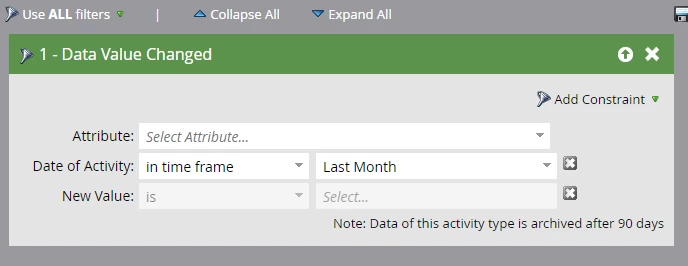
- If you want to know the number of people who moved to a specific status in the last month use the filter "Data Value Changed". Seen below and just set Attribute= Lead status, New Value= the status you are looking at (i.e. MQL, MAL). There is also a "Score was Changed" filter if you want to base it on Lead Score instead.
- Build a Lead (Person) Report and insert each of your smart lists as a custom column.
Now you have a comprehensive look every month. The key to this though is that the "Data Value Changed" filter only works for 90 days, so you can not go back too far and look at much historical data. So, we kept spread sheets that we updated every month in order to keep that data long term.
I believe there are also reports you can pull in SFDC with this information, depending on your integration there, but that may also be much easier to pull. Hope this helped a little bit, let me know if you have any additional questions!