
MSI emails sent to leads not in Marketo | Community
Skip to main content
David_Gaible
New Participant
May 6, 2016
Solved

MSI emails sent to leads not in Marketo

  • May 6, 2016
  • 2 replies
  • 2792 views

A little background: not all of our leads/contacts in Salesforce exist in our Marketo database. Sales rep are using MSI both in Outlook and Salesforce to send Marketo emails. Do MSI emails sent through Salesforce/Outlook to leads not in Marketo show up in a lead's Salesforce activity history?

This post is no longer active and is closed to new replies. Need help? Start a new post to ask your question.
Best answer by Iryna_Zhuravel4

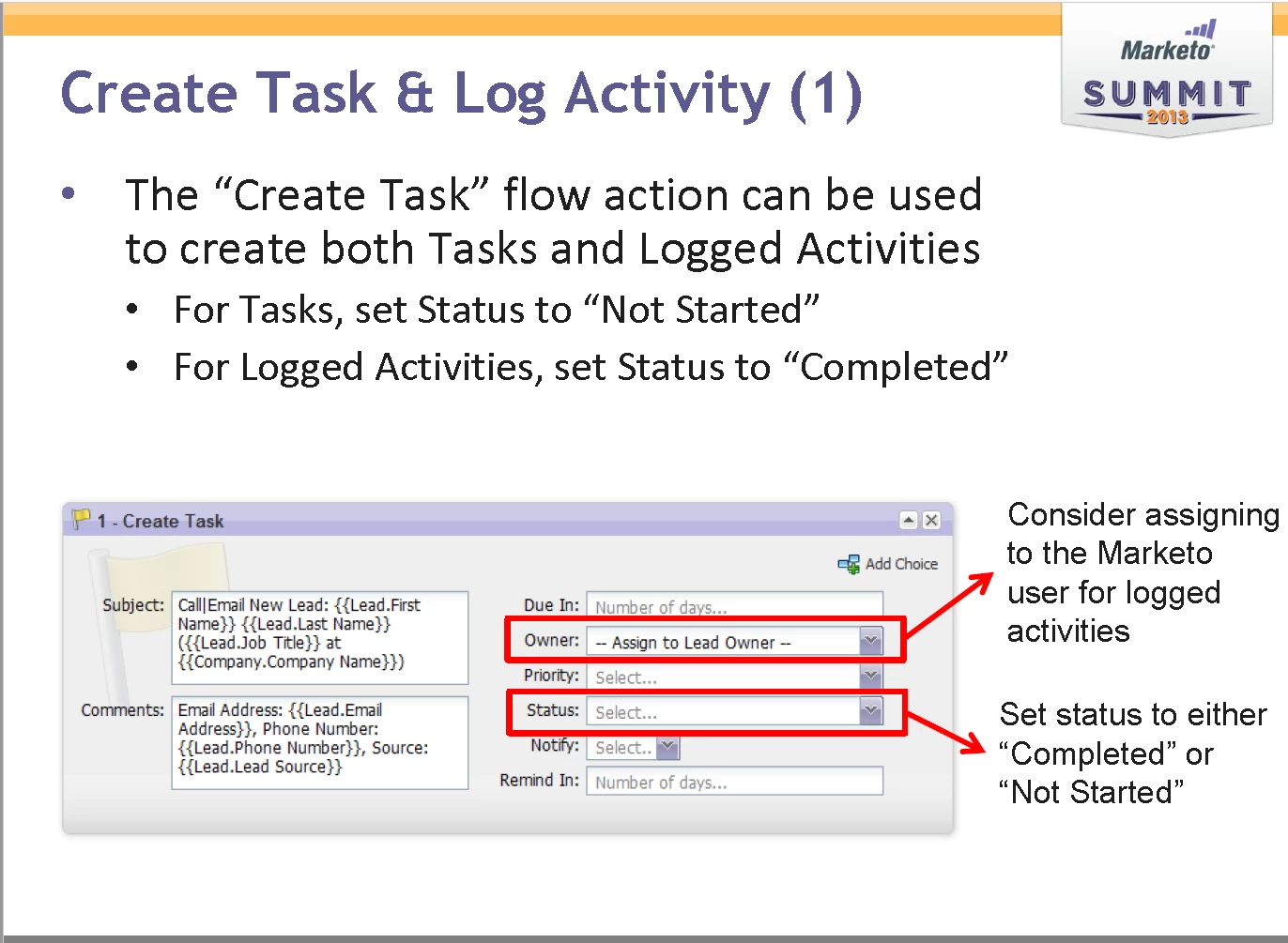
I was looking through some Marketo-SFDC sync material I have saved on my hard drive and I actually found a solution to log MSI or any Marketo activities into SFDC activity history, see the screen shot below

2 replies

Iryna_Zhuravel4
Iryna_Zhuravel4Accepted solution
New Participant
May 16, 2016

I was looking through some Marketo-SFDC sync material I have saved on my hard drive and I actually found a solution to log MSI or any Marketo activities into SFDC activity history, see the screen shot below

Iryna_Zhuravel4
New Participant
May 6, 2016

The short answer is no, MSI emails sent through Salesforce/Outlook will not show up in leads activity history in SFDC, regardless of whether these leads exist in Marketo or not. This is one of the shortcomings of the MSI, we log interesting moments for all the emails sent through MSI as a workaround.

If a lead is in SFDC but not in Marketo reps cannot send emails to this lead through the Marketo tab in SFDC, this is how the MSI tab for these leads will look like

If a lead does not exist in Marketo (regardless of whether this lead is in your SFDC or not) here is the behavior you can expect from the Marketo email app:

- sending an email to the email address that does not exist in Marketo will create a new lead with this email address

- this lead will come in with no data except for the email address, so Marketo will take everything before the @ sign and put it as the first name, everything between the @ and . as the company name, and it will put "mktUnknown" instead of the last name, see one of my test leads created this way below

- this lead will be marked as marketing suspended by default

May 6, 2016

Thanks Iryna, This is super helpful