MSI Error message on page layout | Community
Skip to main content
New Participant
September 1, 2022
Solved

MSI Error message on page layout

  • September 1, 2022
  • 1 reply
  • 1327 views

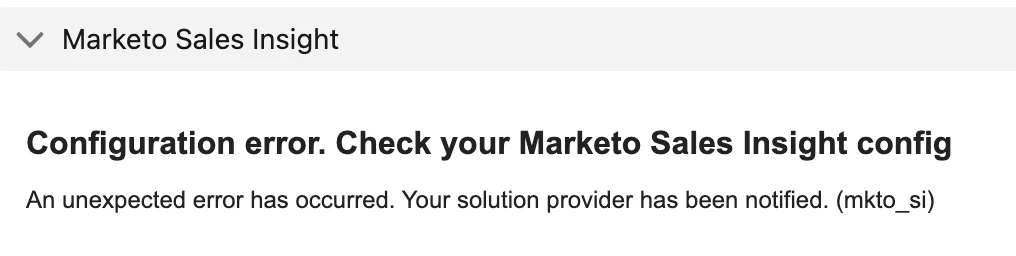
I tried to install Marketo Sales Insight to our SFDC instance, but got error message on the page layout. Does anyone have any solutions?

I followed the instruction to download from the SFDC AppExchange. https://experienceleague.adobe.com/docs/marketo/using/product-docs/marketo-sales-insight/msi-for-salesforce/installation/install-marketo-sales-insight-package-in-salesforce-appexchange.html?lang=en

Then, I configured the SFDC using this instruction. https://experienceleague.adobe.com/docs/marketo/using/product-docs/marketo-sales-insight/msi-for-salesforce/configuration/configure-marketo-sales-insight-in-salesforce-enterprise-unlimited.html?lang=en


However, I got error message on the lead page layout. Does anyone know what I missed? Thank you!
This post is no longer active and is closed to new replies. Need help? Start a new post to ask your question.
Best answer by th_1

Never mind. I figured out. Thank you!

1 reply

th_1AuthorAccepted solution
New Participant
September 1, 2022

Never mind. I figured out. Thank you!

New Participant
May 5, 2023

What was the solution? I am running into the same issue.


Nevermind, i see you have it posted here: https://nation.marketo.com/t5/product-discussions/msi-sfdc-configuration-error/m-p/301096#M169510


and if the link is ever broken, its because the field label for Priority is actually Engagement and the profile you are giving MSI access to needs to be able to see that field.