
MSI in MSD not showing up in contact or lead forms | Community
Skip to main content
Grégoire_Miche2
New Participant
April 11, 2017
Solved

MSI in MSD not showing up in contact or lead forms

  • April 11, 2017
  • 5 replies
  • 4742 views

Dear MSD specialists,

when installing MSI in MSD (2016, on premise) the MSI components do not show up on the contact or lead pages. ANd yet, the solution is installed and deployed, the user has the rights, MSD setup is done and even better, the sales insight status in Marketo is OK:
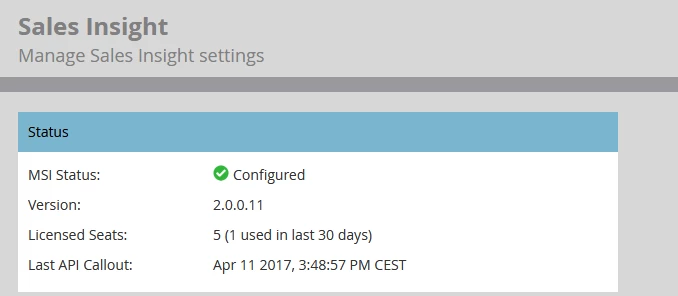
any idea ?

-Greg

This post is no longer active and is closed to new replies. Need help? Start a new post to ask your question.
Best answer by Grégoire_Miche2

We got the answer on this one, and this is bad news: Marketo does not support Dynamics custom forms. The hard point is that this is documented nowhere.

Unfortunately, Marketo doesn't support custom views for Sales Insight. The Sales Insight section will only work on the Standard Lead and Contact Form in Microsoft Dynamics. Because of this, we don't have any documentation on how to add MSI to custom forms.

Allowing MSI to be added to custom forms is a feature that our engineering are looking to make available in the future but it is currently not on our road map at this time. I apologize for the inconvenience but it simply something that the product isn't built for currently.

-Greg

5 replies

Paul_Wilson8
New Participant
April 21, 2017

Hey Greg - you can add MSI to forms in DCRM by doing the following:

Edit the form you want to add MSI to to add a tab, and a web resource:

Then select the mkt_/PersonView.htm web resource:

Adjust the formatting for the web resource so it is one column, and the height is 12 (not 6):

And that should do it for you!

Please let me know if you have any questions on this.

PW

November 27, 2018

Thanks as always Paul! I've been driving my CRM team crazy on this. I followed your steps and was able to go in and add it myself to the Dynamics forms. Much appreciated!

-Rusty

Paul_Wilson8
New Participant
April 21, 2017

Good day Greg - I have added MSI to custom forms in DCRM before.

Let me dig up my notes on that and I will post here - stay tuned!

PW

Dan_Stevens_
New Participant
April 12, 2017

Hi Greg - we have MSI running properly on our lead and contact records in MSD; and we're not using the out-of-the-box lead/contact entities.  What constitutes a "custom form" for leads and contacts?

Grégoire_Miche2
New Participant
April 12, 2017

Hi Dan,

AFAIK, forms are MSD word for page layouts. BUt I am not the Dynamics specialist on the project, so I do not know more.

-Greg

Dan_Stevens_
New Participant
April 12, 2017

All I can say is our lead form is customized to an extent - and MSI works fine.

Grégoire_Miche2
New Participant
April 12, 2017

And of course, if anyone in the community knows a workaround, that would be cool to share it

-Greg

Grégoire_Miche2
Grégoire_Miche2AuthorAccepted solution
New Participant
April 12, 2017

We got the answer on this one, and this is bad news: Marketo does not support Dynamics custom forms. The hard point is that this is documented nowhere.

Unfortunately, Marketo doesn't support custom views for Sales Insight. The Sales Insight section will only work on the Standard Lead and Contact Form in Microsoft Dynamics. Because of this, we don't have any documentation on how to add MSI to custom forms.

Allowing MSI to be added to custom forms is a feature that our engineering are looking to make available in the future but it is currently not on our road map at this time. I apologize for the inconvenience but it simply something that the product isn't built for currently.

-Greg

Dave_Cunningham
New Participant
April 12, 2017

Thanks for sharing. That is good to know. We are just starting to test MSI in a test environment and we have some custom forms.

I'm curious, does anyone know if installing the MSI solution will make any changes to native fields/entities in MSD? I took a look through the customizations.xml file, but I don't quite understand it all. I am just trying to avoid issues in our CRM environment if we do decide to install it in production. I wouldn't want it to be making changes to any native fields/entities or breaking any of our customizations.

Grégoire_Miche2
New Participant
April 12, 2017

HI Dave,

I do not think that Marketo solutions make any change to any existing fields. they add a few fields and some components that are added to "forms" (Page layouts). But we had a recent case where the MSI components would not appear on the lead or contact pages.

-Greg