
New Features of Dynamic Chat [launched in December 2022]

We are excited to announce some important updates released to Dynamic Chat this month that we think you’ll find useful.
Chat Transcript
As you may already know, all lead engagement with the chatbot is captured as an activity against the lead in Marketo Engage. Now you can see how the conversation went with the chatbot transcript. A new attribute "Chat Transcript" is added "Engaged with Dialogue" activity type which captures the URL of the conversation transcript.
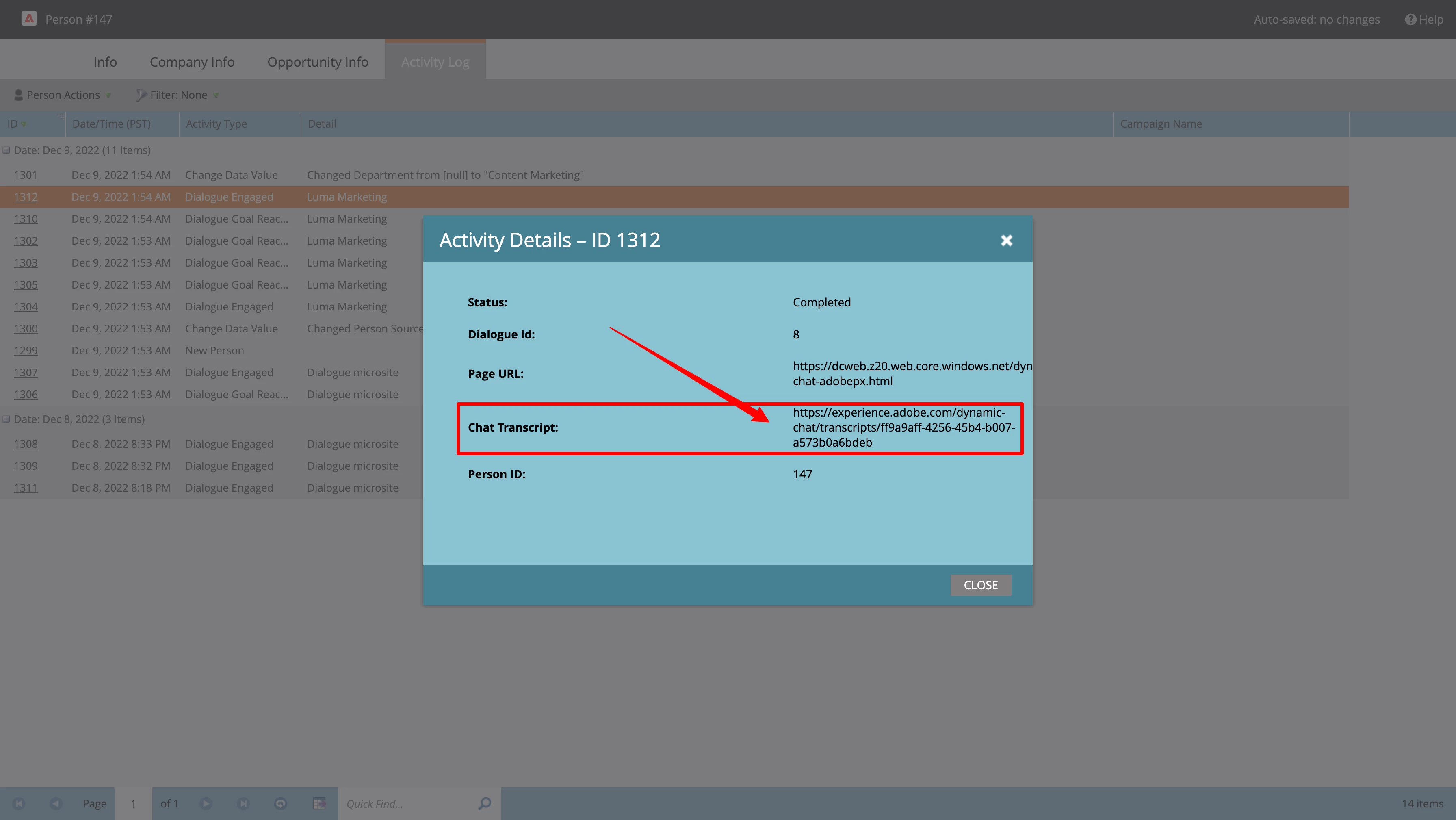
Once you open the URL, you can see the conversation between the person and the chatbot.
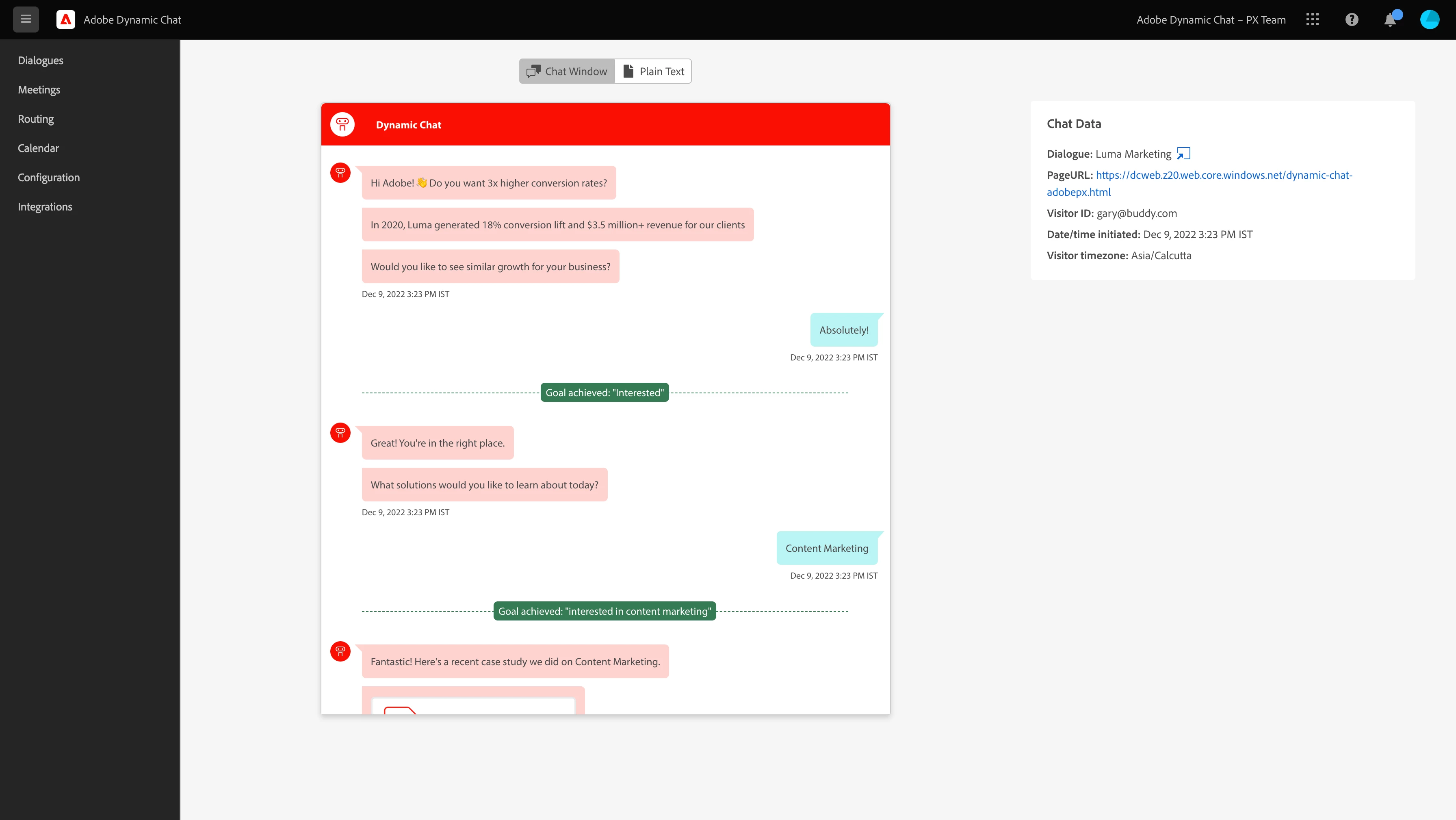
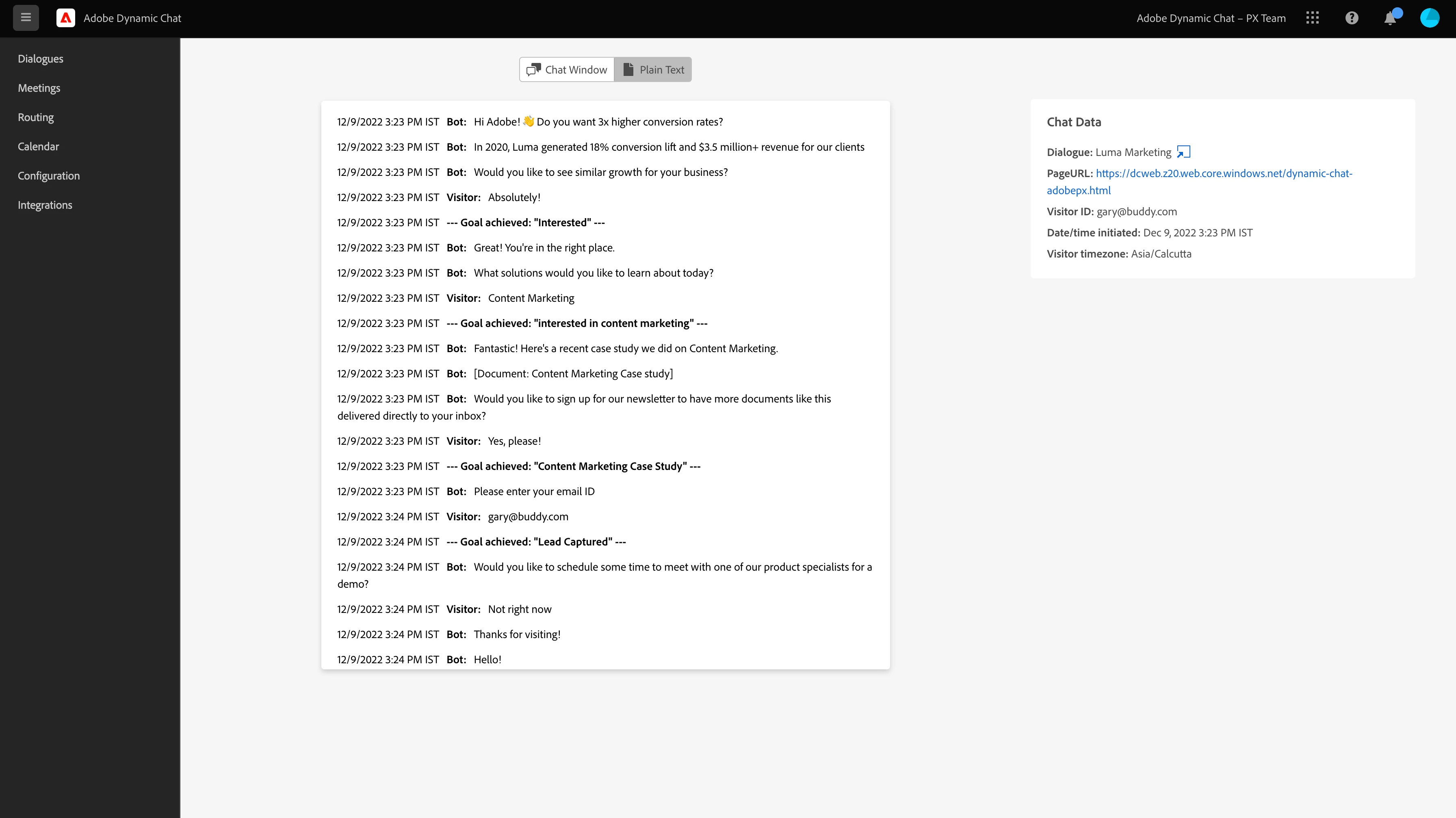
You can view the conversations either in the chatbot window or in plain text format, along with dialogue and time details on the right.
Support Integer and float field types
Now you can sync and capture Integer and float data type fields into Dynamic Chat from Marketo. In the map-to-response option, you can see the data types along with the field names. You can use these attributes to capture information like company revenue or employee size etc.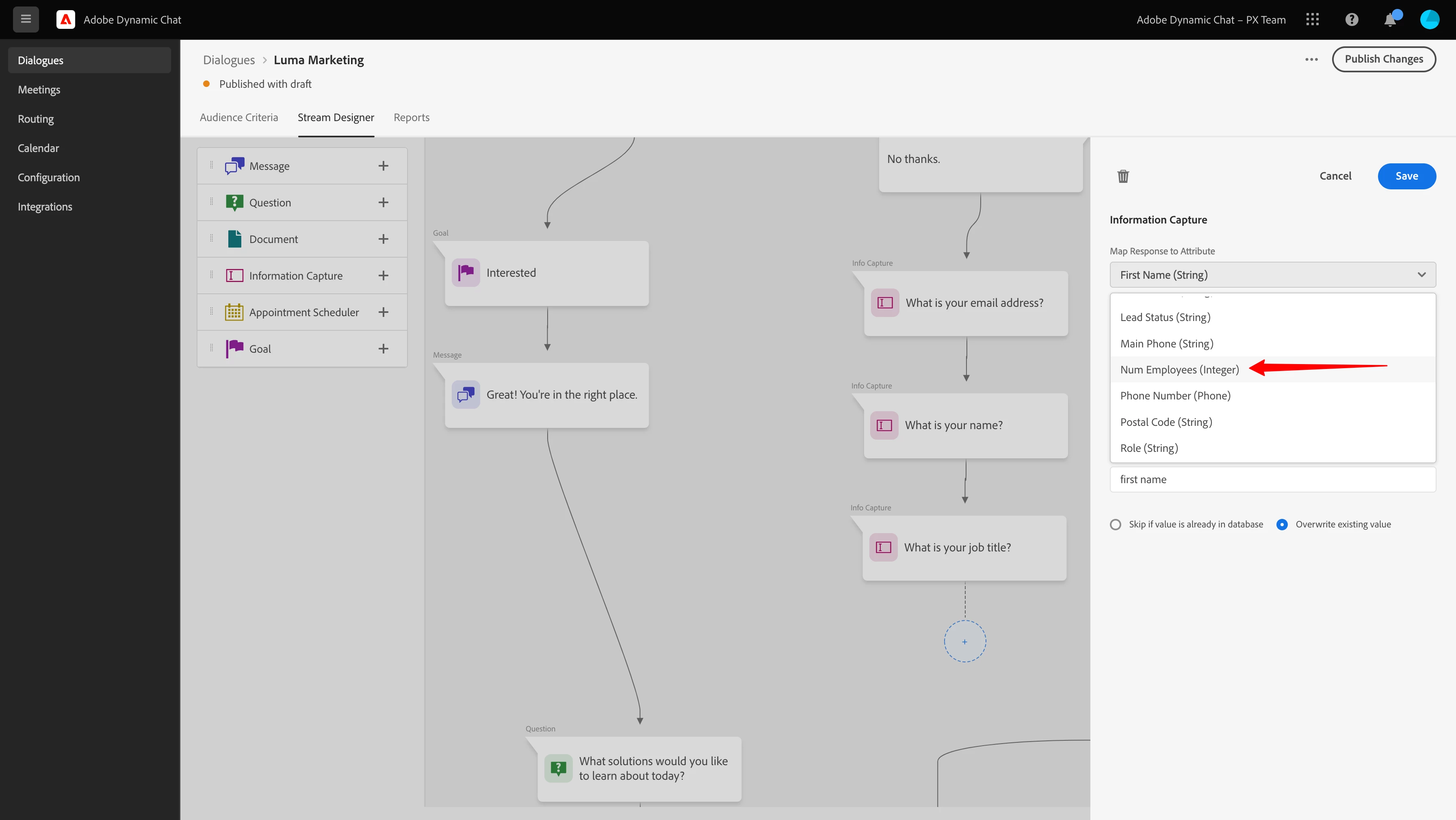
Updates to target URL logic
We have made the following updates to target URL in audience criteria tab of a dialogue:
1. Now target URL will support URL formats without the HTTP or HTTPS protocol 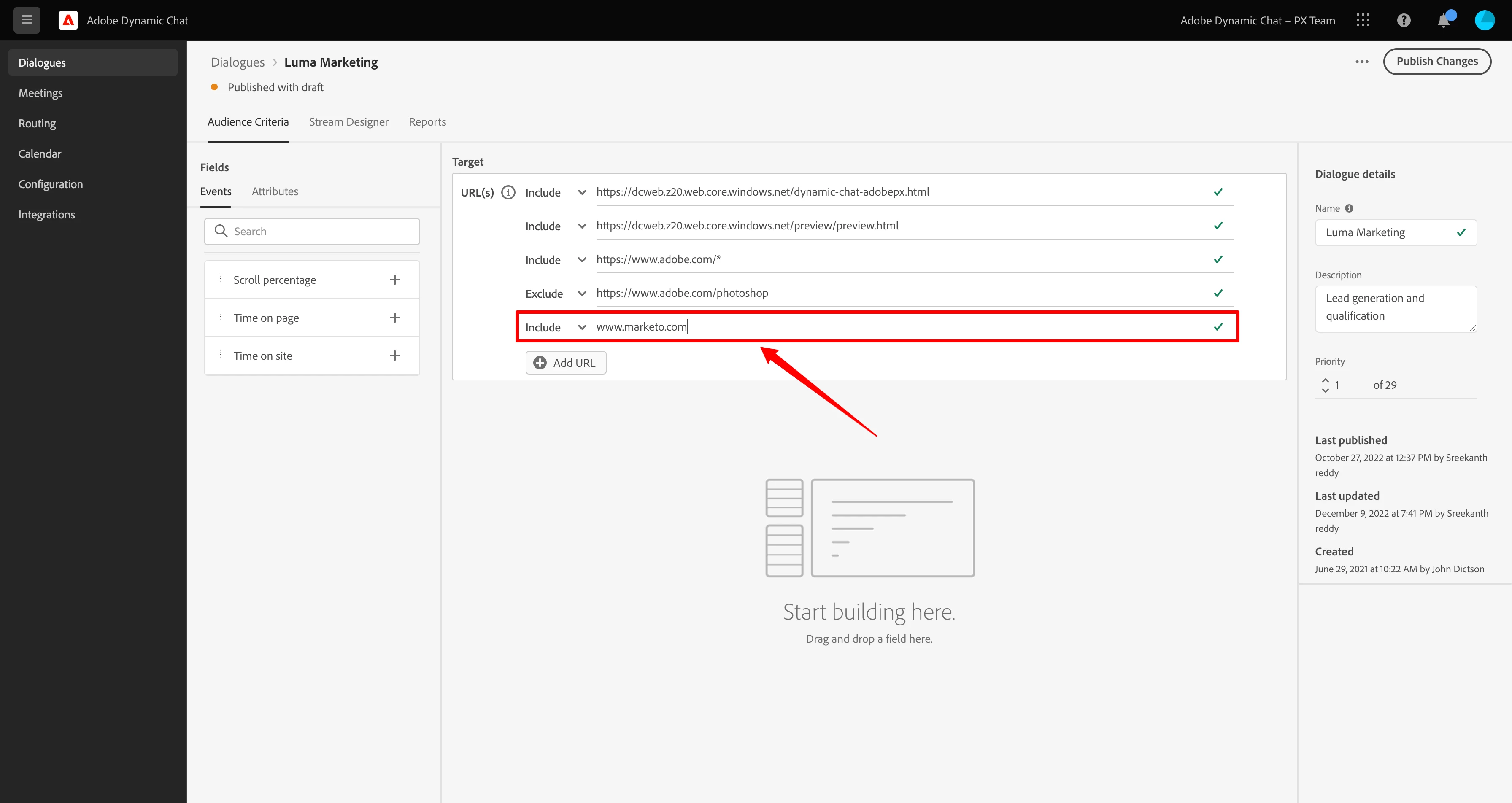
2. When you enter *.yourdomain.com it will not only consider all subdomain i.e https://blog.yourdomain.com , https://support.yourdomain.com but also work for both naked domains and domain with www prefix i.e https://yourdomain.com and https://www.yourdomain.com