New Features of Dynamic Chat [launched in September 2022]

We are excited to announce some important updates released to Dynamic Chat this month that we think you’ll find useful.
Custom Routing Rules
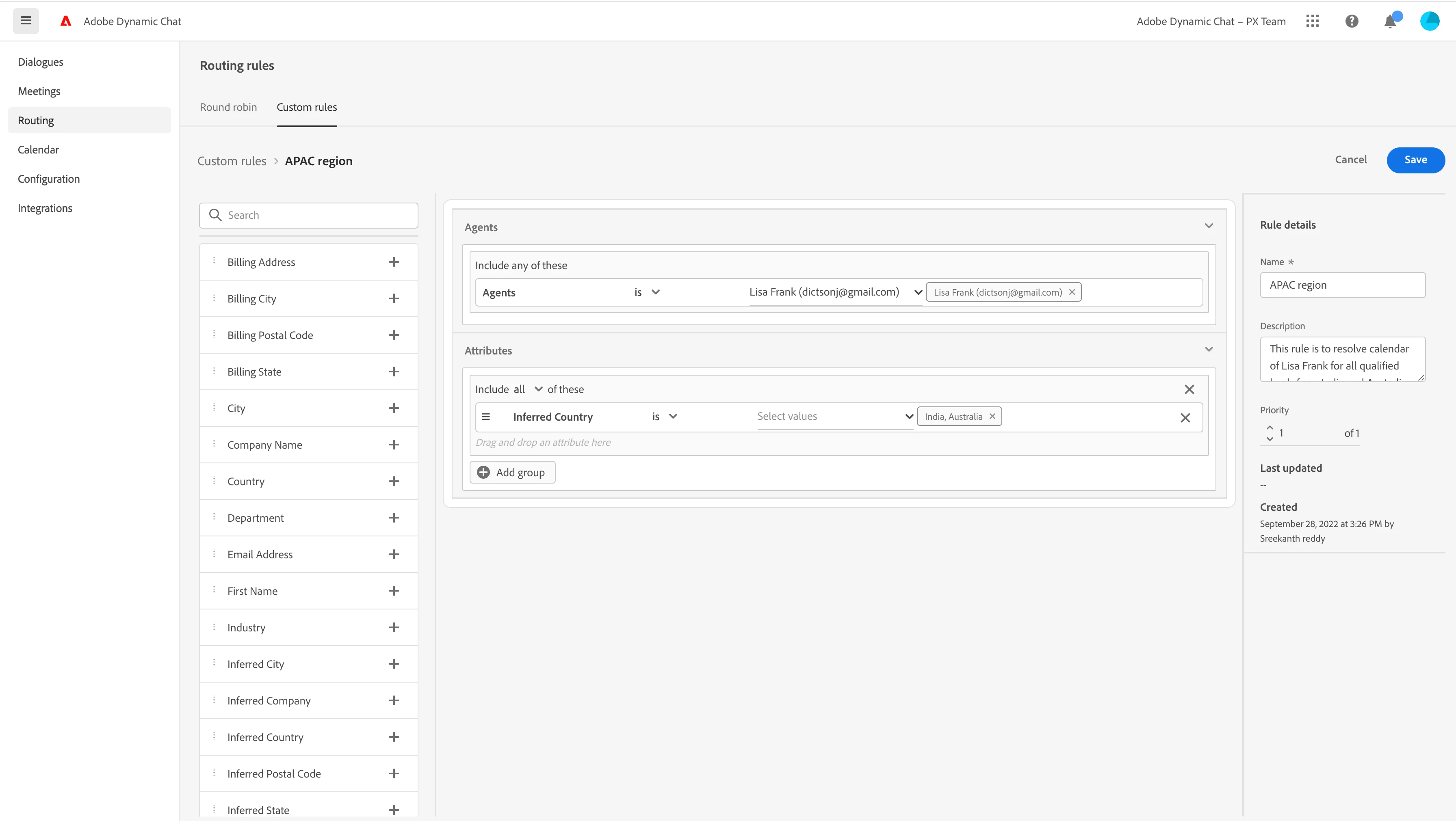
For meeting booking functionality, we have round robin as the default routing logic for identifying an agent whose calendar is to be shown to the visitor. We have introduced Custom rules to give you more flexibility to define your criteria and group of agents based on which an agent's calendar is to be resolved.
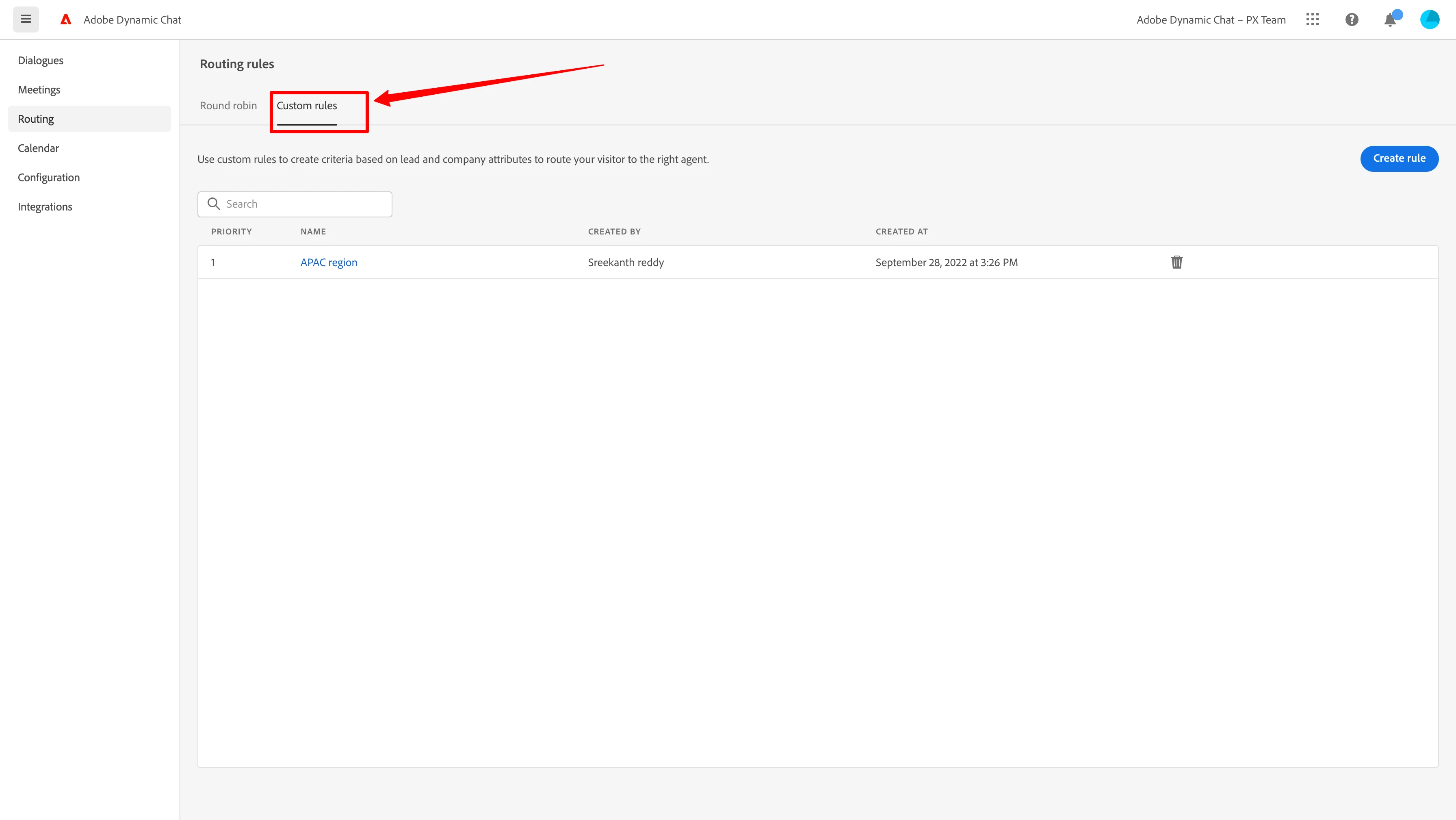
With custom rules, you can leverage lead,company and inferred attributes to define a qualification criteria based on which an agent's calendar should be resolved.
Notes:
- You can use all lead/company attributes that you enabled as part of your Adobe Marketo Engage Sync
- You can assign more than one agent to a rule and it will round robin within the rule
- Similar to audience criteria in dialogues, you can create groups for complex routing criteria
- Similar to dialogues, there is a priority assigned to each rule, in case a lead get qualified to multiple rules based on the priority of the respective routing rule an agent's calendar will be resolved
- In case you un sync any attribute, do ensure you are not using that attribute in any custom routing rule
- Currently, there is a limit of maximum of 10 rules you can create
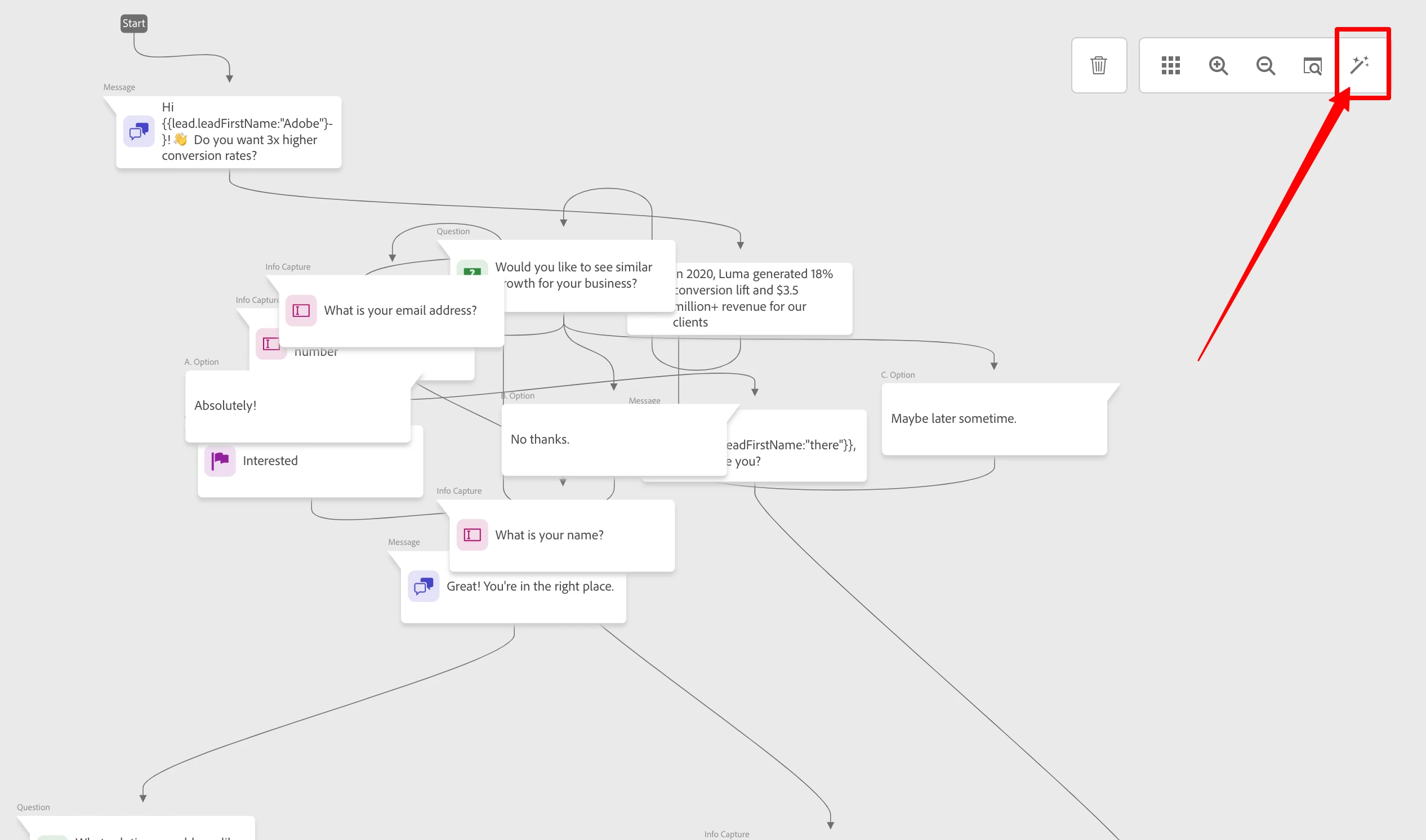
Auto arrange stream designer
As you start designing more complex dialogues to address advance usecases, over time your dialogue might become messy which could create confusion of the flow! So we introduced an auto arrange option within the stream designer, with just one click all the cards in your dialogue will be auto arranged.
Before auto arrange
After auto-arrange
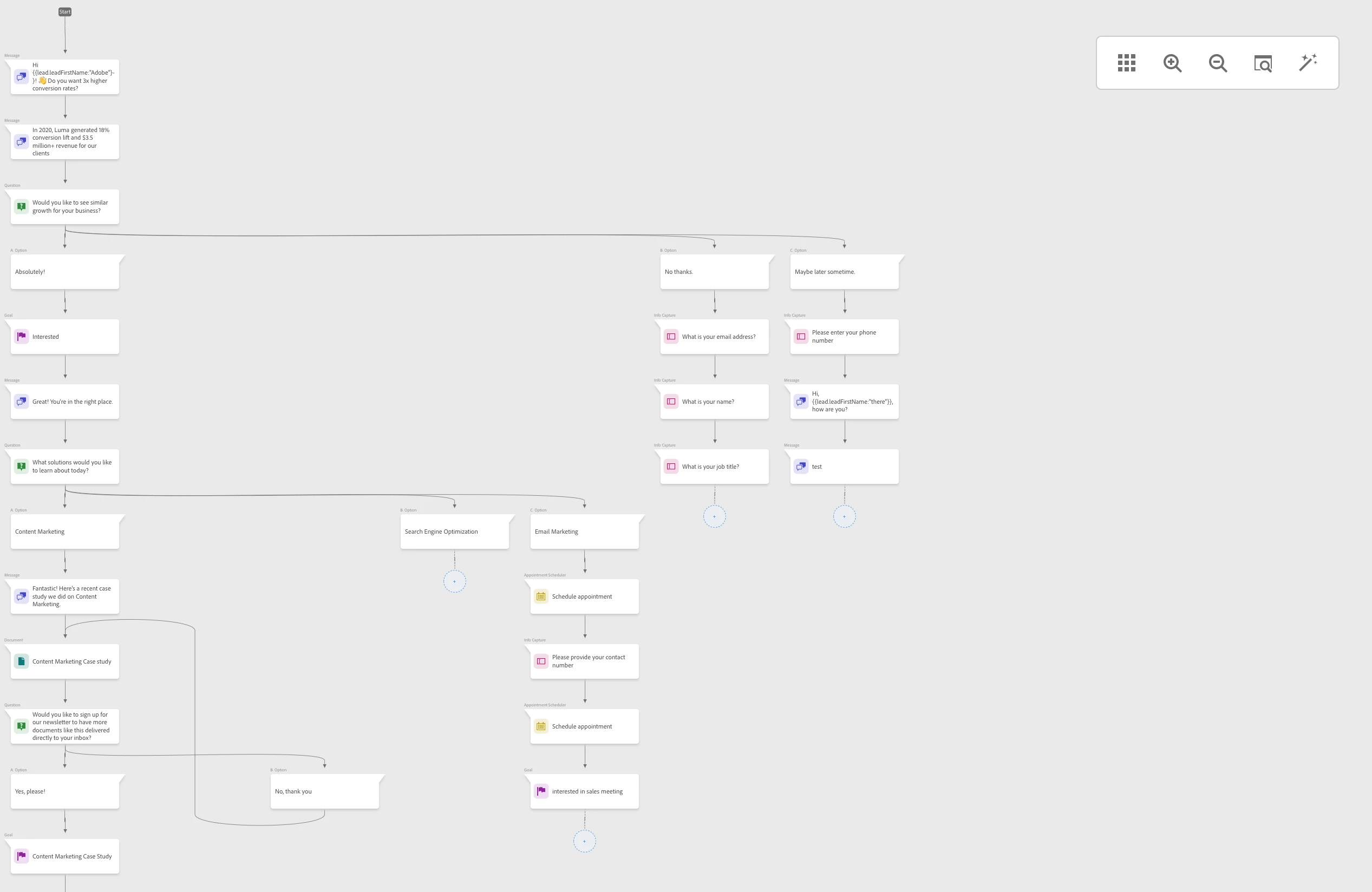
Note: Right now there is no undo option for auto arrange, if you click on it then everything will be re-arranged and saved. Let us know in the comment box if you need an undo option.
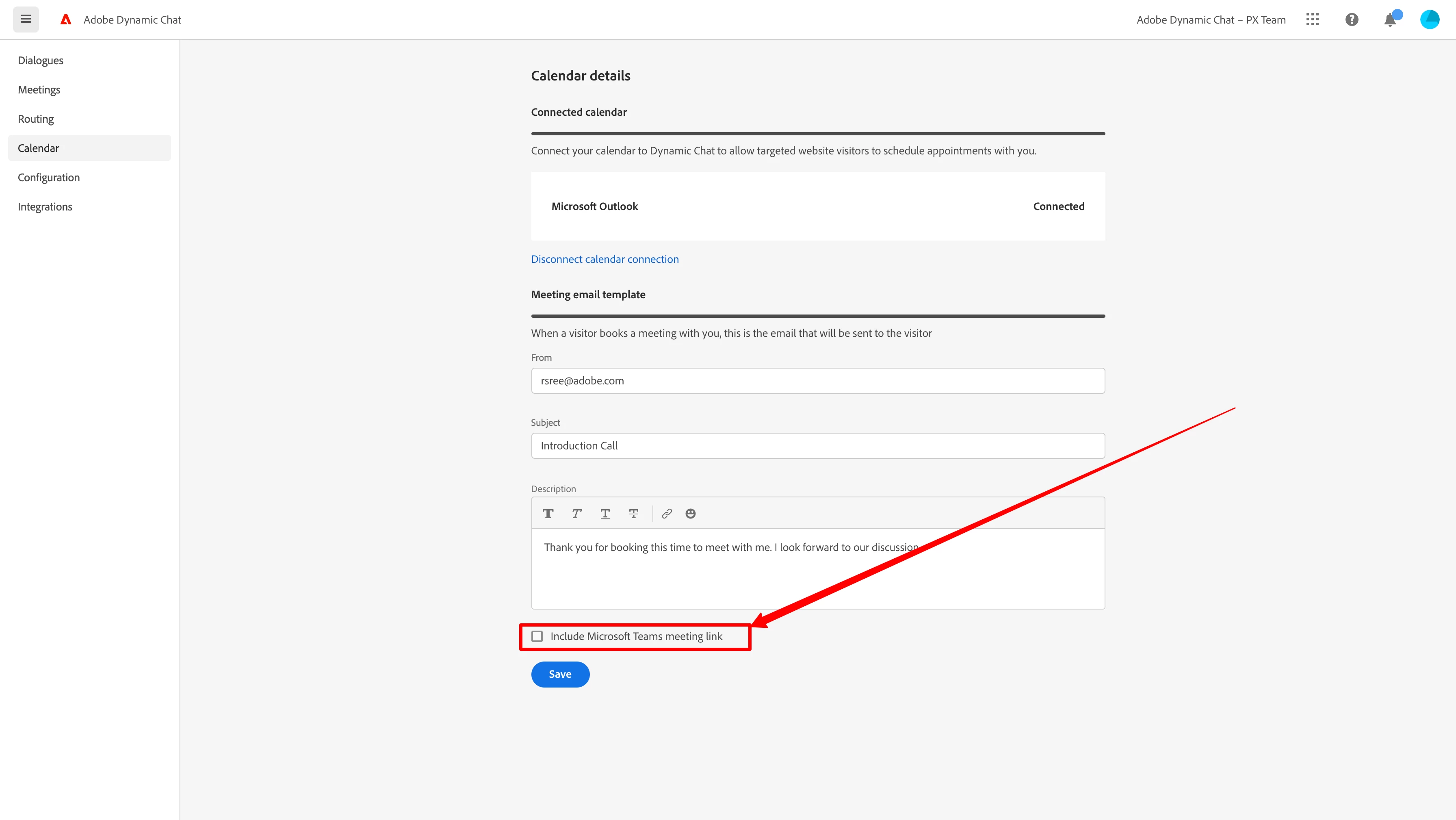
Option to include Outlook Meet link in the invite
Now in your meeting booking email, automatically send a Teams Meet link when a visitor books a meeting. We have already launched Google calendars, now you have the same for Outlook calendars too.