New to marketo forms. Need help dropping fields below labels | Community
Skip to main content
September 20, 2018
Solved

New to marketo forms. Need help dropping fields below labels

  • September 20, 2018
  • 1 reply
  • 1361 views

Hi everyone,

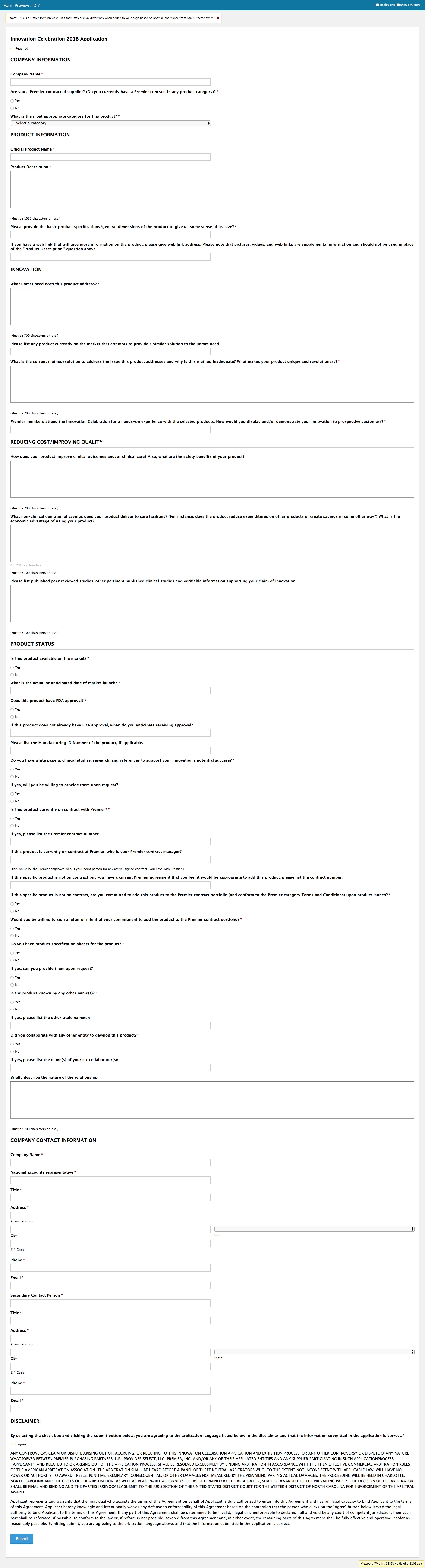
I am creating my first Marketo form. How would I go about dropping the fields below the labels like the attached. THis is the form I am re-creating. Yes it's very very long lol. I am proficient in css but and not sure what to do here. I would guess a float:left; style but not sure where to start.
This post is no longer active and is closed to new replies. Need help? Start a new post to ask your question.
Best answer by Casey_Grimes2

Oh, Gravity Forms.

That said, there's an out-of-the-box feature for this: see Change Form Label Position - Marketo Docs - Product Documentation on how to switch to "Above".

1 reply

Casey_Grimes2
Casey_Grimes2Accepted solution
New Participant
September 20, 2018

Oh, Gravity Forms.

That said, there's an out-of-the-box feature for this: see Change Form Label Position - Marketo Docs - Product Documentation on how to switch to "Above".

September 20, 2018

Thanks Courtney!!!!

That was so easy lol! Now I know:)

Thanks so much