(Part I) Weird Outlook issues with VML button
Hi Community,
I am having issues with a VML button in Outlook.
Because there are two different issues, but related to the same button, I am going to create two posts--Part I and Part II.
This is how the button should/does appear in most email clients:
This is the module/button code:
<tr class="mktoModule" mktoname="Module 34b | BulletProof Button" id="Module_34b" mktoaddbydefault="false">
<td align="center" valign="top" style="border-collapse: collapse; mso-line-height-rule: exactly; padding:${section_top_space_01} 0px ${section_bottom_space_01} 0px;">
<table align="center" width="600" border="0" cellspacing="0" cellpadding="0" class="em_main_table" style="border-collapse: collapse; mso-table-lspace: 0px; mso-table-rspace: 0px; width:600px; table-layout:fixed;" bgcolor="${Mod_01_BG_Color}">
<tbody>
<tr>
<td width="42" style="border-collapse: collapse; mso-line-height-rule: exactly; width:42px;" class="em_side14"> </td>
<td align="center" valign="top" class="em_defaultlink" style="border-collapse: collapse; mso-line-height-rule: exactly; padding:10px 0px 10px 0px;">
<div id="Mod34b_button" mktoname="Button Mod 34b" class="mktoText"><!--[if mso]>
<a:roundrect
xmlns:a="urn:schemas-microsoft-com:vml"
xmlns:w="urn:schemas-microsoft-com:office:word"
href="{{lead.Brand Phone MX - Nationals CallTo}}" target="_blank" style="height:48px;v-text-anchor:middle;width:180px;" arcsize="15%" strokecolor="{{Lead.Brand Primary Color}}" fillcolor="{{Lead.Brand Primary Color}};width: 180;">
<w:anchorlock/>
<center style="color:#ffffff;font-family:'Helvetica', Arial, sans-serif; font-size:16px; font-weight: 600;">Llama <span style="text-decoration: underline;">{{lead.Brand Phone MX - Nationals}}</span></center>
</a:roundrect>
<![endif]-->
<a href="{{lead.Brand Phone MX - Nationals CallTo}}" target="_blank" style="display: inline-block; mso-hide: all; background-color:aquamarine; color: #ffffff; border: 1px solid aquamarine; border-radius: 8px; line-height: 48px; width: 180px; font-family: 'Helvetica', Arial, sans-serif; font-size: 16px; font-weight: 600; text-align: center; -webkit-text-size-adjust: none; text-decoration: none;">SHOP NOW</a></div>
</td>
<td width="42" style="border-collapse: collapse; mso-line-height-rule: exactly; width:42px;" class="em_side14"> </td>
</tr>
</tbody>
</table>
</td>
</tr>
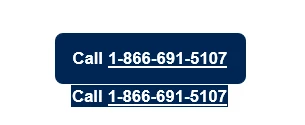
The first problem I have been trying to resolve is that when an email containing the button is forwarded from Outlook desktop, it shows two buttons:
I tried resolving this by adding <!--[if !mso]><!--> around the <a href> code as shown below:
<!--[if !mso]><!--> <a href="{{lead.Brand Phone MX - Nationals CallTo}}" target="_blank" style="display: inline-block; background-color:aquamarine; color: #ffffff; border: 1px solid aquamarine; border-radius: 8px; line-height: 48px; width: 180px; font-family: 'Helvetica', Arial, sans-serif; font-size: 16px; font-weight: 600; text-align: center; -webkit-text-size-adjust: none; text-decoration: none;">SHOP NOW</a> <!--<![endif]-->
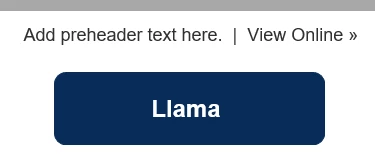
But that caused the following issues to occur in Outlook for desktop and Outlook.Office.com:
Outlook Desktop:
Outlook.Office.com:
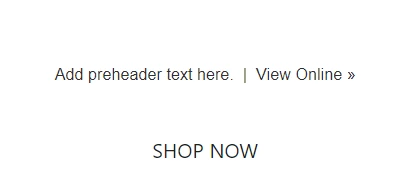
I have not been able to figure out a cause for this or a solution.
Any suggestions?
Thanks,
LK