Passing a content ID or URL to a lightbox form in a button | Community
Skip to main content
Grégoire_Miche2
New Participant
March 15, 2017
Solved

Passing a content ID or URL to a lightbox form in a button

  • March 15, 2017
  • 1 reply
  • 3801 views

Here is the usecase:

In a document library, we want to have "download" buttons aside of each document (there are many). The form is unique all along the page. When a lead hits the button the lightbox embedded form pops up, but we need to pass the document ID or URL to the form so that it is captured in a hidden field and sent to Marketo, which will be able to send the appropriate download link.

The code we are using is typically this one:


<script src="//app-e.marketo.com/js/forms2/js/forms2.min.js"></script>

<form id="mktoForm_9999"></form>

<button class="lightboxButton" onclick="

    MktoForms2.loadForm('//app-e.marketo.com', '999-XXX-999', 9999,

    function(form) { MktoForms2.lightbox(form).show(); });">Download</button>

Has anyone done this?

Thanks in advance for your help.

-Greg

Best answer by SanfordWhiteman

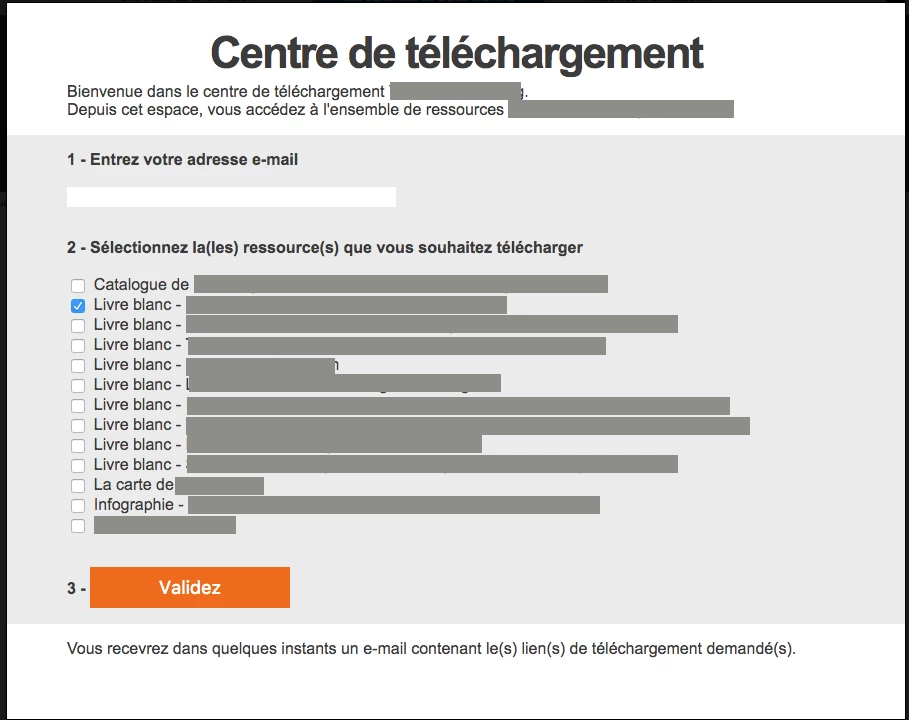
I suppose that the other possibility would be to use 1 multivalued field with a checkboxes field type to create the download center:

Then when the form is filled out, process the field result to add all the download URLs in the email.

-Greg


Hey Greg,

Like so: MktoForms2 :: Gate by link href

Just takes the href of the clicked link and pops it in your hidden field.

1 reply

Casey_Grimes2
New Participant
March 15, 2017

Hi Greg,

Filling a URL value is pretty straightforward; see http://codepen.io/anon/pen/ZeXOgY?hello=world

Granted, that's just a quick parameter slicer, but i'ts equally easy to use indexOf to get the last part of the URL, should that make more sense.

Grégoire_Miche2
New Participant
March 15, 2017

Hi Courtney,

Thanks but this is not what I need

I do not want to read the URL (document.location) of the web page on which the button is located, I need to pass to the embedded form a parameter so that the form stores it in a hidden field. Like in the image below: I have 2 "download" buttons. Both open the same embedded lightbox form (same  form ID), but when I click on the 1st button, I would like to send the form the id or name of the 1st White Paper so that this info is captured in a hidden field in the form and the fills out form smart campaign sends the corresponding download URL. If I click on the 2nd button, then the name of the second content is sent to the form and then to Marketo, so that the SC sends the right email. 

-Greg

SanfordWhiteman
New Participant
March 15, 2017

Easy -- just let me finish up something else and I'll post back in a bit.