Hello!
This is pretty simple! Here are the steps!
- Create a new People Performance Report in Marketo.
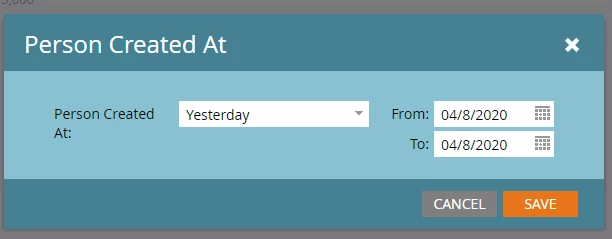
- Go to the "Setup" tab of that new report, and change the "Person Created At" filter to use "Yesterday" as your filter. (Screenshot below)
- I would also update the "Group People By" to be by Day, so it says the specific day right in the emailed report. This should give you the report that shows how many people were created yesterday in your instance!
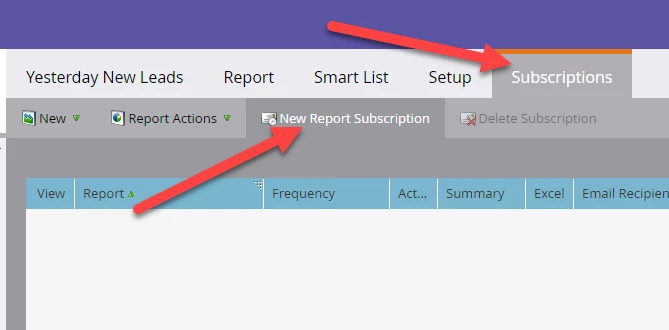
- Navigate to the Subscriptions tab of the report (screenshot below), and click on "New Report Subscription" toward the top. Enter the email addresses that should receive the report, the frequency they should receive it, etc.
Done!
If you want different detail to show in the report besides just how many leads were created, try playing the with the "group people by" settings to get the right information on your report.
Screenshots:
Change "Created At" filter
Navigate to "Subscriptions" and click "New Report Subscription"