
Prevent your Unsubscribe form from creating new leads
Help, new leads are coming in from our Unsubscribe form!
Yep, that happens. When people forward emails to other accounts and click a tracked Marketo link, they may think the pre-filled Email Address is wrong and “correct” it.
The form field is visible and editable by default, so nothing stops them:
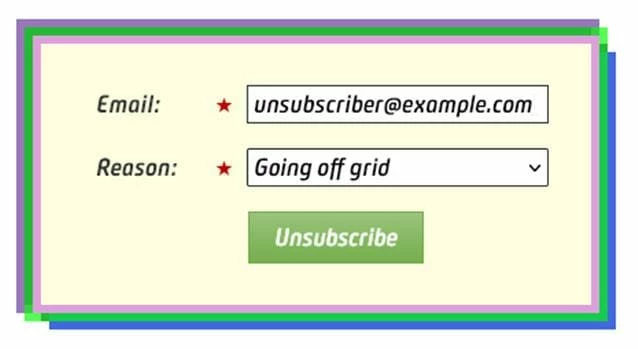
Problem is, they haven’t unsubscribed the address you’re actually sending to. Instead, they’ve created a new (and instantly unsubscribed) lead. Then you’ll keep sending to the old address, they’ll keep thinking your form is broken, and so on. Lose-lose.
Solution: set the disabled attribute on the <input>. The JS couldn’t be simpler:
MktoForms2.whenReady(function(readyForm){
  const formEl = readyForm.getFormElem()[0],
        emailEl = formEl.querySelector("input[name='Email']");

  emailEl.disabled = true;
});
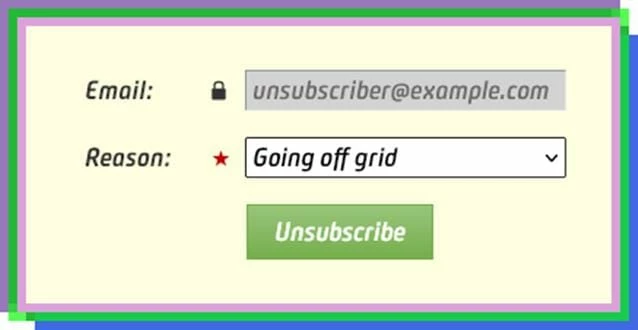
That alone will prevent them from editing the field. Styling the input makes its locked-ness more apparent:
.mktoForm input[name="Email"] {
  background-color: lightgray;
  border-style: inset;
  border-width: 1px;
  cursor: not-allowed;
  text-transform: lowercase;
  outline: none;
}
.mktoForm label[for="Email"] .mktoAsterix {
  visibility: hidden;
}
.mktoForm label[for="Email"] .mktoAsterix:after {
  visibility: visible;
  content: "\D83D\DD12\FE0E";
  color: #333;
}
Now you’ve got a much better UX:
You can also add a Rich Text under the field to detail why it’s locked. I’ll leave that copy up to you!