Quick Tip: Avoid Waiting for Reports to Load
We all have some reports in Marketo that take a while to load. Many people will open them in a tab and just come back to them after lunch. I, however, am super impatient and when I want something, I want it right now. Plus I also have a bad short term memory and tend to forget what I was waiting on and only realize at the end of the day when I shut down and see this report in a random tab.
So here's a quick tip to get those complex reports fast:
- Set up your report settings as you would normally but do not go to the Report tab to load the report.
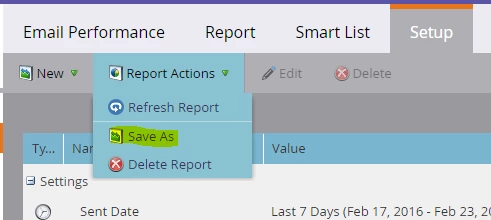
- Instead, click on Report Actions > Save As and give your report a name.
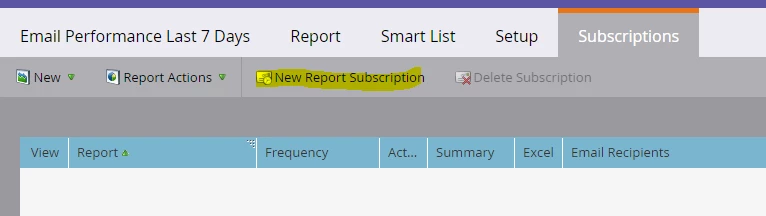
- Then when it refreshes, you'll see a new tab for Subscriptions. Click on New Report Subscription and set up a subscription for yourself. It's really irrelevant what settings you choose.
- Then click the little email icon next to your name. This will send you an email of the report as soon as it generates.

Generally I find that this is faster than waiting for the report to load and it will also work in situations where you just can't get the report to load in the UI at all because of complex filters, etc.