
Re-enabling the “onSubmit” event when Known Visitor HTML is on
Known Visitor HTML (“If Known Visitor, Show Custom HTML” in Form Editor » Form Settings » Settings) shows a slimmed-down form if the current pageview, or existing Munchkin session, is associated with a person in your db.
Typically you show just a Download button, together with a brief reminder of who you think the person is:
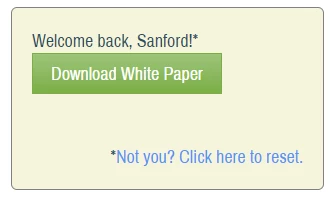
When the button is clicked, a regular Filled Out Form activity appears in the Activity Log. It’s an awesome way to reduce friction. But it does have some quirks.
Quirk #1: the Person record can’t be totally bare-bones
1. First and foremost, a person needs to have at least the fields First Name, Last Name, and Email Address filled in for KV HTML to work. Otherwise they’re considered “not known enough” and will see the full form. So if you only ask for First & Email to streamline a form, make sure you also populate their Last with a placeholder value like [pending].)
Quirks #2-#5: other stuff
Once the requirements for KV HTML are met, it still differs from the full form in other fundamental ways:
2. The Forms 2.0 JS API is not fully supported (that’s what we’ll be fixing today).
3. The KV HTML markup is slightly different from that of a Rich Text field, which is actually good because it means you know when KV HTML is on.
4. The special tokens {{lead.FirstName}} and {{lead.LastName}} are available (yes, even on embedded forms!). Note these are not the same as the similar {{lead.tokens}} — check the missing spaces! — they just happen to use curly-brace syntax.
5. Hidden field Autofill settings are ignored (but native Autofill can be replaced — and vastly improved — using FormsPlus::Util plus the code here).
Fixing #2 using #3
That the ever-useful onSubmit event doesn’t fire, out-of-the-box, with KV HTML is not widely known.
Say you were using this Forms API snippet to add the URL as a lead field:
MktoForms2.whenReady(function(mktoForm){
   mktoForm.onSubmit(function(mktoForm){
     mktoForm.addHiddenFields({
        LastFormURL : document.location.href
     });
  });
})
That works for people in (previously) anonymous sessions, and people who didn’t qualify for KV HTML due to #1. But wouldn’t work for everyone else — and it could be devilishly hard to decipher why, since the JS is exactly the same in all cases.
Luckily, this is easy to remedy. The KV HTML is wrapped in a <div> with an identifying class mktoTemplateBox. So, on ready (yes, whenReady does fire), we check if the form has such a <div>. If it does, we add a custom event listener to re-route button clicks via the Forms API.
/**
 * Reroute KV HTML submissions via Marketo submit()
 * @author Sanford Whiteman
 * @version v1 2021-05-02
 * @license MIT
 */
MktoForms2.whenReady(function(mktoForm){
  const formEl = mktoForm.getFormElem()[0],
      kvTemplate = formEl.querySelector(".mktoTemplateBox");

  let kvSubmitButtonEl;

  if (kvTemplate) {
    kvSubmitButtonEl = kvTemplate.querySelector(".mktoTemplateBox button[type='submit']");

    if(kvSubmitButtonEl){
      kvSubmitButtonEl.addEventListener("click",function(e){
        try {
           mktoForm.submit();
        } catch(err) { /* swallow harmless DOM error */ }
      });
    };
  }

});