
Salesforce Sync Deep Dive: Part 2 – Salesforce Campaign Sync Options
Marketo Engage offers seamless integration with CRM and automates lead management. One powerful feature is its ability to sync leads to Salesforce Campaigns. In this blog post, we will explore how Marketo Engage accomplishes this sync, discuss expected behavior, and highlight key best practices.
There are two methods for syncing people between Marketo Programs and Salesforce Campaigns: A) Smart Campaign Flow Steps and B) 1:1 Marketo Program and Salesforce Campaign Sync.
Option A – Smart Campaign Flow Steps
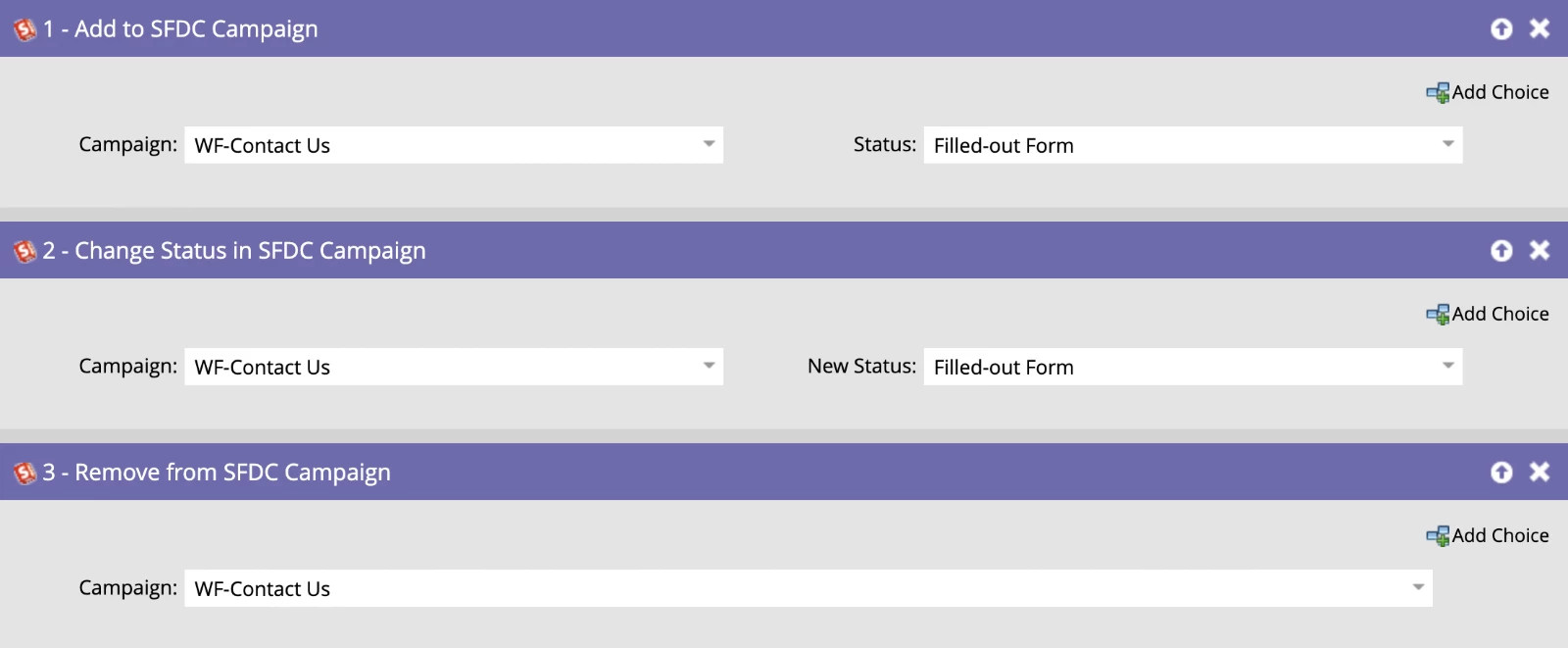
There are three smart campaign flow step options for syncing Marketo Programs with Salesforce Campaigns.
- Add to SFDC Campaign: Adds a record to a Salesforce Campaign for the first time.
- Change Status in SFDC Campaign: Updates the Member Status of the record in the Salesforce campaign.
- Remove from SFDC Campaign: Removes records from Salesforce Campaigns.
Benefits:
- Control who syncs to a Campaign from Marketo
- Control when a record syncs to a Campaign from Marketo
- Cherry pick which Program and Campaign statuses to sync
- Sync Programs and Campaigns when statuses do not match
- Troubleshoot sync failures in the smart campaign Results tab.
Considerations:
- Smart campaign setup required.
- Additional smart campaign may be needed to add Campaign members to Marketo Programs.
Option B – 1:1 Marketo Program and Salesforce Campaign Sync
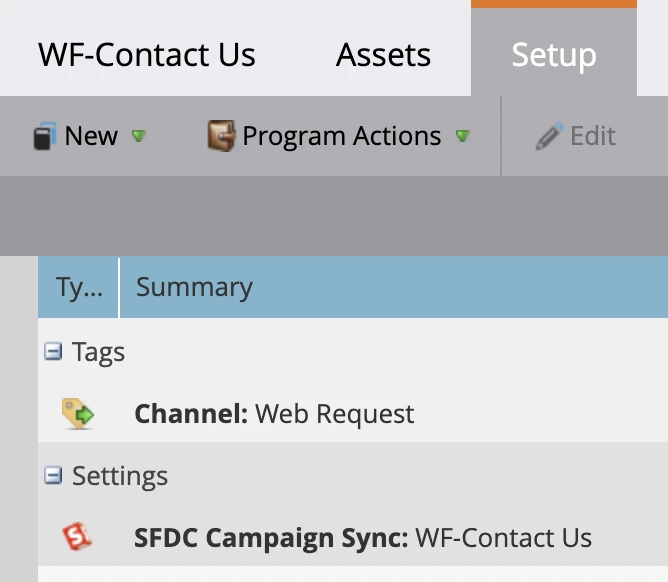
Alternatively, you can directly sync the Marketo Program with a Salesforce Campaign within the Setup tab of the Marketo Program, achieving a 1:1 sync.
Benefits:
- Simple setup without smart campaign logic.
- Automatic sync of all records between the Marketo Program and Salesforce Campaign.
- Continuous syncing of Marketo Program Period Cost to Salesforce Campaign Cost for ROI reporting.
Considerations:
- No visibility into Salesforce Campaign sync errors.
- Immediate sync of all records, which may not align with marketing operations goals.
- No time for Marketo operational campaigns to execute prior to sync.
- Missing required data may cause sync failures without reattempt.
- High volume may result in sync failures.
- Marketo Programs and Salesforce Campaigns must have matching statuses.
- Salesforce Campaign cannot be used or referenced elsewhere in Marketo.
Expected Sync Behavior
Now that you know some of the benefits and considerations of these two options, here’s a handy cheat sheet detailing the expected behavior for each sync action.
|
Record Type |
Sync Action |
Expected Behavior |
|
Marketo Record Not in SFDC |
Flow Step: Add to SFDC Campaign |
|
|
Flow Step: Change Status in SFDC Campaign |
|
|
|
Flow Step: Remove from SFDC Campaign |
|
|
|
Marketo Program & SFDC Campaign Sync: Marketo Program Status Change |
|
|
|
Existing SFDC Lead or Contact |
Flow Step: Add to SFDC Campaign |
|
|
Flow Step: Change Status in SFDC Campaign |
|
|
|
Flow Step: Remove from SFDC Campaign |
|
|
|
1:1 Marketo Program & SFDC Campaign Sync: Marketo Program Status Change |
|
|
|
1:1 Marketo Program & SFDC Campaign Sync: Lead / Contact Added to Campaign within Salesforce |
|
Key Best Practices
Before we wrap it up, let me leave you with some key best practices:
- Using Smart Campaign Flow Steps offers more control, better troubleshooting opportunities and is the preferred method of leveraging the Salesforce Campaign Sync.
- Recommend "Change Status in SFDC Campaign" over the "Add to SFDC Campaign" flow step for accurate status updates – use “Add” only when absolutely necessary!
- There’s no “one size fits all” - you may choose to leverage Option A or B depending on your use case – and that’s okay!
Did you find this helpful? Stay tuned for our next post, Salesforce Sync Deep Dive: Part 3 - Marketo Program Member Custom Fields & Salesforce Campaign Member Fields. Also be sure to check out Part 1 - Sync to SFDC Flow Step!