Script to updated a Custom field in marketo form | Community
Skip to main content
New Participant
March 31, 2023
Solved

Script to updated a Custom field in marketo form

  • March 31, 2023
  • 1 reply
  • 4456 views

Hi,

I have a Marketo form with a Custom Field and would like to update it with some value.


What should be the script like?

My Form looks like
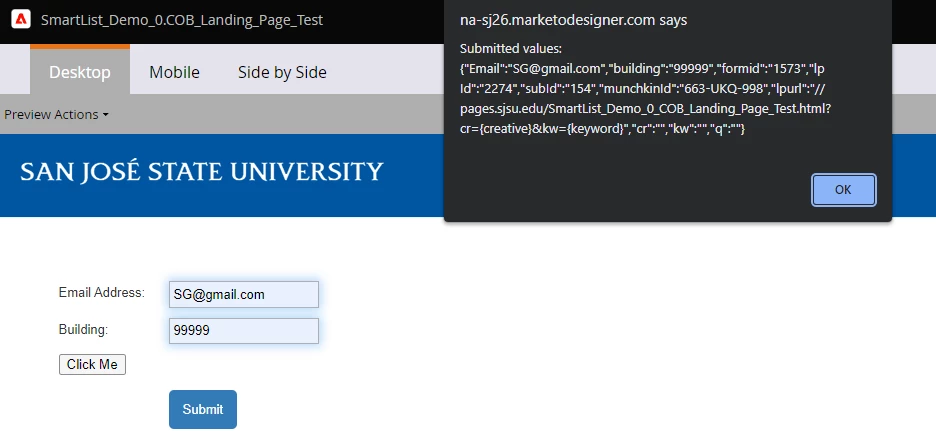


In the Click me button, I have the script like below, which does not change the value.


My Goal is to update the COB_CustomData to some value.

Help needed for scripting this kind of function?


<button onclick="myFunction()">Click Me</button> <script> function myFunction() { //alert( 'TEST My Function'); form= MktoForms2.getForm(1573); //alert(form); var vals = form.getValues(); alert("Submitted values: " + JSON.stringify(vals)); let mktoFieldsObj = {}; mktoFieldsObj['COB_CustomData']="test"; alert(mktoFieldsObj); form.setValues(mktoFieldsObj); form.submit(); } </script>


This post is no longer active and is closed to new replies. Need help? Start a new post to ask your question.
Best answer by SanfordWhiteman


Sorry for this multiple posts, but still not able to update a field

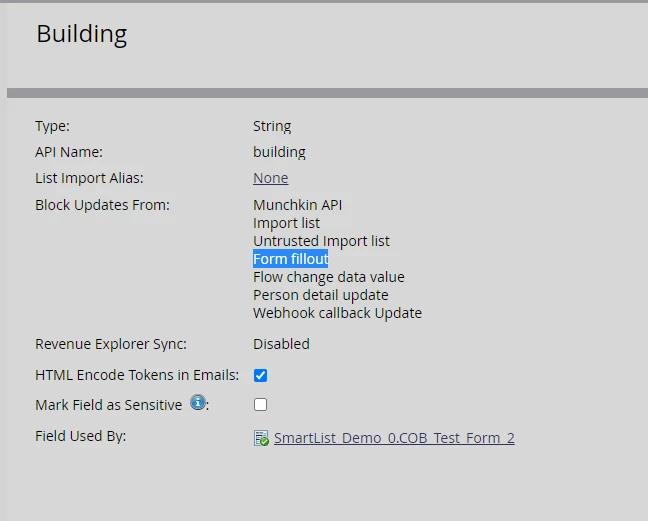
Realized that Building field  is blocked for Form Fillouts.


Now, Switching to COB_CustomData,  It is  still not working. I am clueless what is wrong here
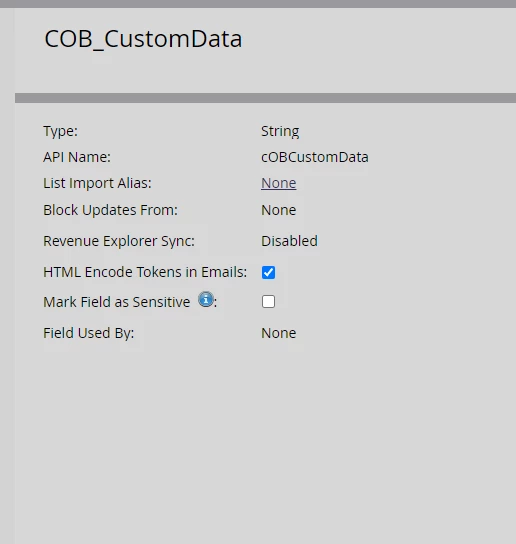
API Name for COB_CustomData  is cOBCustomData  (lower c)

<script> MktoForms2.whenReady(function(readyForm){ const formEl = readyForm.getFormElem()[0], buttonEl = formEl.querySelector("#setCOBCustomData"); if(buttonEl){ buttonEl.addEventListener("click",function(e){ alert('before set value'); readyForm.setValues({ cOBCustomData: "your value" }); alert('after set value'); }); } }); </script>


COB_CustomData is  NOT Blocked Updates From: None


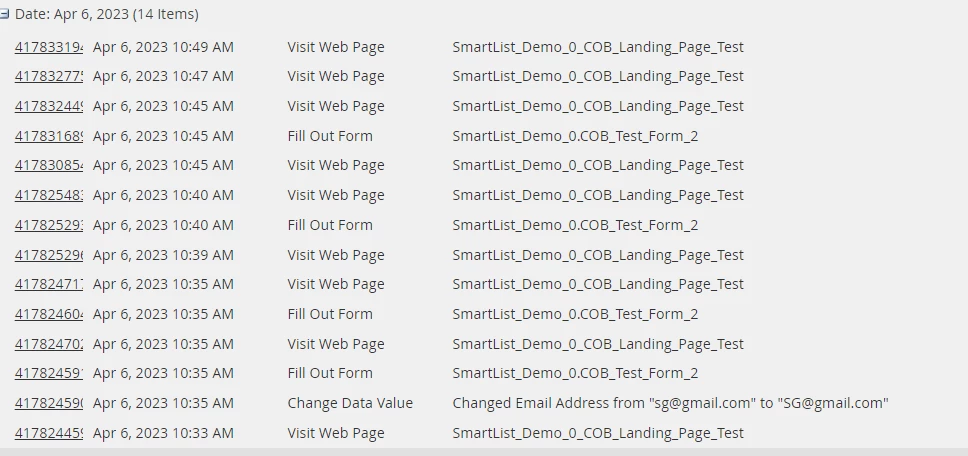
But the Change Data value is not triggered in the Activity log 


You need to be more attentive to case-sensitivity.


Please:


1. Fix the fatal error from the other script (due to another typo in a field name).

2. Change all alert() to console.log()alert() is not the right troubleshooting tool for forms: it changes the form state (by moving focus) and is very distracting.

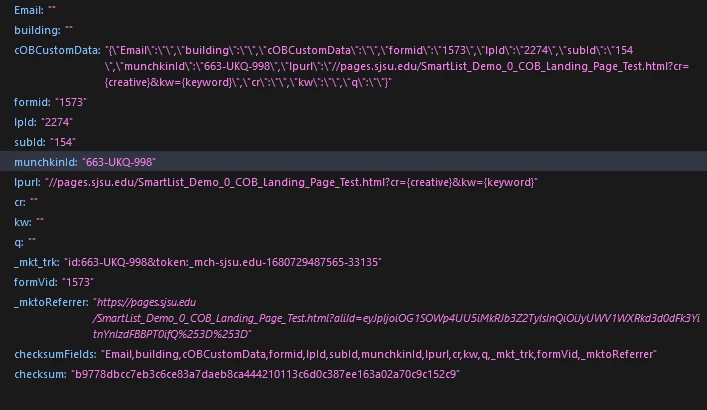
You can however see that the JSON data is posted with the form. Not sure what you’re trying to accomplish by posting all form values in this way, but they are being sent:


1 reply

SanfordWhiteman
New Participant
March 31, 2023

Please use the Syntax Highlighter when posting code. (I edited your post this time.)


Yet even with highlighting, your code is hard to read. Looks like a bunch of things pasted together, including an attempt to do things outside your stated requirement, such as submitting the form? Please to try focus on the specific requirement, or comment the code appropriately.


If you have a button like this inside a Rich Text on the form:

<button type="button" id="setCOBCustomData">Click Me</button>


And when clicked, you want to update a field with the form field name:

COB_CustomData


Then you add a button click listener like this:

MktoForms2.whenReady(function(readyForm){ const formEl = readyForm.getFormElem()[0], buttonEl = formEl.querySelector("#setCOBCustomData"); if(buttonEl){ buttonEl.addEventListener("click",function(e){ readyForm.setValues({ COB_CustomData : "your value" }); }); } });


This JS should go in its own <script> tag, after the form. You should not try to embed custom JS behaviors within the form itself (i.e. in a Rich Text) because it can make things very difficult to troubleshoot.


Note, though: if you don’t have at least a beginner’s idea of what this JS is doing, it’s risky to put it on a production site. Are you ready to “own” code on production LPs?

sg-3Author
New Participant
April 4, 2023

Thanks for your response.

Still it did not work for me, I am not sure what is wrong in this code?

I am seeing the Alert boxes before and after setting values, but the Data value for the COB_CustomData is not changing at all.

I can manually change the data value through Admin portal, but need the updates to happen through Form

Help appreciated  😀


Created a simple custom field and trying to update it through Form.

Allowing all kinds of updates to it.


It is updating the email address, but not any other field


SanfordWhiteman
New Participant
April 4, 2023

We need a link to your page. Can’t troubleshoot (let alone read) code in a screenshot. Remember my pointer about using the syntax highlighter.