
Searching for Archived Programs/Content (it's possible....)
There is always a lot of talk related to archiving content/programs and how this affects finding archived content in Marketo. Today I wanted to share a quick tip that I learned during the last Silicon Valley User Group.
YOU CAN SEARCH ARCHIVED CONTENT/PROGRAMS IN MARKETO! And here is how....
Step 1: Get the search bar to render in the middle of your screen. This can be done by either method listed below.
- When logged into any space in Marketo, press "Alt and F" (Alt-F) and the search bar will appear.
- Click in a section's search bar and click "Enter". This will also provision the search bar shown below.
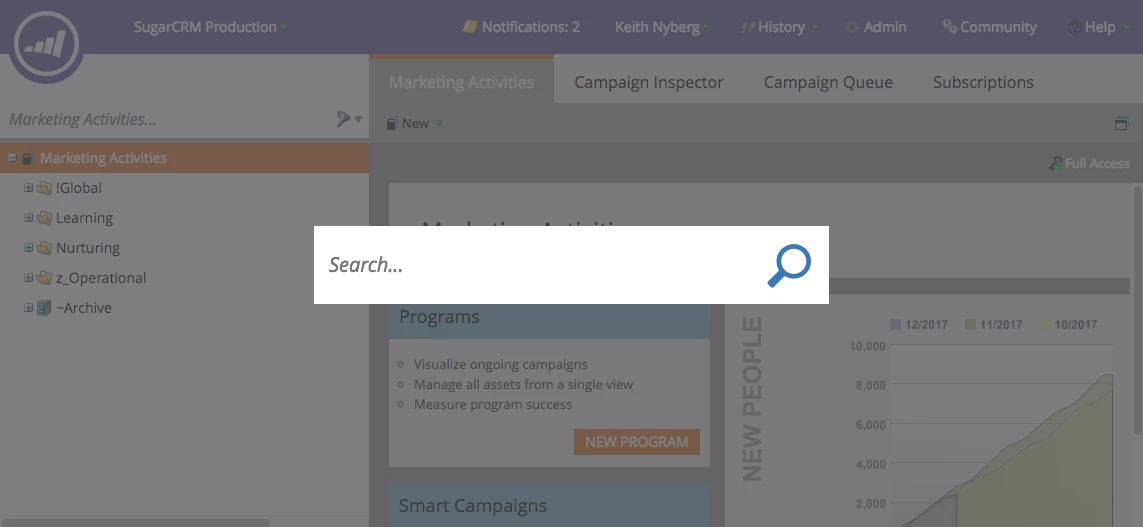
Step 2: Search for whatever your heart desires!
This search bar is magical for a few reasons:
- Allows you to search across all spaces in Marketo (no need to remember what space your content is in)
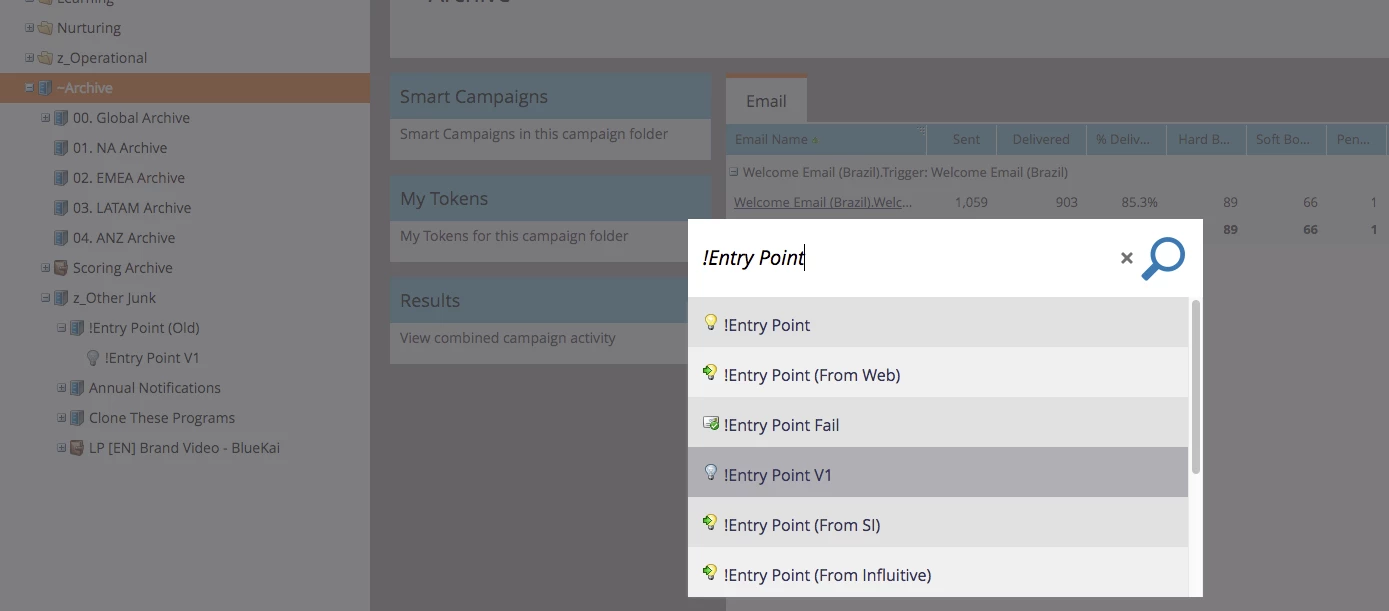
- Allows you to search for content that has been archived! (very helpful)
- Accessible with keyboard shortcuts (for those of us that hate using a mouse)
Example: "!Entry Point V1" appears in this search even though is is nested in an archived folder/program.
Shout out to @Jessica Kao @Mike Rizzo @Megan Heidmiller and Marketo for help their help discovering and sharing this functionality.