Duplicate
set form target for follow up page with the forms 2.0 editor
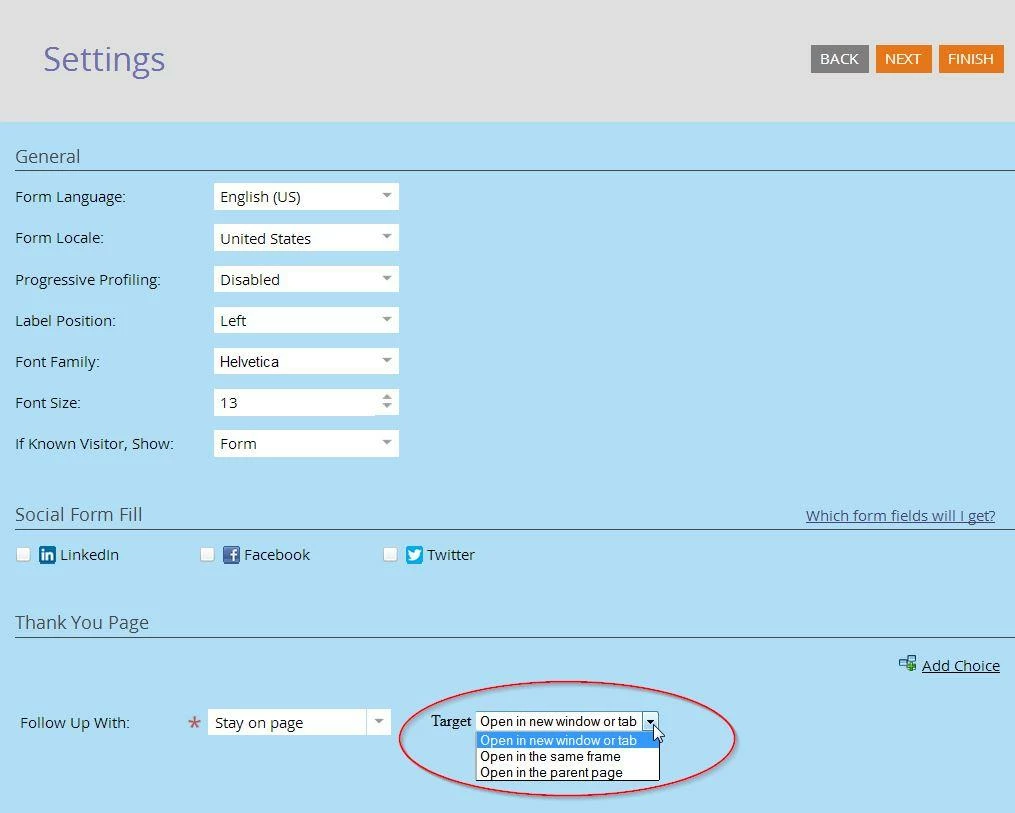
It would be very useful for customers if one could set a form's target attribute (where the followup page opens) from the form editor. For example, we could let people choose between opening it in a new window or tab, in the same frame, or in the full window / parent page.
Many customers rely on using a Forms 2.0 form on a Marketo page inside an iframe so they can take advantage of prefill and progressive profiling (doesn't work if you embed the form code). The problem is that with Forms 2.0, there's no way to do this without the followup page opening inside the iframe. If they could choose the target from the form editor, that would resolve this and make Forms 2.0 even better.
Imagine this: