Set up Marketo Sync User in Dynamics: Real email for Sync User? | Community
Skip to main content
New Participant
April 15, 2021
Solved

Set up Marketo Sync User in Dynamics: Real email for Sync User?

  • April 15, 2021
  • 2 replies
  • 4332 views

Hello again Marketing Nation!


Here comes a question regarding the initial setup to sync with Microsoft Dynamics.


First some brief background.


In the Marketo docs (Step 2 of 3: Set up Marketo Sync User in Dynamics), it says that one has to create a special user account, a Sync User, in order to be able to continue with the process.


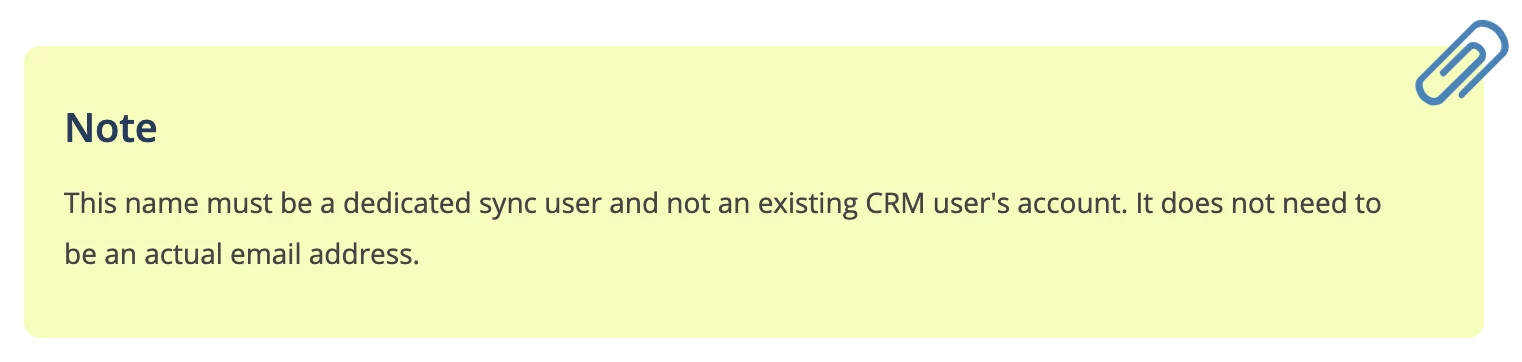
Furthermore, there is a note where it says that the email for the Sync User "does not need to be an actual email address":
However, on the next step it says:
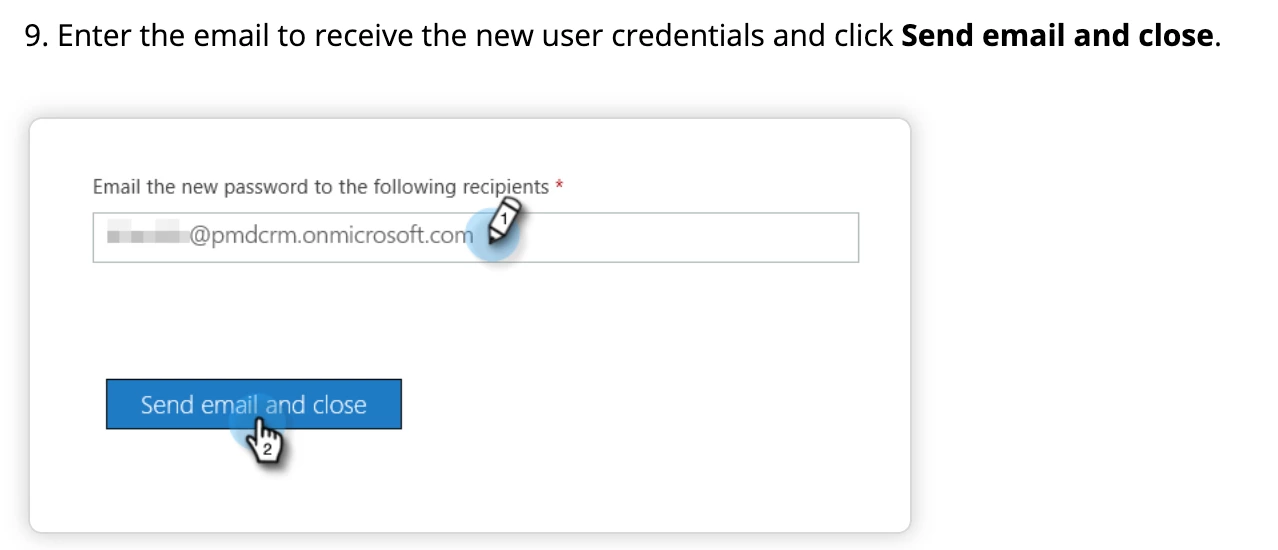
 

Note: It seems like one has to send an email in order to get the Sync Users credentials.

If a fake email is used, how to get the Sync Users credentials?

Sub question: Are there any pros/cons to using a real vs fake email for the Sync User?


Any help would be much appreciated!


Best,

ernie


P.S.

- All quotes and screenshots were taken from the following page:
docs.marketo.com/display/public/DOCS/Step+2+of+3%3A+Set+up+Marketo+Sync+User+in+Dynamics
Best answer by NestoJosa

Hi@robert_nichols1


Thanks for the tips!


I joined the Dynamics Virtual User Group, the MUG, and I will watch the session that you linked to, which seems like a good intro-video.

Regarding the Sync User, and using a real vs fake email.


I got a response from Marketo support, where they info that, during the process for creating the Sync User, one can chose to provide the password, so there is no need to use a real email in order to receive any login-credentials.


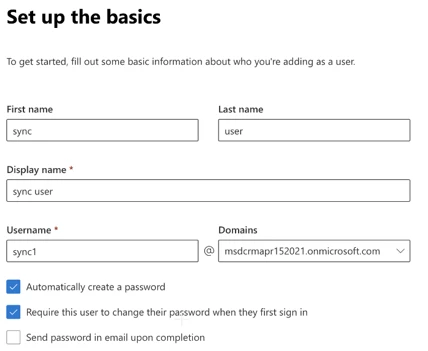
Here is a screenshot of the new create user form:

Note:

- If you uncheck the "Automatically create a password" box, you will be able to provide a password.


On pros/cons if real/fake user:
- Marketo Support info that there are no pros or cons in regards to using a real vs fake email.

Thanks again for your response!


Best,

ernie

2 replies

Katja_Keesom
Community Manager
April 16, 2021

Found out recently that the credentials are no longer sent through Dynamics anyway (it used to be that you could provide an email address to send the credentials to). So this option no longer exists.

And it does not really need to be a real email address, as no emails are sent to it. You do need to make sure the user is not subject to MultiFactor Authentication.

Simply make sure you capture the username and email address so you can enter them in Marketo.

NestoJosaAuthor
New Participant
April 19, 2021

Hi @katja_keesom 


Yes, it seems like the Marketo docs are not updated.


Nowadays, its supposedly possible to add the password directly when creating the Sync User.


Best,

ernie

Robert_Nichols1
New Participant
April 16, 2021

hi @NestoJosa 

first off - join:

https://nation.marketo.com/t5/Dynamics-Virtual-User-Group/gp-p/dynamics-virtual-user-group-discussions

and the User Group here: https://mugs.marketo.com/ms-dynamics-vmug/


then - watch this session here: https://mugs.marketo.com/events/details/marketo-ms-dynamics-vmug-presents-dynamics-basics-every-dcrmmarketo-user-needs-to-know/


these should really help!

As to the user - ours is set to an actual email address that we created for marketosync (its marketosync@...) that way we can assign the right user rights etc and know whats been created etc.


NestoJosaAuthorAccepted solution
New Participant
April 19, 2021

Hi@robert_nichols1


Thanks for the tips!


I joined the Dynamics Virtual User Group, the MUG, and I will watch the session that you linked to, which seems like a good intro-video.

Regarding the Sync User, and using a real vs fake email.


I got a response from Marketo support, where they info that, during the process for creating the Sync User, one can chose to provide the password, so there is no need to use a real email in order to receive any login-credentials.


Here is a screenshot of the new create user form:

Note:

- If you uncheck the "Automatically create a password" box, you will be able to provide a password.


On pros/cons if real/fake user:
- Marketo Support info that there are no pros or cons in regards to using a real vs fake email.

Thanks again for your response!


Best,

ernie