Setting a different time zone when scheduling a batch campaign | Community
Skip to main content
New Participant
August 18, 2023
Solved

Setting a different time zone when scheduling a batch campaign

  • August 18, 2023
  • 1 reply
  • 5791 views

Hello,


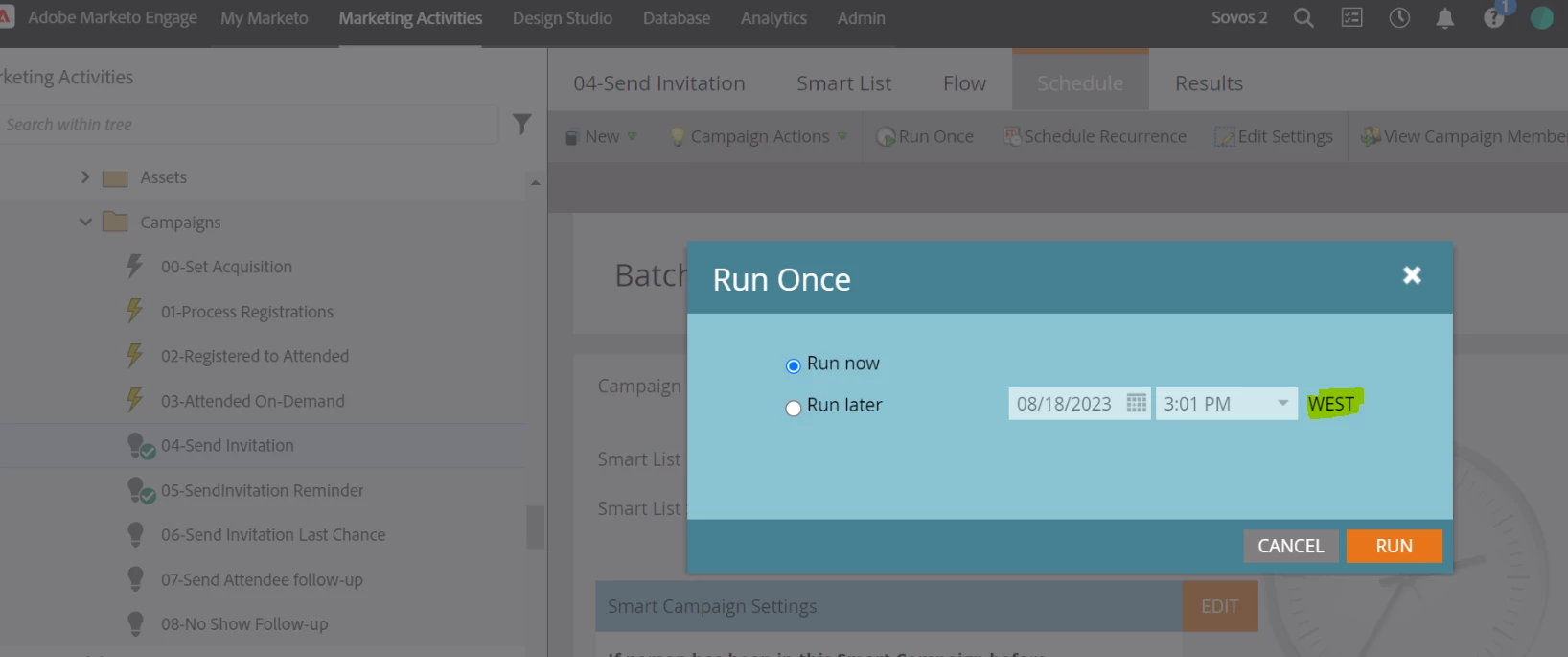
I wanted to know if it is possible to change the setting time zone when scheduling a batch campaign.


In this moment time time zone that it set is West, would it be possible for that to change?

Thank you!

Best answer by Darshil_Shah1

Marketo has two options for setting timezones: one is for user-level timezone settings (Marketo Admin > My Account > Location Settings > Time Zone) and the second is for the entire instance-level timezone setting (Marketo Admin > Location > Default Location Settings > Time Zone). With the former, the instance time zone doesn't change, only you see the times everywhere in the instance (with a few exceptions in reports) as per the timezone set, and with the latter, you can update the time for the entire instance, and users w/o any timezone set get changed to this instance timezone too. However, I don't think you can just change the timezones selectively for a few campaigns, it applies at the user/instance level across all the modules.

1 reply

Darshil_Shah1
Darshil_Shah1Accepted solution
Community Manager
August 18, 2023

Marketo has two options for setting timezones: one is for user-level timezone settings (Marketo Admin > My Account > Location Settings > Time Zone) and the second is for the entire instance-level timezone setting (Marketo Admin > Location > Default Location Settings > Time Zone). With the former, the instance time zone doesn't change, only you see the times everywhere in the instance (with a few exceptions in reports) as per the timezone set, and with the latter, you can update the time for the entire instance, and users w/o any timezone set get changed to this instance timezone too. However, I don't think you can just change the timezones selectively for a few campaigns, it applies at the user/instance level across all the modules.

Zoe_Forman
Community Manager
August 20, 2023

Having the ability to adjust send schedule for recipients own time zones not the users time zone in a region such as EMEA which spans from UK/Europe/Africa/ Middle East  to India would be a great addition so all could receive at say 10:10 local time which could be 6 hours span.

Even sub regions could have a span of 3 to 4 hours globally.

SanfordWhiteman
New Participant
August 20, 2023
Recipient Time Zone is an existing feature, though geared toward Email type programs (not Default).