Showpad/Marketo Integration and Getting Showpad Shares to Add to SF Campaigns | Community
Skip to main content
New Participant
August 10, 2023
Question

Showpad/Marketo Integration and Getting Showpad Shares to Add to SF Campaigns

  • August 10, 2023
  • 1 reply
  • 2627 views

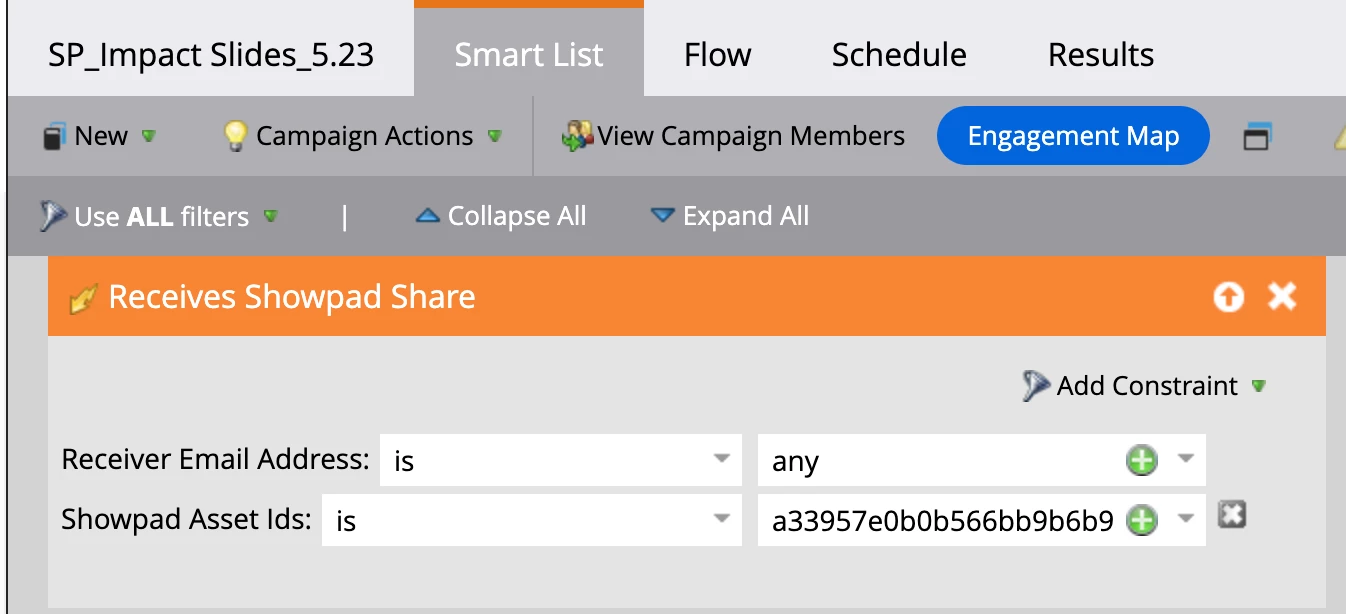
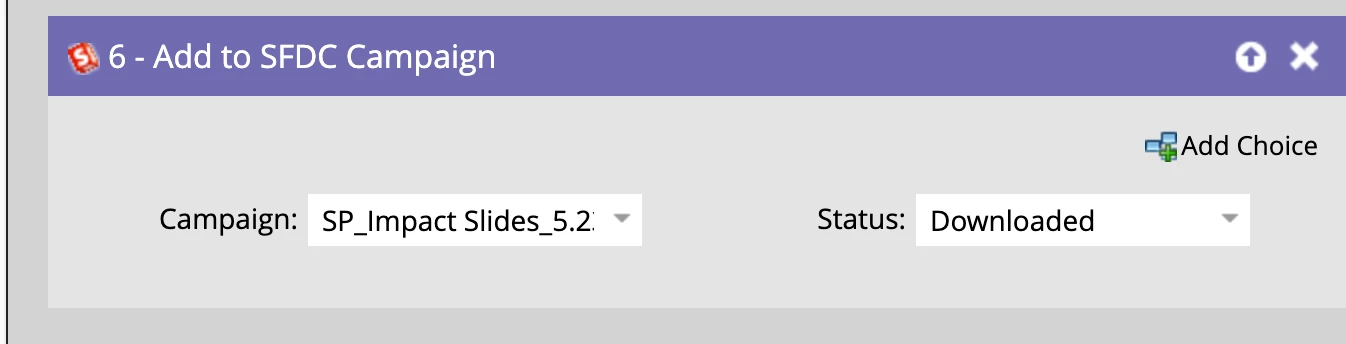
I have integrated Showpad with Marketo and set up the following flow in Marketo to get Showpad shares to be added to Salesforce campaigns. The problem is it does not seem to be picking up any results despite Showpad shares happening from Showpad. I have not been able to get any good answers from Showpad themselves on how to manage this integration so I'm hoping someone on the forum can help me understand how I can get Showpad shares to record and then sync to Salesforce campaigns.


Any advice on how anyone has achieved this is welcome. 
This post is no longer active and is closed to new replies. Need help? Start a new post to ask your question.

1 reply

Darshil_Shah1
Community Manager
August 10, 2023

Do you see the Showpad Share activity getting logged in Marketo? If yes, then you should verify whether the set Showpad Asset Ids activity attribute value matches what you have in the trigger campaign. Also, I see the Add to SFDC Campaign flow step is numbered 6, so do you not have issues with other flow steps? Is the person not able to flow through the campaign flow entirely or just not able to get added to the SFDC campaign? Based on this the troubleshooting steps would vary greatly.


However, if you don't see the Showpad Share activity in the activity log in the first place, then you should check the following items:

  • Make sure that the integration is set up correctly. Specifically, the Marketo API user used for the integration must have the required permissions, as outlined in the Showpad - Marketo integration documentation.
  • Follow the correct process for sharing content with people. You can find more information on this process in the sharing content with Showpad documentation.
  • Keep in mind that internal shares between two users with the same corporate domain will not be tracked in Marketo. This is to keep data exclusively for shares to buyers, prospects, and interested parties outside of your organization. If you're using test records with the same corporate domain, then you won't see the custom activities getting logged in Marketo.

I hope this helps!

New Participant
August 14, 2023

Thank you - the flow steps prior are just to change data fields which we use in other flows so those should be fine.


How can I tell if the Showpad Share activity is logging in Marketo?

Darshil_Shah1
Community Manager
August 14, 2023

You can create a smart list with Received Showpad Share filter (given that you have named the filter for your custom activity Showpad Shares as Received Showpad Share). This will pull up all people from your database who have Showpad Shares custom activity logged in the database. Alternatively, if you're testing using a test record, you can very well open up the person and see the activity log whether you have the corresponding Showpad Shares custom activity logged or not.