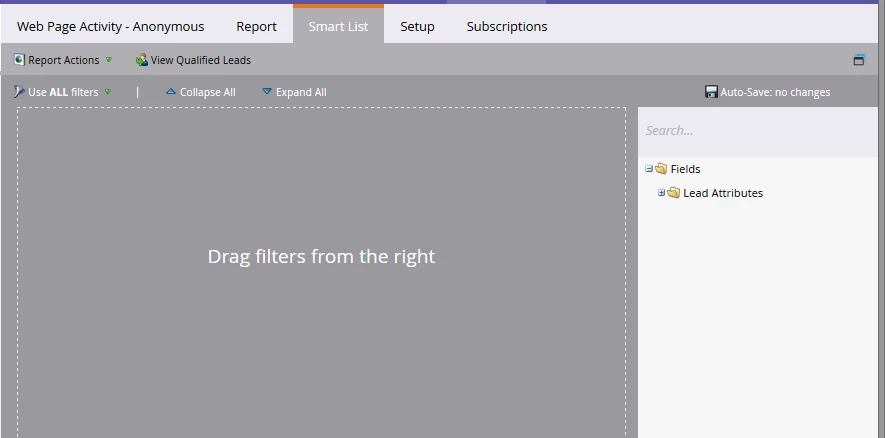
It is true that you wouldn't have access to the Visited Web Page activity history for anonymous lead records. That activity is stored differently and will only show and will only be able to be filtered on once the lead becomes known. So that part is accurate. The filters don't appear when the report setup is set to either of the Anonymous activity sources because of this.
Now, as for when the filters were there vs when they were removed, I don't know specifically when that happened (I'm checking to be sure) but I believe it did happen back at the time of the release when the Anonymous filters were removed and the other associated changes were put in place.
What I can tell you for sure from testing just now is that if you have the report setup set to look for Known Lead activity, these filters do show up. If you add that Visited Web Page filter to the Smart List of your report and then go back to the setup tab and change the Activity Source over to one of the two Anonymous sources, it does not remove the filter you had already put in there. You won't see the Visited Web Page filter in the list of filters available any more because with the Anonymous activity source selected, the report settings know to remove it. However, there isn't a function in there to then also remove that filter from where it had already been put into the report.
So the short version is, if you put the filter in there and then switch it to anonymous activity source, you'll get what you're seeing here.