Smart list for not open email showing opened email in activity log | Community
Skip to main content
laevinsdad
New Participant
January 17, 2024
Solved

Smart list for not open email showing opened email in activity log

  • January 17, 2024
  • 1 reply
  • 2982 views

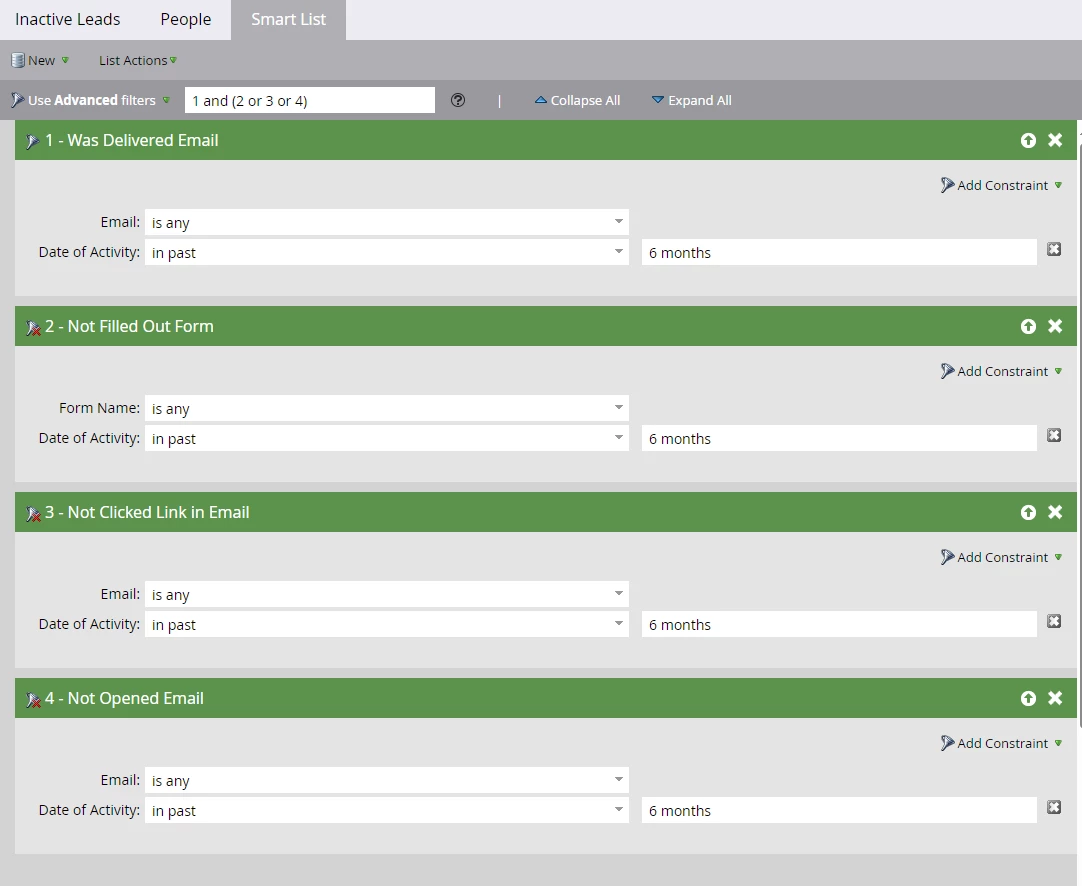
Hello. I am looking at a Smart List of "Inactives" that doesn't match what shows in the Activity Log for a customer. The first line of the Smart List is "Was Delivered Email" with the parameters of "is any" and "in past 6 months". Another parameter is "Not Opened Email".
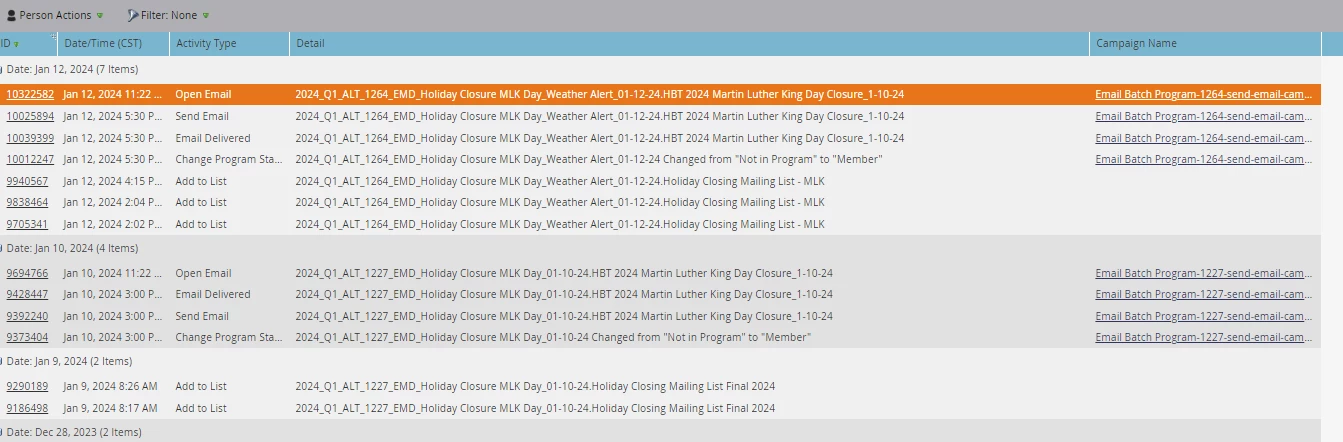
However when I look at the Activity Log for a person who appears on the Smart List, it shows they DID open the email.

Has anyone else had an issue like this? Can someone suggest what I might be missing? 

Thank you in advance.

This post is no longer active and is closed to new replies. Need help? Start a new post to ask your question.
Best answer by Darshil_Shah1

Also i will recommend to include additional filter  "Was Sent Email" (=is any) on email sent. This will exclude all your leads to whom have not been sent any emails in 6 months.


Send Email and Email Delivered are high-volume activities and are purged from the activity log after 90 days from the date of activity, so a look back of 6 months (180 days) doesn't make sense; you shouldn't expect activities older than 90 days to be in the activity log and reference-able via the respective smart list activity/inactivity filter.


@laevinsdad, Also, you should use AND for the inactivity filters if you want to filter people who don't have any of the activities in in their activity log. Using or instead would qualify people who don't have any 1 of the activity (no matter even if they have other 2) in the smart list. I hope this makes sense, and answers your question. Please let us know if you have any further questions. 🙂

1 reply

SanfordWhiteman
New Participant
January 17, 2024

It’s displaying what you asked for! The boolean filters are


  DID something

    AND EITHER (

      DIDN’T DO something2

      OR DIDN’T DO something3

      OR DIDN’T DO something4

     )


Sounds like you meant AND all around.

uditmathur
Community Manager
January 18, 2024

True,


The logic in your Smart list will filter anyone who was not delivered any email in past 6months & anyone who has performed one of the other 3 activities i.e. either not filled a form or not clicked on the email link or not opened the email in last 6 months.

To achieve inactivity for your database you should change your filter logic to ALL.


Also i will recommend to include additional filter  "Was Sent Email" (=is any) on email sent. This will exclude all your leads to whom have not been sent any emails in 6 months.


Darshil_Shah1
Darshil_Shah1Accepted solution
Community Manager
January 18, 2024

Also i will recommend to include additional filter  "Was Sent Email" (=is any) on email sent. This will exclude all your leads to whom have not been sent any emails in 6 months.


Send Email and Email Delivered are high-volume activities and are purged from the activity log after 90 days from the date of activity, so a look back of 6 months (180 days) doesn't make sense; you shouldn't expect activities older than 90 days to be in the activity log and reference-able via the respective smart list activity/inactivity filter.


@laevinsdad, Also, you should use AND for the inactivity filters if you want to filter people who don't have any of the activities in in their activity log. Using or instead would qualify people who don't have any 1 of the activity (no matter even if they have other 2) in the smart list. I hope this makes sense, and answers your question. Please let us know if you have any further questions. 🙂