Social Icons not displaying correctly on Windows | Community
Skip to main content
March 1, 2018
Solved

Social Icons not displaying correctly on Windows

  • March 1, 2018
  • 2 replies
  • 3048 views

Good Morning,

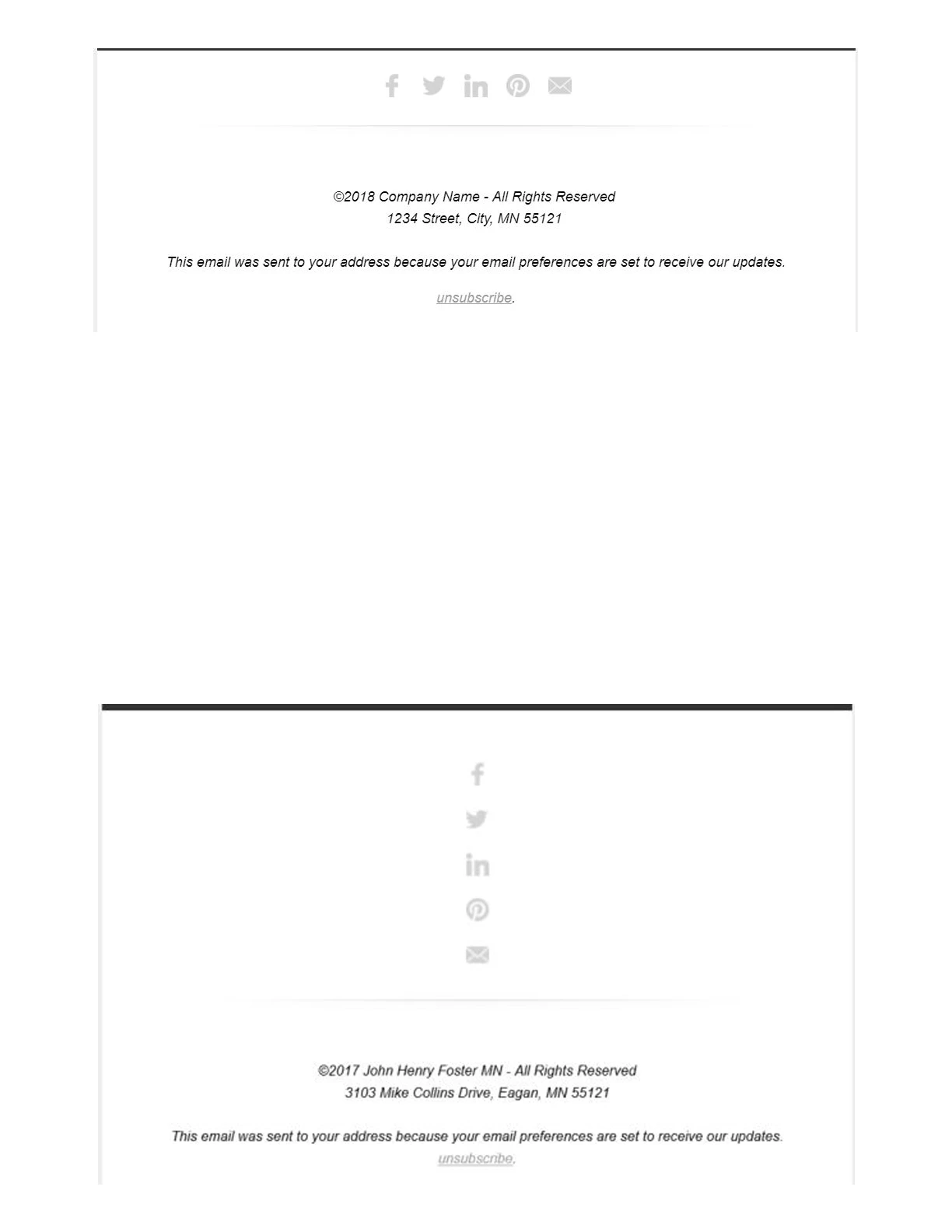
We are having a display issue with one of our Marketo templates, the social media icons appear stacked vertically on all Windows desktop versions, but in the email editor, preview, Mac, and mobile they appear correctly. Any advice?
This post is no longer active and is closed to new replies. Need help? Start a new post to ask your question.
Best answer by Grégoire_Miche2

Correct, this is an email template that Marketo "designed" for us when we purchased Marketo. They included 4 standard email templates and 1 standard landing page template. In our instance it is in our "My templates" section but we did not create it.


Hi again Katie,

Then, the person who developed it should correct the code. Have you tested the template in litmus or email on acid when it was delivered to you ? Didi it work at that time ?

-Greg

2 replies

Grégoire_Miche2
New Participant
March 1, 2018

And also, when you write "windows desktop", do you mean Outlook ?

-Greg

March 1, 2018

We did not test it when we received it... Outlook and Lotus Notes. Outlook is our main concern as that is what a majority of our database uses.

Grégoire_Miche2
New Participant
March 1, 2018

Hi Katie,

Which Marketo template are you using ?

Have you modified the code somehow ? Of not, that might be a small big of the template and it should be looked into it by support.

-Greg

March 1, 2018

It came with our instance as a template, not from the library. They named it "Standard Email Template 2.0" and we have not modified it.

Grégoire_Miche2
New Participant
March 1, 2018

Hi Katie,

There is a "Standard" landing page template, but there is no such a template by default in Marketo. The only that comes with the instance is the "blank" one.

In the the template picker, none of them is called "standard" either.

-Greg