
Spam spam spam eggs spam spam spam
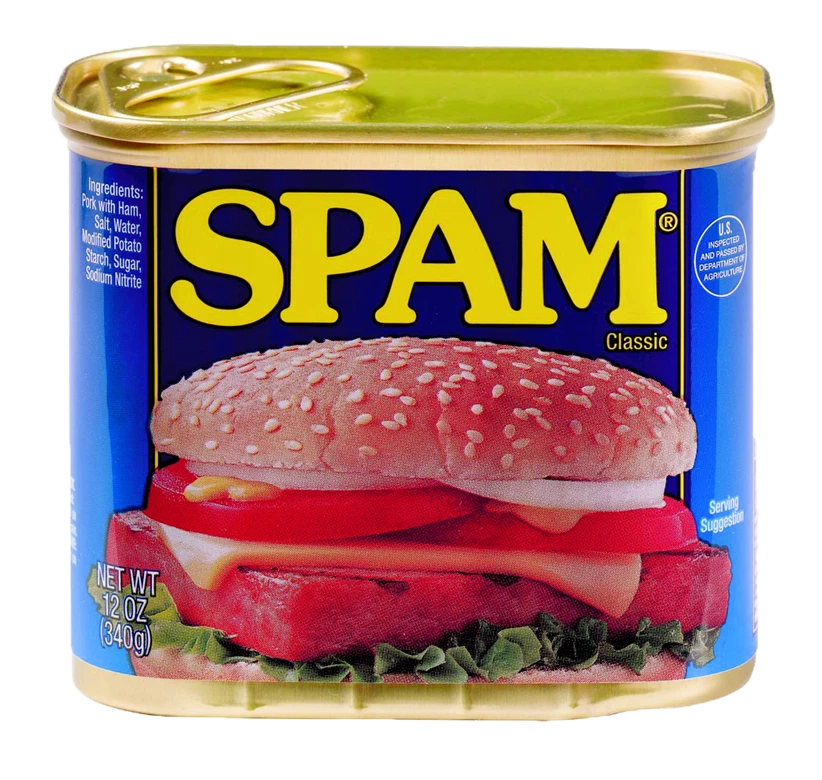
What it is...
Spam email is a form of commercial advertising which is economically viable because email is a very cost-effective medium for the sender. If just a fraction of the recipients of a spam message purchase the advertised product, the spammers are making money and the spam problem is perpetuated.
runbox.com/email-school/what-is-spam-and-how-to-avoid-it/
Why is it called SPAM?
Literally, because of this Monty Python bit.
How it affects You
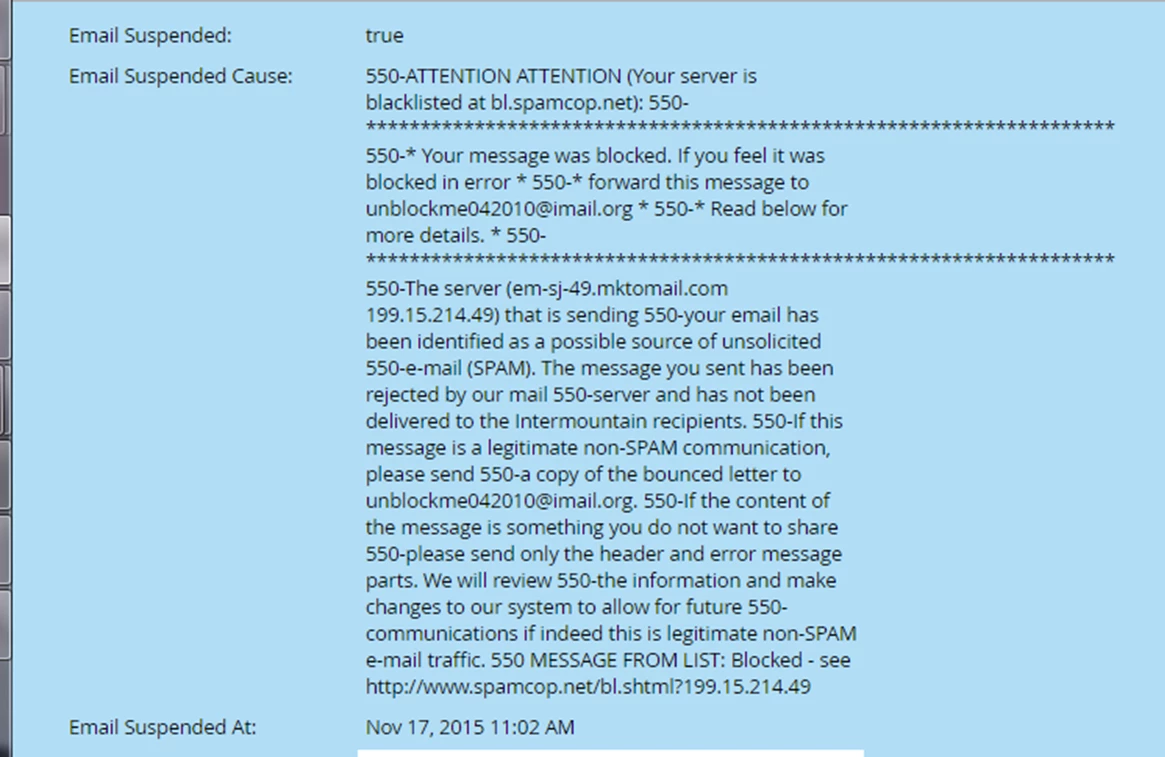
When we send out unsolicited emails, the IP address used is monitored by Spam Listers, like SpamCop, Baracuda, etc.
Marketo assigns our IP addresses. If they don’t catch things in time, all emails sent from that IP will be blocked
Actual real lead that’s now blocked because we’re listed as spammers
How to protect your reputation in Marketo
- Do not email to people who have not filled out emails asking to be contacted
- Monitor who is calling us a spammer
- Watch for Spam Traps
- Create a suppression list and institutionalize it
- Do not delete these leads from Marketo
- Don’t mail to personal email addresses
Do not email to people who have not filled out emails asking to be contacted
- Don’t purchase or rent lists
- Use lists from tradeshows CAUTIOUSLY
- Most often, tradeshows give us a list for one time use
- Send an email to the list with a Call-To-Action to fill out a form
- Set a “Self Destruct” workflow 10 days after the email that DELETES any lead that has not filled out a form
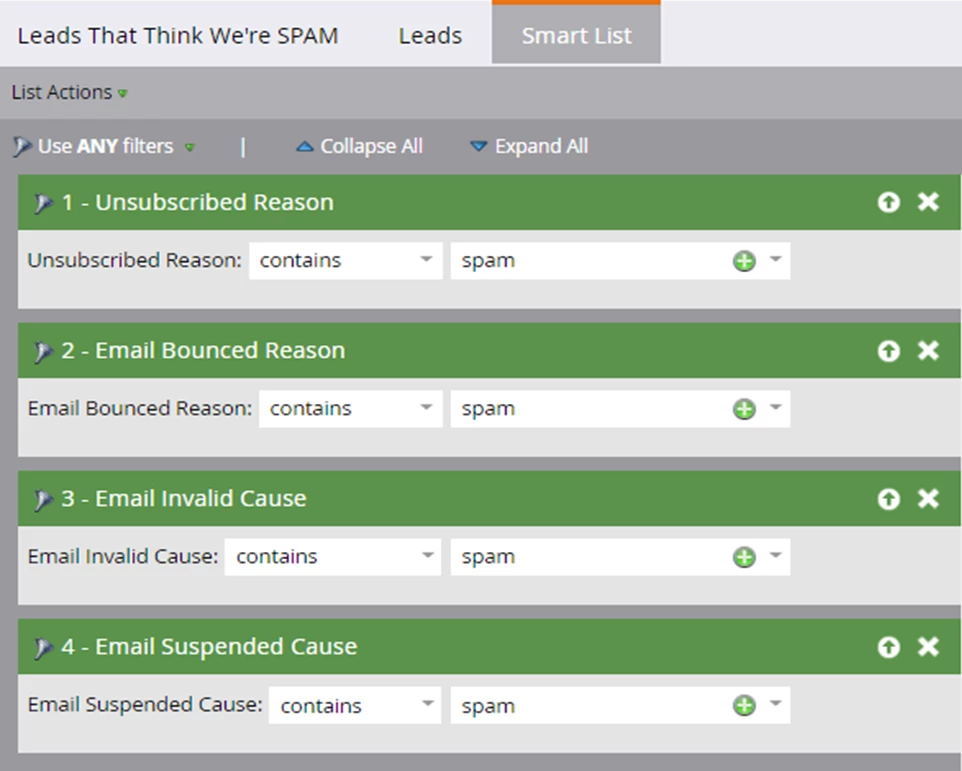
Monitor who is calling you a spammer
- Create an operational program for Email Analysis
- Create this Smart List:
Watch for Spam Traps
- Spam Traps are email addresses that look, smell, taste and feel like real email addresses
- They are created by companies and put onto lists that are imported into Marketo – tradeshows, third party lists, etc
- They have never filled out a form
- They monitor how often they get email from us and then report us to SPAM agencies that put us on the list of spammers
Tell Tale Signs of a Spam Trap:
- Never filled out a form or came from a CRM
- Often clicks emails before emails is delivered
- Often times a flurry of clicks
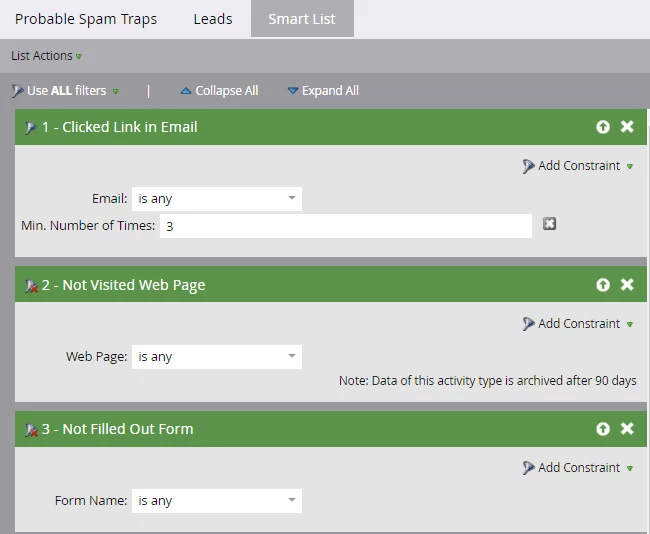
- Clicks links but doesn't visit web pages
Smart List to find Spam Traps:
Creating a Suppression List
This is a list that you'll want to hold onto, monitor and perfect. This is a list that you'll want institutionalized on all of your email campaigns. Suppress these people!!!
Smart Campaign 1 - Spammy Accounts
Create a smart list where email address starts with "info@"
Add them to your Suppression list
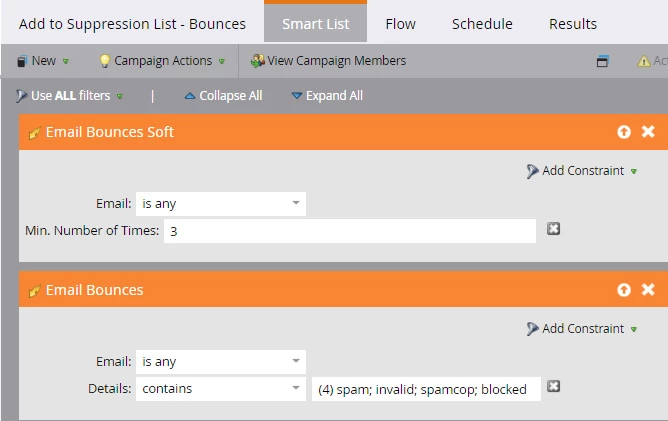
Smart Campaign 2 - Bounces
Email Bounces Soft, email is any, minimum number of times = 3
Email Bounces - email is any, reason contains: spam, invalid, spamcop, blocked
Add to your suppression list
Smart Campaign 3 - Potential Spam Traps
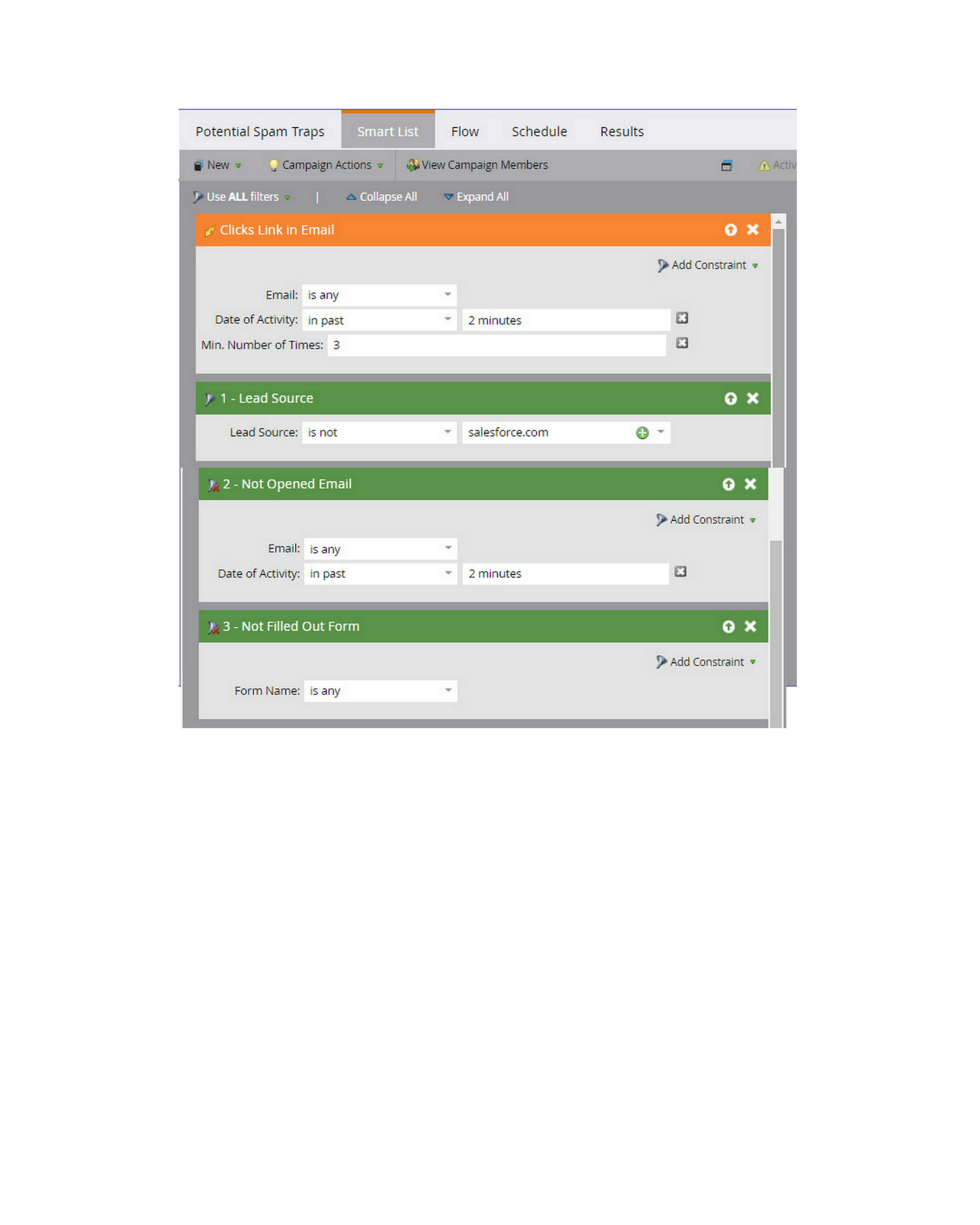
- Clicks Link In Email - Email is Any
- Date of Activity: In past 2 minutes
- Min Number of Times: 3
- Lead Source Is Not salesforce.com (or your CRM)
- Not Opened Email
- Email Is Any
- In Past 2 minutes
- Not Filled Out Form - Is Any
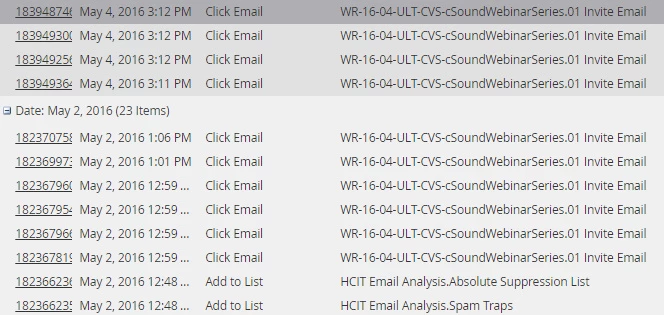
You'll eventually find leads like this, where there's a flurry of clicks but no web pages visited. This is due to the spam scanner clicking the link to prove to itself it's a redirect, then abandoning the click so it never trips Munchkin
There are a lot of other things you have to watch out for with Spam Traps. I'll update this blog as I find them. If you have some, feel free to contribute!