Swaping Emails in an Active Nurture Program | Community
Skip to main content
New Participant
October 25, 2023
Solved

Swaping Emails in an Active Nurture Program

  • October 25, 2023
  • 1 reply
  • 2315 views

Hello,


I needed to swap an Email1A in an active nurture to an Email1B. What i did was create inside the nurture program a default program, image below with the smartlist:
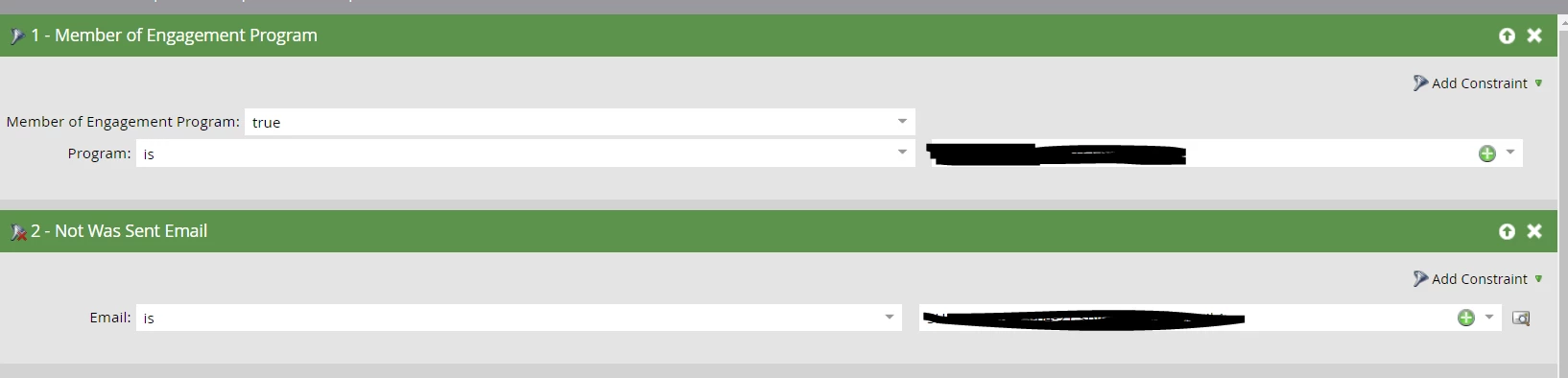
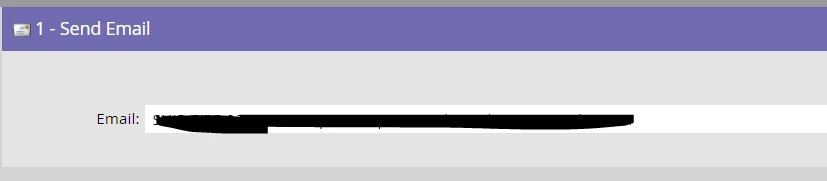
I´m just not sure where should a put this default program in the stream - should i add it below Email 1?
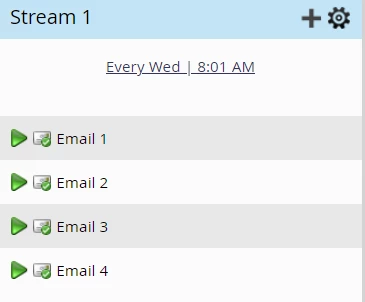
And also, should i deactivate the Email1?


Thank you

Best answer by Darshil_Shah1

Why did you create a default program? It's usually a better practice to have all the content either in the form of email assets or default programs rather than mixing them up. Also, the Engagement program identifies the stream content based on their ID (email asset ID or program ID) to determine whether it's been sent previously to a member or not, so if you add a new content piece in the stream (or replace an existing one), the engagement program won't technically consider it as the replacement of the asset or content piece you removed. Members for whom this is the next unsent content in the stream would be sent the new content piece (even if they were sent the original content previously). If you don't want to send the newer email asset to members who were sent the original content, you'd have to either update the existing email asset itself or create it as a default program and make members who were sent the original email its members. Also, just as an FYI, you'd not be able to use the Recipient Time Zone option with the default program(s) in the stream.

1 reply

Darshil_Shah1
Darshil_Shah1Accepted solution
Community Manager
October 25, 2023

Why did you create a default program? It's usually a better practice to have all the content either in the form of email assets or default programs rather than mixing them up. Also, the Engagement program identifies the stream content based on their ID (email asset ID or program ID) to determine whether it's been sent previously to a member or not, so if you add a new content piece in the stream (or replace an existing one), the engagement program won't technically consider it as the replacement of the asset or content piece you removed. Members for whom this is the next unsent content in the stream would be sent the new content piece (even if they were sent the original content previously). If you don't want to send the newer email asset to members who were sent the original content, you'd have to either update the existing email asset itself or create it as a default program and make members who were sent the original email its members. Also, just as an FYI, you'd not be able to use the Recipient Time Zone option with the default program(s) in the stream.