switch out token, template form | Community
Skip to main content
Charles_Sander1
New Participant
March 3, 2017
Solved

switch out token, template form

  • March 3, 2017
  • 2 replies
  • 3725 views

I had an idea to limit the number of forms we use, with a template form (based on fields needed, rather than use-case), but I ran into a hiccup.

Because the form could be used in multiple programs, I made the submit button text a token - so that I could drop the form into a landing page, and change submit button text locally, in the program. But...then I encountered a situation where the same form is used twice within a program on different landing pages, and the submit button text needs to be different. Doh!

Is there a way to switch out the token for another from within the program? Or some other way to control that submit button text from within the programs? Anything, so I can continue to use a single form with ability to change the submit button text for each landing page it might be on.

This post is no longer active and is closed to new replies. Need help? Start a new post to ask your question.
Best answer by SanfordWhiteman

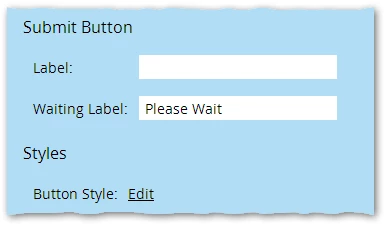
Or the CSS-only version, which I like because then you don't have to worry about event timing. Set the default button text on the form to a space or zwsp:

Then it's all CSS from that point:

.mktoForm .mktoButtonRow BUTTON[type="submit"]:after {

    content: "Do It Now!";

}

Then you can use CSS selector specificity to change the button (in addition to variables, tokens and such):

BODY[id="landing-page-01"] .mktoForm .mktoButtonRow BUTTON[type="submit"]:after {

    content: "Go Ahead!"; /* change the button text for one LP only */

}

#mktoForm_1234 .mktoButtonRow BUTTON[type="submit"]:after {

    content: "Make My Day!"; /* change the button text for one form ID only  */

}

2 replies

Charles_Sander1
New Participant
March 7, 2017

Yep! That works!  I went with the CSS approach.

I added it to the template like so (for some reason, "BUTTON[type="submit"]" didn't cooperate) ... the specific form id is intentional in this case:

#mktoForm_2036 .mktoButtonWrap.mktoSimple .mktoButton:after {

    content: "${submitbuttontext}" !Important;

}

and:

<meta class="mktoString" id="submitbuttontext" mktoName="Button Text" default="{{my.Submit Button 1 Text}}">

I can edit the variable, to use a different token, or simply put in one-off text. Just the flexibility I needed! Thank you!

Grégoire_Miche2
New Participant
March 3, 2017

Hi Charles,

Yes, this is possible, but it will take some JS. You could even for instance use a variable in the landing page and have a JS script use the value of this variable to set the button label. This would have to be done at LP template level. The beauty is that for the cases where you only have 1 form in the program, the default value for the variable would simply be the token.

-Greg

SanfordWhiteman
SanfordWhitemanAccepted solution
New Participant
March 4, 2017

Or the CSS-only version, which I like because then you don't have to worry about event timing. Set the default button text on the form to a space or zwsp:

Then it's all CSS from that point:

.mktoForm .mktoButtonRow BUTTON[type="submit"]:after {

    content: "Do It Now!";

}

Then you can use CSS selector specificity to change the button (in addition to variables, tokens and such):

BODY[id="landing-page-01"] .mktoForm .mktoButtonRow BUTTON[type="submit"]:after {

    content: "Go Ahead!"; /* change the button text for one LP only */

}

#mktoForm_1234 .mktoButtonRow BUTTON[type="submit"]:after {

    content: "Make My Day!"; /* change the button text for one form ID only  */

}

Grégoire_Miche2
New Participant
March 4, 2017

Hi Sanford,

If you add this CSS directly in the LP template, can you add a variable and/or token to it?

Something in the line of:

.mktoForm .mktoButtonRow BUTTON[type="submit"]:after { 

    content: "${ButtonLabelVar}"; 

And by which version of browsers would not it be supported.

-Greg