Tracking PDF Link Click from an Ungated Landing Page | Community
Skip to main content
Shane_Rourke2
New Participant
August 18, 2020
Solved

Tracking PDF Link Click from an Ungated Landing Page

  • August 18, 2020
  • 2 replies
  • 5891 views

I want to capture both landing page visits and those who click on the PDF CTA separately to a specific landing page. 


The landing page doesn't live in Marketo but there is munchkin tracking on the page. 


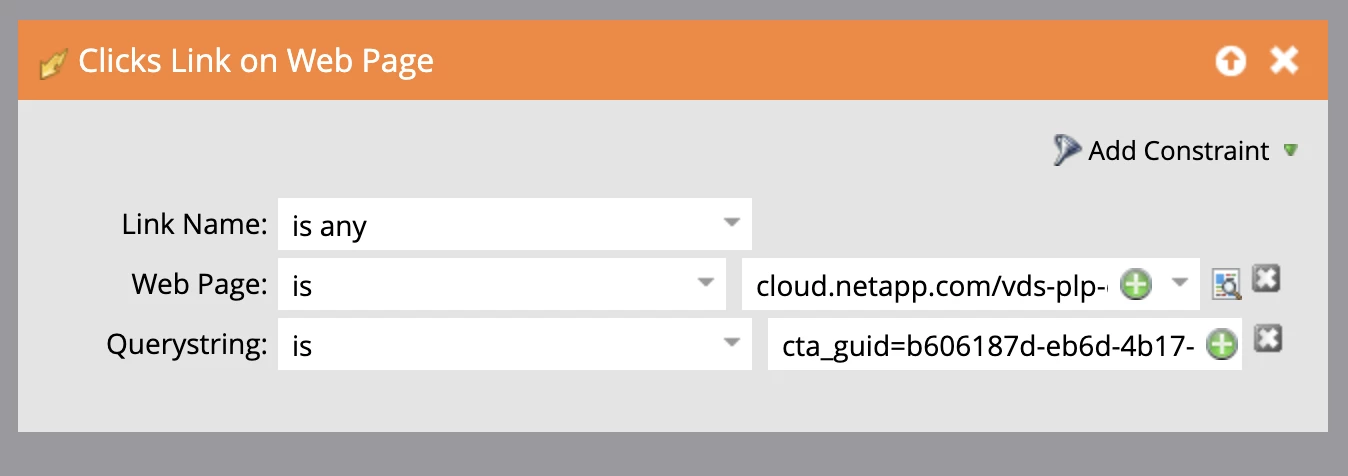
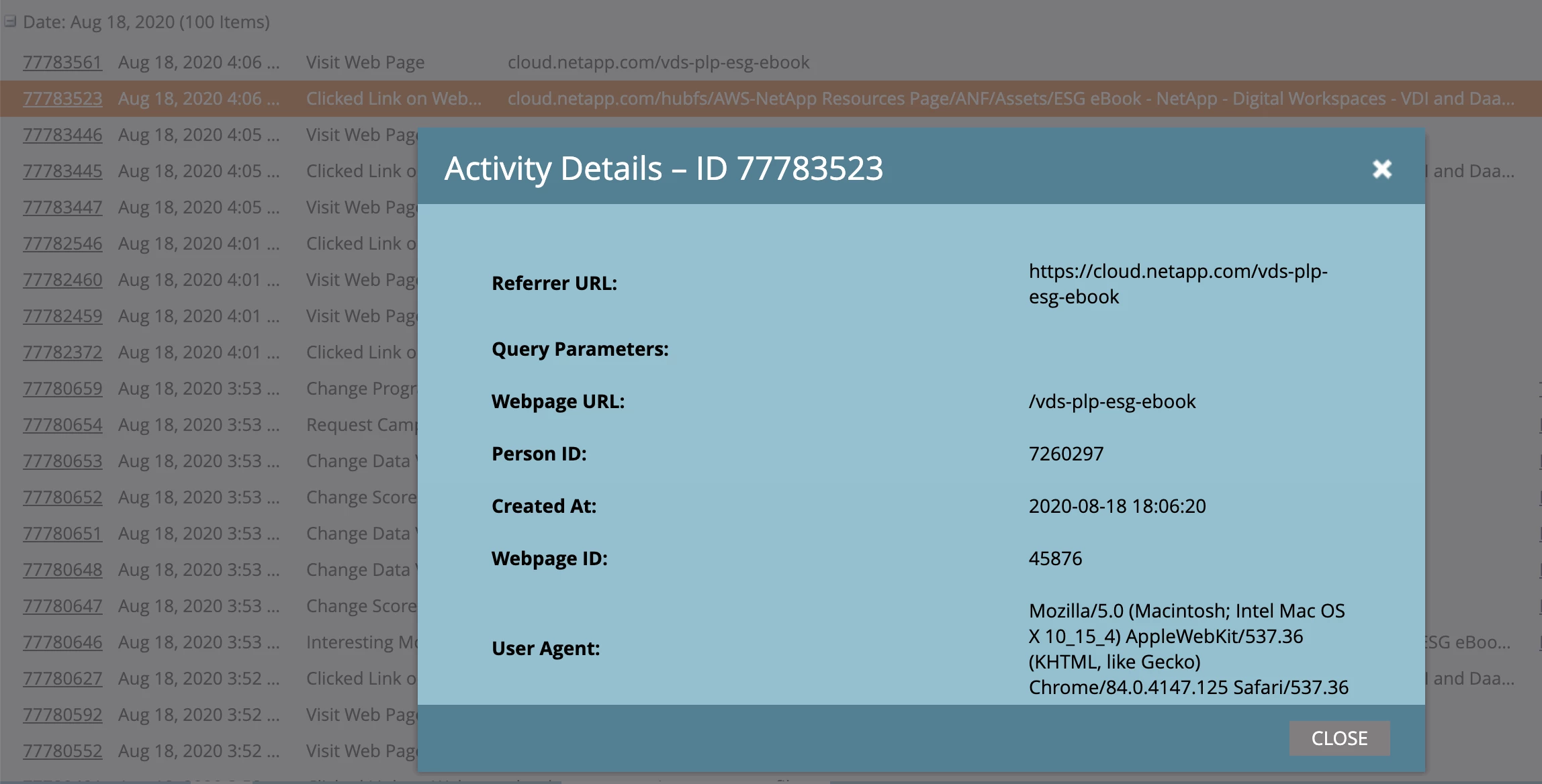
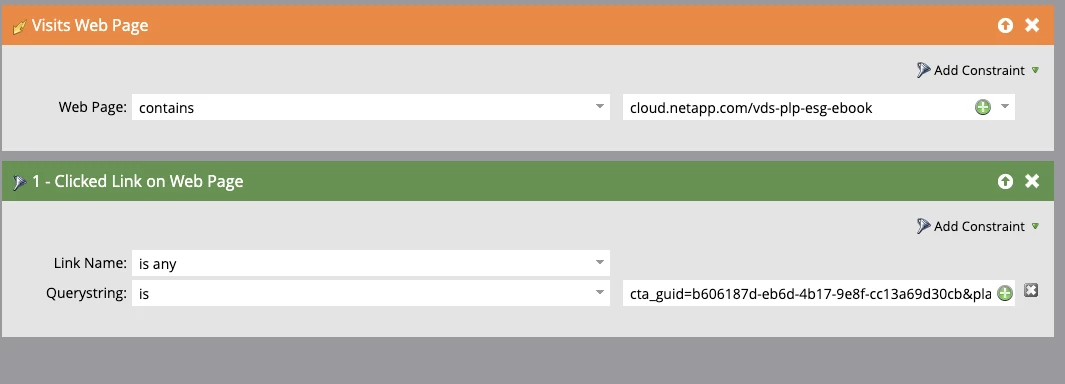
I tested using an email address that is in the database and cookied on my machine. The first smart campaign shows that I visited the page but the second smart campaign isn't showing any results. When I go to my activity log it shows that I clicked the link on the page but why doesn't it show up in the program smart campaign? Any ideas or can you recommend a better way to set this up?


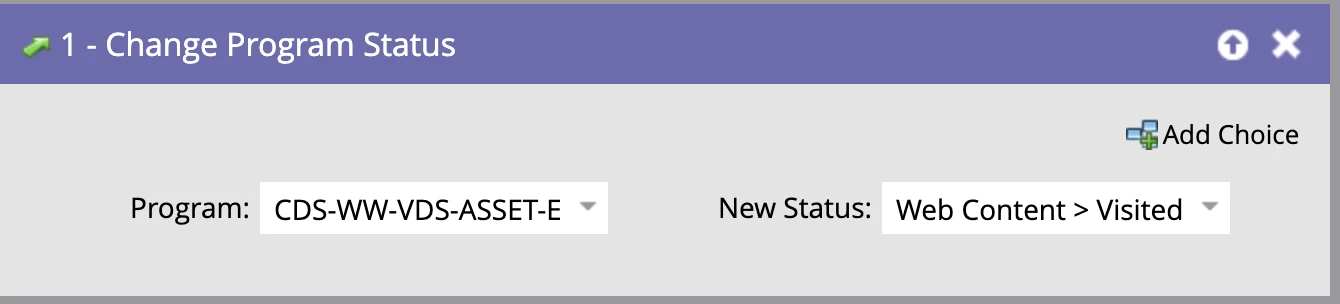
I set up a Web Content program with two smart campaigns: 

Smart Campaign 1
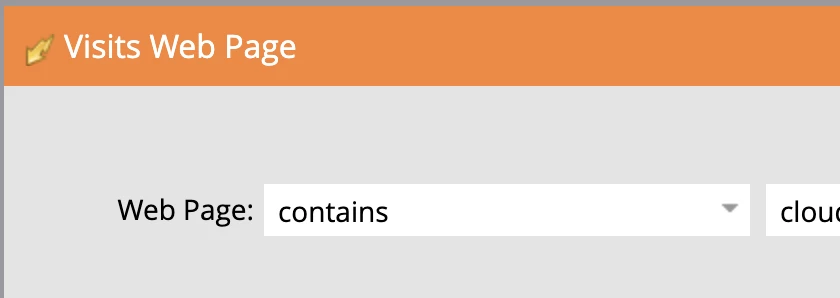
 

Smart Campaign 2
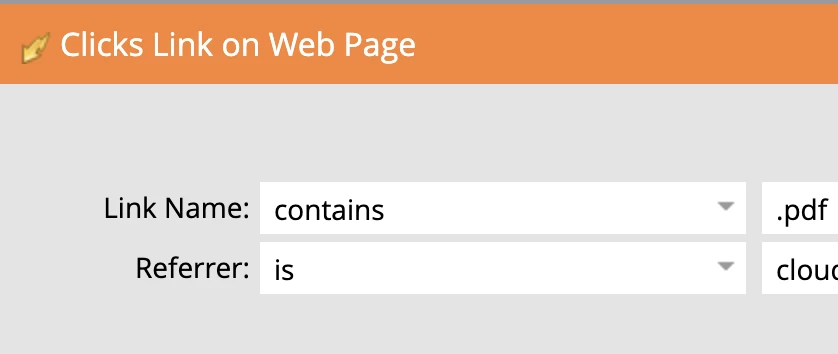
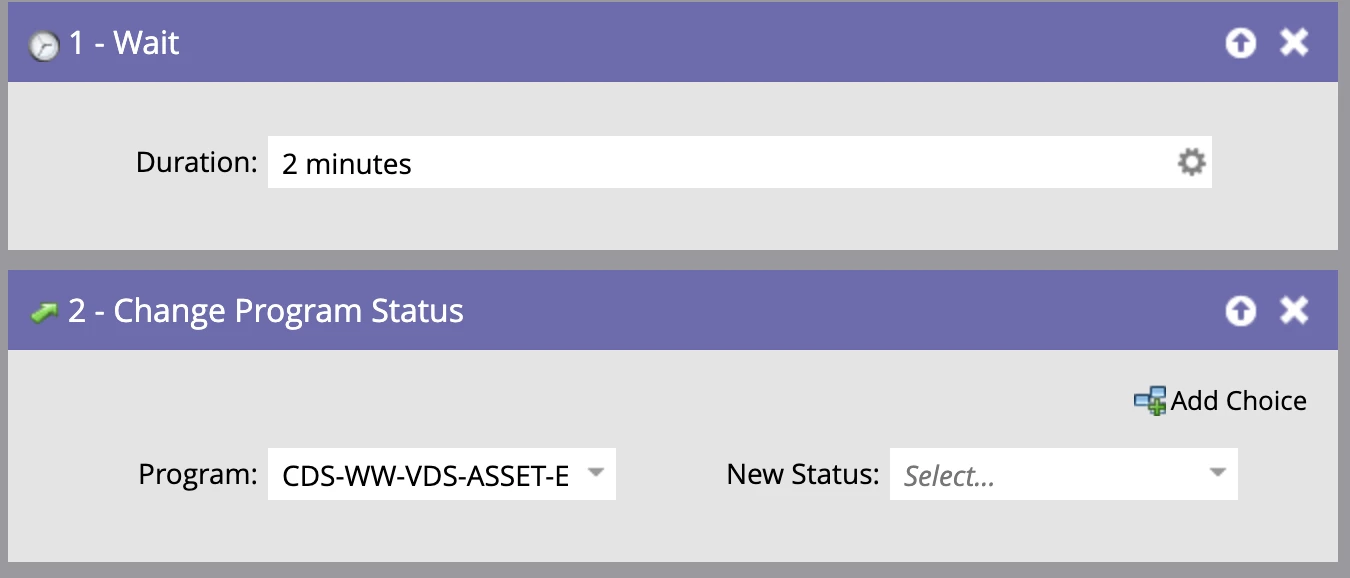
In process of adding new status of Web Content > Download
 

Best answer by Shane_Rourke2

Thanks for your help @sanfordwhiteman @carrie_chandle1.


I think everything is flowing correctly but I am still seeing 0 members in the second smart campaign. 


I tried adding a filter for 'clicked link on web page' and that added me as a member. I am all set. Thanks again!


2 replies

Carrie_Chandle1
New Participant
August 18, 2020

To Sanford's point, seeing the activity log details of your click activity on the page would be helpful. You may need to use a "Web Page" constraint instead of a "Referrer" constraint, but your activity details should point you in the right direction 🙂

SanfordWhiteman
New Participant
August 18, 2020

Can you show the details of the Activity Log entry for the Clicked Link on Web Page activity?


Also, what's the real LP URL here?

Shane_Rourke2
New Participant
August 18, 2020

Hi Sanford, 

Thanks for the quick response and support. 

URL: cloud.netapp.com/vds-plp-esg-ebook

Shane Rourke
SanfordWhiteman
New Participant
August 18, 2020

Need to see the details pane (what pops up when you client the Activity ID).