
{{trigger.CO Name}} not working | Community
Skip to main content
EllenSchwier
New Participant
July 12, 2021
Solved

{{trigger.CO Name}} not working

  • July 12, 2021
  • 1 reply
  • 2580 views

Following the directions in this post, I set up a smart campaign to transfer a value from a custom object to a person field every time the custom object was updated. However, it is not working for me. Looking for some help troubleshooting...


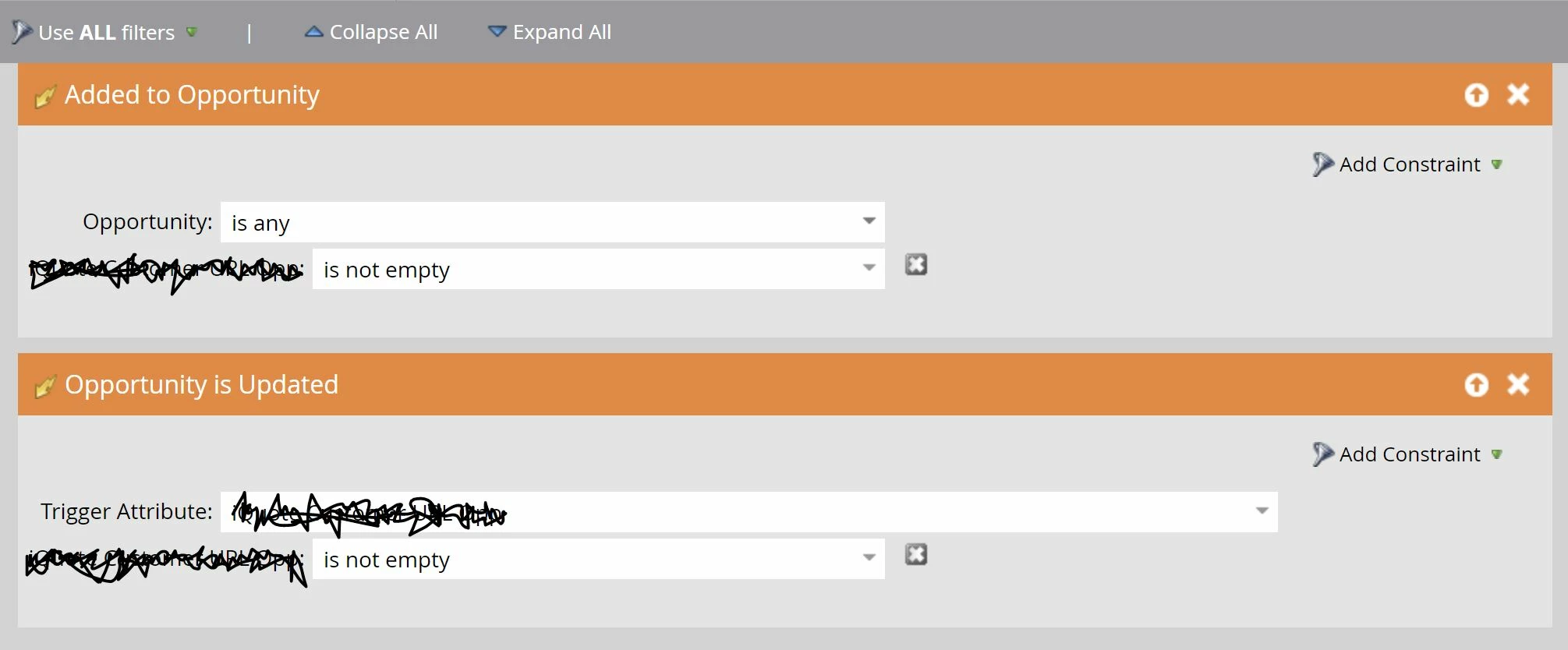
My Smart List:
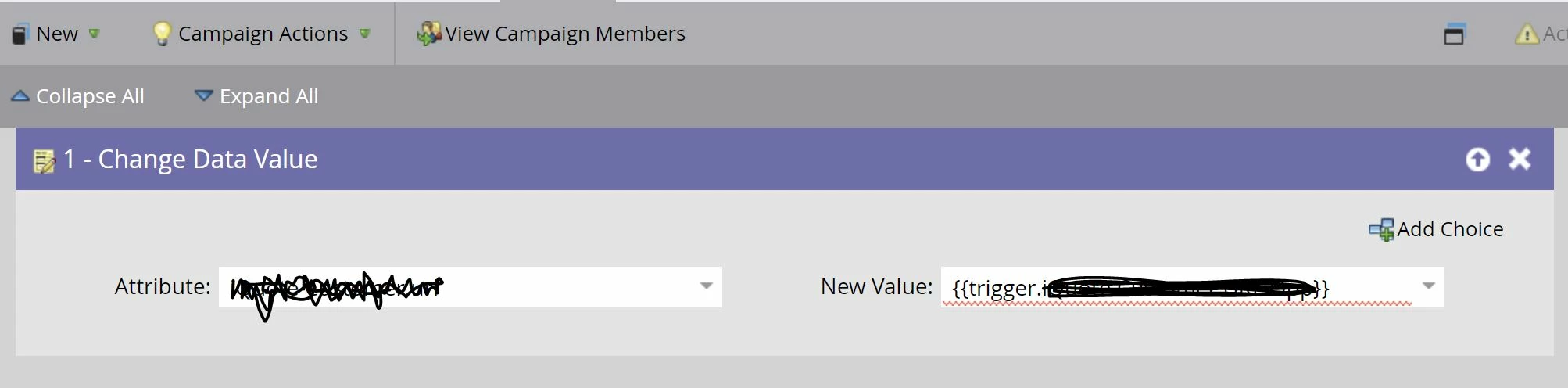
The Flow steps:
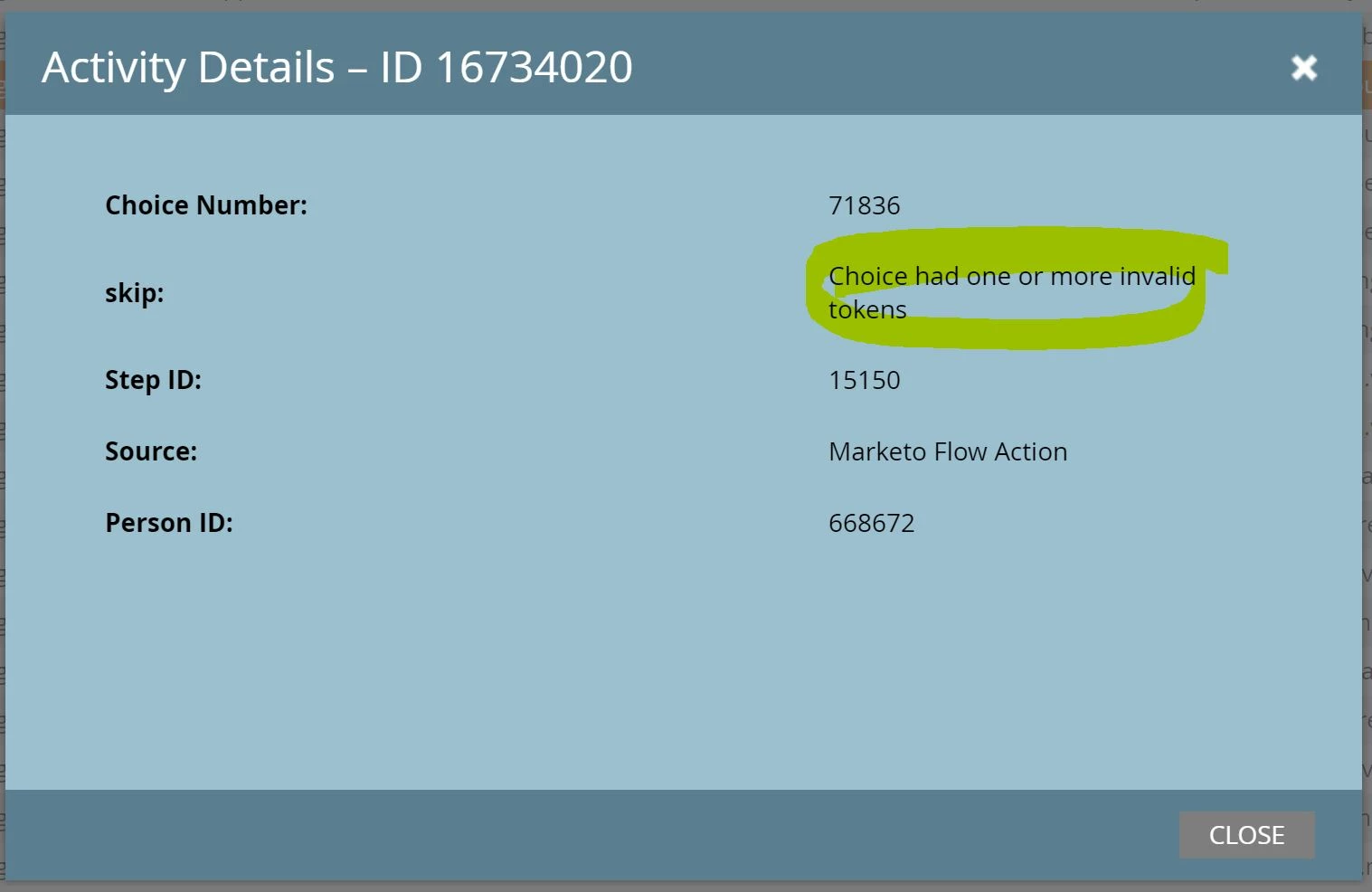
And what I am seeing in the Results tab:


The trigger token is a direct copy of the field name (display name, not API name). I cannot think of anything that I did differently from the original post where several commenters mentioned their success with this approach.


Any ideas? Thank you in advance!

This post is no longer active and is closed to new replies. Need help? Start a new post to ask your question.
Best answer by Michael_Florin-2

Two immediate ideas up front:


1. You have two triggers. "Is Updated" very likely doesn't work and probably kills the whole process.

2. Is "Opportunity" even a CO? It's a synced Salesforce object, but not a Marketo Custom Object in the sense the quoted original poster meant.

1 reply

Michael_Florin-2
Michael_Florin-2Accepted solution
New Participant
July 13, 2021

Two immediate ideas up front:


1. You have two triggers. "Is Updated" very likely doesn't work and probably kills the whole process.

2. Is "Opportunity" even a CO? It's a synced Salesforce object, but not a Marketo Custom Object in the sense the quoted original poster meant.

EllenSchwier
New Participant
July 14, 2021

Thank you for the ideas.


I think you may be right about the Updated Trigger not working. And unfortunately, that is the primary trigger I need.


In this specific situation, we don't have a native integration set up, so I believe the opportunities are still custom objects. But also worth a further investigation.


I will post again if I solve it. 

Michael_Florin-2
New Participant
July 14, 2021

If we think about it: "Object Is updated" can't work as a trigger, as it doesn't leave a trace in the activity history.


I've tested in my environment with "Added to Opportunity" - which is the native Salesforce integration - and it didn't work either. Got the same error message that you got, so I'm inclined to say that this won't work at all with the opportunity object.