Question
Triggering a campaign using REST API & custom token returns 611 - System error
Hi Community,
So I am trying to trigger a campaign using the REST API. The guide that I am following it this: https://developers.marketo.com/rest-api/assets/transactional-email/
I managed to get Marketo to send a test email by POSTing to "/rest/v1/campaigns/${id}/trigger.json", but when I include "tokens" in the post request, I get 611 - System error.
To illustrate, this works fine, (email is received etc.):
Request:
url: '/rest/v1/campaigns/8304/trigger.json',
method: 'post',
data: '{"input":{"leads":[{"id":4889879}],"tokens":[]}}',
headers: {
  Accept: 'application/json, text/plain, */*',
  'Content-Type': 'application/json;charset=utf-8',
  Authorization: 'Bearer XXXXXXXXXXXXXXXXXXXXXXXXXXX',
  'User-Agent': 'axios/0.21.1',
  'Content-Length': 48
}

Response:
{
  "requestId": "2f0e#17bde6445ee",
  "result": [
      {
          "id": 8304
      }
  ],
  "success": true
}
This doesn't work:
Request:
url: '/rest/v1/campaigns/8304/trigger.json',
method: 'post',
data: '{"input":{"leads":[{"id":4889879}],"tokens":[{"name":"{{my.someToken}}","value":"http://www.somedomain.com/XXXXXX"}]}}',
headers: {
  Accept: 'application/json, text/plain, */*',
  'Content-Type': 'application/json;charset=utf-8',
  Authorization: 'Bearer XXXXXXXXXXXXXXXXXXXXXXXXXXX',
  'User-Agent': 'axios/0.21.1',
  'Content-Length': 123
},


Response:
{
  "requestId": "1fc#17bde665d98",
  "success": false,
  "errors": [
      {
          "code": "611",
          "message": "System error"
      }
  ]
}
I made sure that the token is added to the Program and email template.
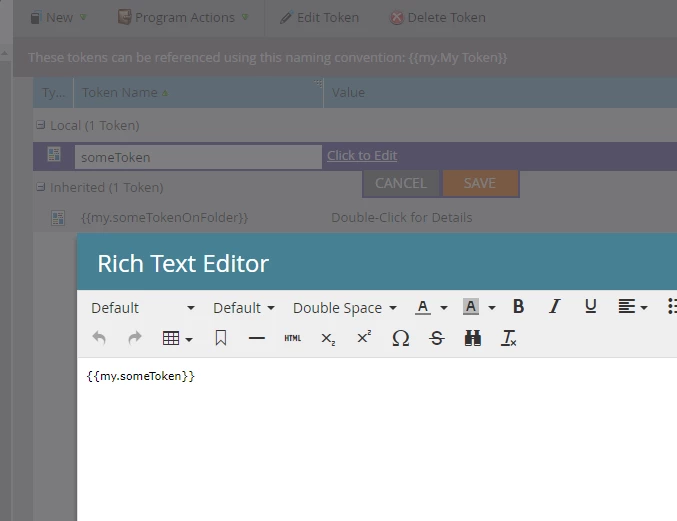
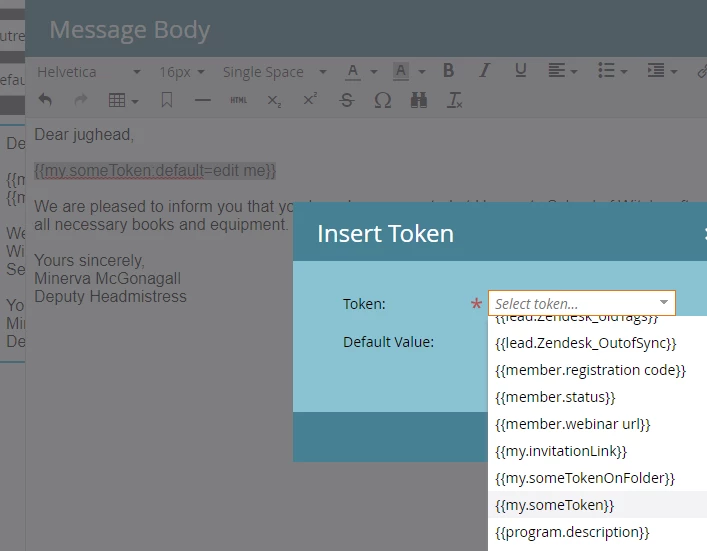
Things that I have tried so far
- Giving the API user all available permissions
- Adding custom token on different levels, such as on the folder level.
Any ideas? Thank you in advance for your help.