
Trouble Configuring Sales Insight in SFDC Instance | Community
Skip to main content
Marisa_Rybar
New Participant
October 19, 2015
Solved

Trouble Configuring Sales Insight in SFDC Instance

  • October 19, 2015
  • 1 reply
  • 2454 views

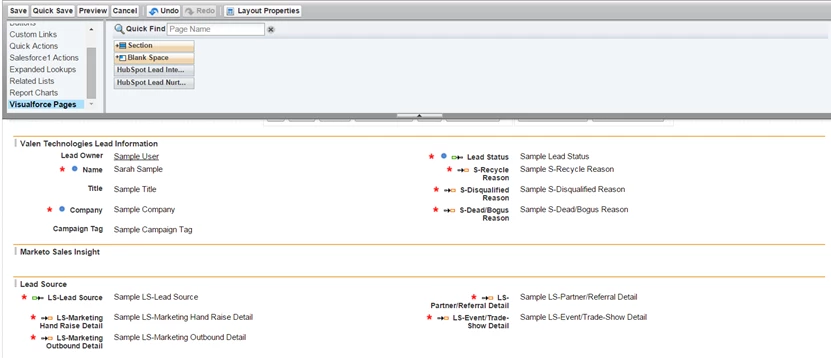
I’m configuring Sales Insight into our SFDC professional instance, and step number 5 here is missing from my options. Can someone please help me figure out how to fix this?
This post is no longer active and is closed to new replies. Need help? Start a new post to ask your question.
Best answer by JohnCl9

Hi Marisa,

Sales Insight is a separate app package you'd need to install in Salesforce.  You can get it through the link below.

Install Marketo Sales Insight Package in Salesforce AppExchange - Marketo Docs - Product Docs

John

1 reply

Josh_Hill13
New Participant
October 20, 2015

Did you install the app first?

Do you have Professional or another edition of SFDC? The instructions differ for each.

Marisa_Rybar
New Participant
October 20, 2015

Thanks, Josh. Isn't that what we did when we synced Marketo and SFDC when we first brought Marketo on? If the app isn't installed, would I still have the option to pull the Marketo Sales Insight box down under the lead information?

We're on the professional version of SFDC, which was the link I shared above. Is there another step I'm missing here?

JohnCl9Accepted solution
Employee
October 20, 2015

Hi Marisa,

Sales Insight is a separate app package you'd need to install in Salesforce.  You can get it through the link below.

Install Marketo Sales Insight Package in Salesforce AppExchange - Marketo Docs - Product Docs

John