Unable to Find campaign members while running trigger campaign! | Community
Skip to main content
Jul 21, 2017 1:30 PM UTC
Solved

Unable to Find campaign members while running trigger campaign!

Hi Guys

I've created a Trigger campaign with a date token and have also linked the list which needs to be updated.But when im trying to view the campaign members- No values are being shown in it.

Anyone please do help on this! Please help on knowing the steps as well as , how to use date token in trigger campaign?

Thanks

J.Prithvi
This post is no longer active and is closed to new replies. Need help? Start a new post to ask your question.
Accepted solution
Jul 21, 2017 2:44 PM UTC

Ya sure .Yes the trigger is activated.


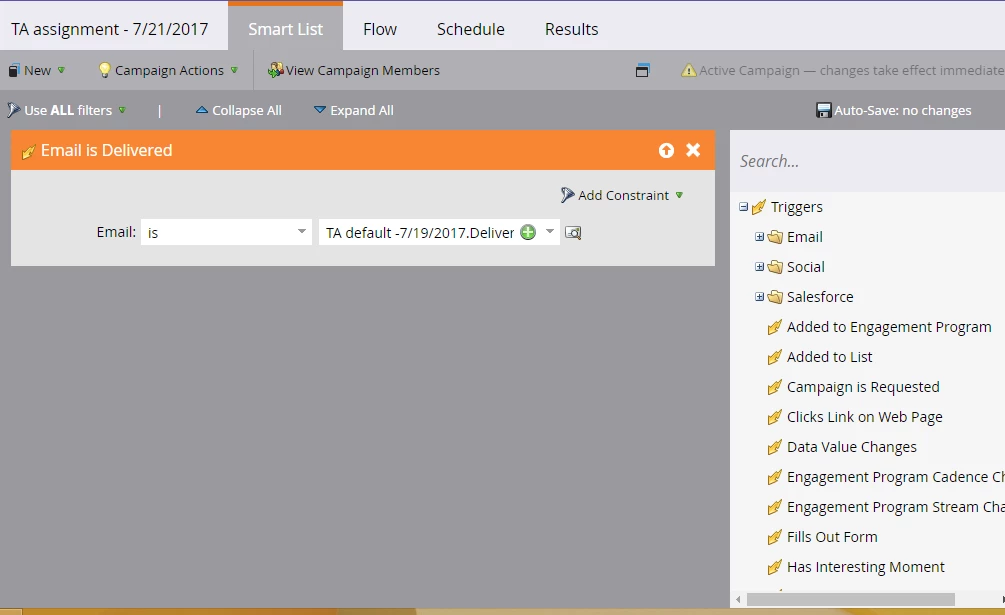
This looks about right. Was this campaign created and activated after the email was actually sent to the leads? This campaign will work only if it was created before sending the email out.

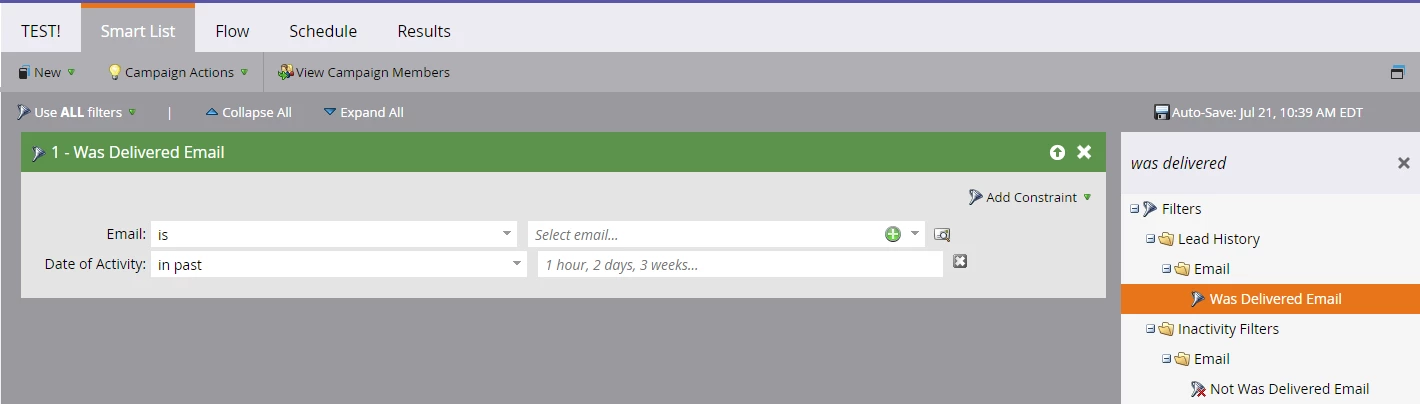
You can also create another smart campaign to see if any leads qualify to enter this campaign in following way:

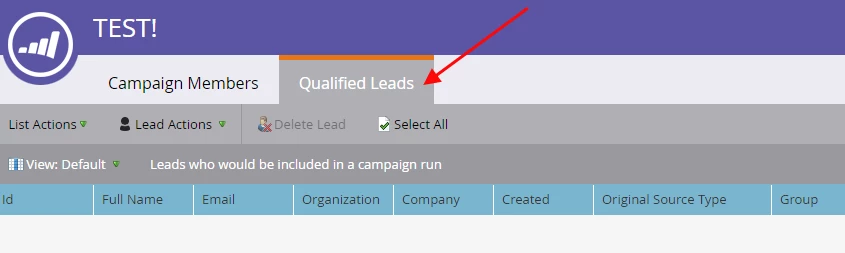
The date of activity could be the time since the trigger campaign was created and then go to View Campaign Members > Qualified Leads

Let me know what you find.

6 replies

Jul 21, 2017 2:04 PM UTC

Prithvi, do you see any leads in the "Results" tab? It will be helpful if you can share a screenshot of your Smartlist if possible.

Translate
Jul 21, 2017 2:25 PM UTC

This is the view of the results tab

Translate
Jul 21, 2017 2:28 PM UTC

Thanks. I'd like to see the Smart List as well. Also, is the trigger Activated on "Schedule" tab?

Translate