Unable to see "Field Actions" under "Field Management" during Salesforce sync | Community
Skip to main content
New Participant
June 1, 2022
Solved

Unable to see "Field Actions" under "Field Management" during Salesforce sync

  • June 1, 2022
  • 1 reply
  • 2478 views

I am in the process of syncing Marketo with Salesforce and before hitting the "Start Salesforce Sync", I want to hide some fields which I understood can be done by going to Field Management > Field Actions > Hide Fields.
However, in Field Management, I am only able to modify the mapping and the "Field Actions" drop-down is not visible. Is this only visible once I have already done the Salesforce sync?
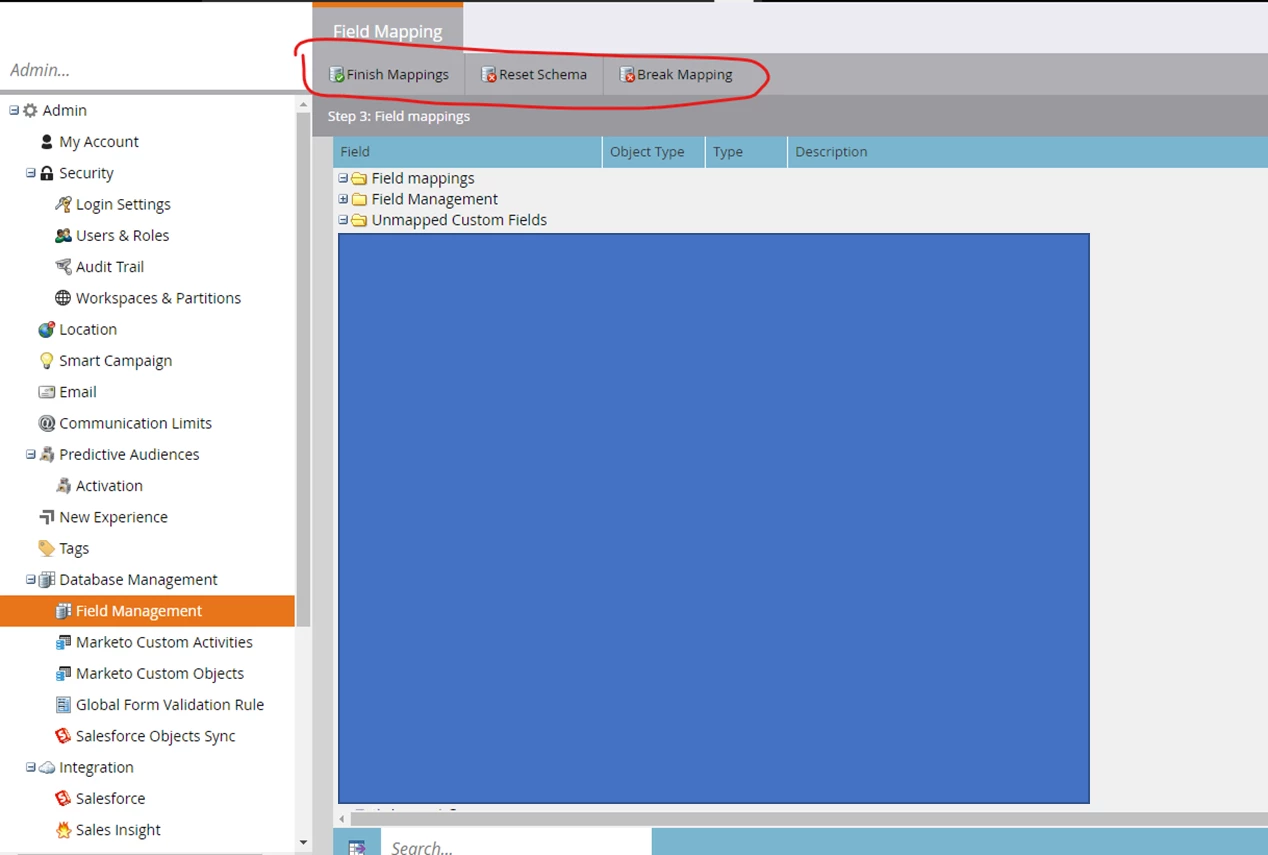
 

Hitting "Finish Mapping" only brings me back to the Integrations > Salesforce tab where I can hit "Start Salesforce Sync".


Many thanks for your help!

This post is no longer active and is closed to new replies. Need help? Start a new post to ask your question.
Best answer by Darshil_Shah1

You can hide the fields after you've finished mapping your fields. You're in the middle of setting up the sync with SFDC. AFAIK - once you start the SFDC sync (i.e., complete the SFDC sync setup), you shall be able to view the normal field actions in the field management section. I would recommend completing the mapping of custom SFDC fields with the Marketo fields per your requirement before hitting the start sync button as field mappings can't be edited at the user level once the initial sync has begun, you'd need to go to Marketo support for adjusting the field mappings later. Also, Ensure that you're not mapping the fields you're planning on hiding with any of the SFDC fields as the hidden fields will not available in the SL filters/triggers constraints, in the person profile page, etc. (and it won't make sense to map any of the Marketo fields with the SFDC fields that you plan on hiding later).


1 reply

Darshil_Shah1
Darshil_Shah1Accepted solution
Community Manager
June 1, 2022

You can hide the fields after you've finished mapping your fields. You're in the middle of setting up the sync with SFDC. AFAIK - once you start the SFDC sync (i.e., complete the SFDC sync setup), you shall be able to view the normal field actions in the field management section. I would recommend completing the mapping of custom SFDC fields with the Marketo fields per your requirement before hitting the start sync button as field mappings can't be edited at the user level once the initial sync has begun, you'd need to go to Marketo support for adjusting the field mappings later. Also, Ensure that you're not mapping the fields you're planning on hiding with any of the SFDC fields as the hidden fields will not available in the SL filters/triggers constraints, in the person profile page, etc. (and it won't make sense to map any of the Marketo fields with the SFDC fields that you plan on hiding later).


LisaHAuthor
New Participant
June 2, 2022

Thanks, Darshil that seems to make sense. I will try as you have suggested!