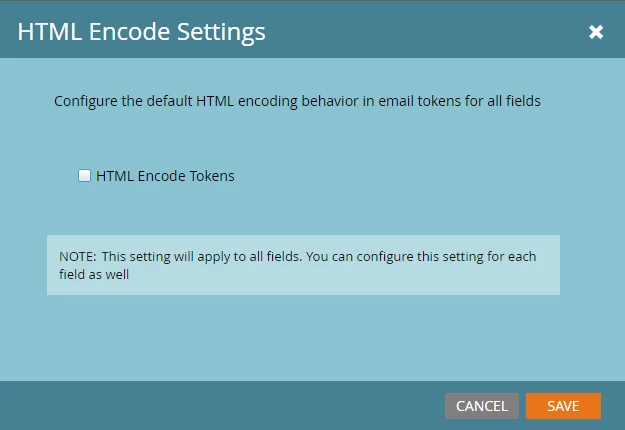
Unwanted encoding of custom fields
We have a custom text field that holds html containing list items and links:
<li><a href='marketing.mamsoft.co.uk/v8-certified/certificate/beru.pdf'>Beru certificate</a></li><li><a href='marketing.mamsoft.co.uk/v8-certified/certificate/champion.pdf'>Champion certificate</a></li><li><a href='marketing.mamsoft.co.uk/v8-certified/certificate/duron.pdf'>Duron certificate</a></li><li><a href='marketing.mamsoft.co.uk/v8-certified/certificate/ferodo.pdf'>Ferodo certificate</a></li><li><a href='marketing.mamsoft.co.uk/v8-certified/certificate/moog.pdf'>Moog certificate</a></li><li><a href='marketing.mamsoft.co.uk/v8-certified/certificate/payen.pdf'>Payen certificate</a></li>
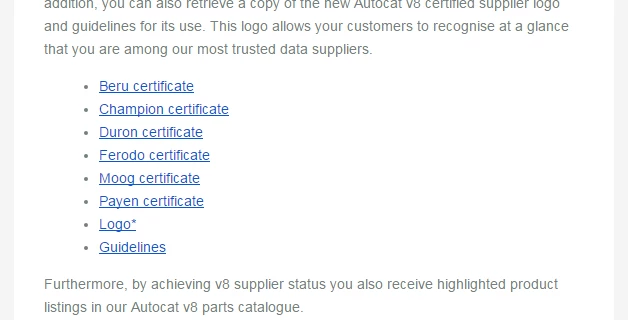
When this field is inserted into an email, it renders correctly in Gmail:
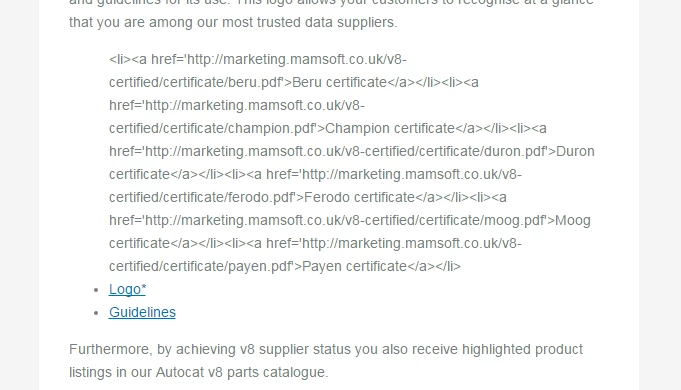
However, when viewing the online version in a browser, the html is encoded and the field displays as text:
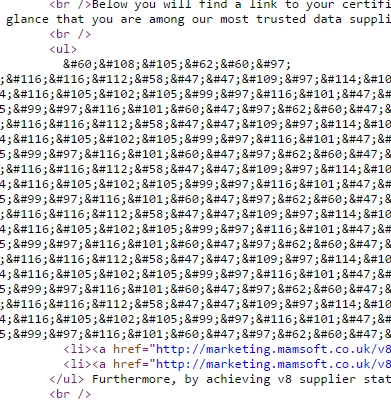
Viewing the browser source indicates that the field content has been encoded:
How do we disable the encoding and get the online version to render correctly? We have not enabled encoding of tokens.