Using reCAPTCHA with background submission | Community
Skip to main content
New Participant
April 27, 2023
Solved

Using reCAPTCHA with background submission

  • April 27, 2023
  • 1 reply
  • 2517 views

We have an existing form that has been running for some time. We would like the lead and a subset of the information to be captured in Marketo as well. So, we set up a background or parallel submission with a Marketo form – which is working fine. We would also like to enable recaptcha for the Marketo form, as all of our processes trigger off of successfully passing recaptcha. 


The issue comes in when I enable recaptcha on the Marketo form. As soon as I enable recaptcha the background submission stops working. When I disable the recaptcha it begins working again. Does anyone know if it is possible to use recaptcha with a parallel submission?
Best answer by SanfordWhiteman

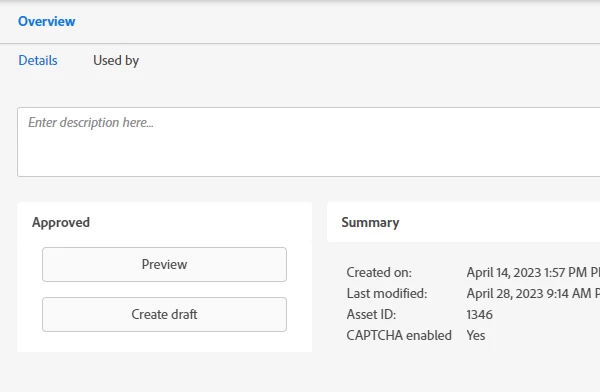
Thanks for your response. Yes, that is correct. I disabled it because the submission stops working with it enabled. I have reenabled it (please see below).

Here's a  page with everything stripped out but the essentials, fffenterprises.com/resources/mkto-background-submission.html


You’ve implemented this incorrectly.

There’s a quite obvious race condition that makes the hidden Marketo form post unreliable even without reCAPTCHA — it’s merely more prominent because the extra step of reCAPTCHA token generation makes the Marketo form post take more time (another turn of the JS event loop).


Upon the standard HTML form’s submit event, you need to preventDefault()and submit the Marketo form instead. In the Marketo form’s onSuccess(), you re-submit the HTML form, this time letting it go through.


Your current code (below) doesn’t wait for the Marketo form to submit. The 2 forms are in a race — which the HTML form will win whenever Salesforce Web2Lead responds faster:


<script type="text/javascript"> function ValidateForm(thisForm, submitMktoForm) { submitMktoForm(); } </script> <form id="order_resources" action="https://webto.salesforce.com/servlet/servlet.WebToLead?encoding=UTF-8" method="post"> <!-- ... other form fields... --> <button type="submit" name="submit" id="submit" onclick="return ValidateForm(this, submitMktoForm)">Submit</button> </form>


1 reply

SanfordWhiteman
New Participant
April 27, 2023
Does your background form have Known Visitor HTML enabled? Do you have a page we can look at?
New Participant
April 27, 2023

Hi Sanford.

Thanks for your quick response. 

The form does not have Known Visitor HTML enabled. Here is a link to the page, fffenterprises.com/resources/mkto-background-submission.html 

SanfordWhiteman
New Participant
April 28, 2023

That form doesn’t have reCAPTCHA enabled.