Valocity scripting token not working. | Community
Skip to main content
DeAnna_Humphrey
New Participant
October 27, 2017
Solved

Valocity scripting token not working.

  • October 27, 2017
  • 4 replies
  • 3006 views

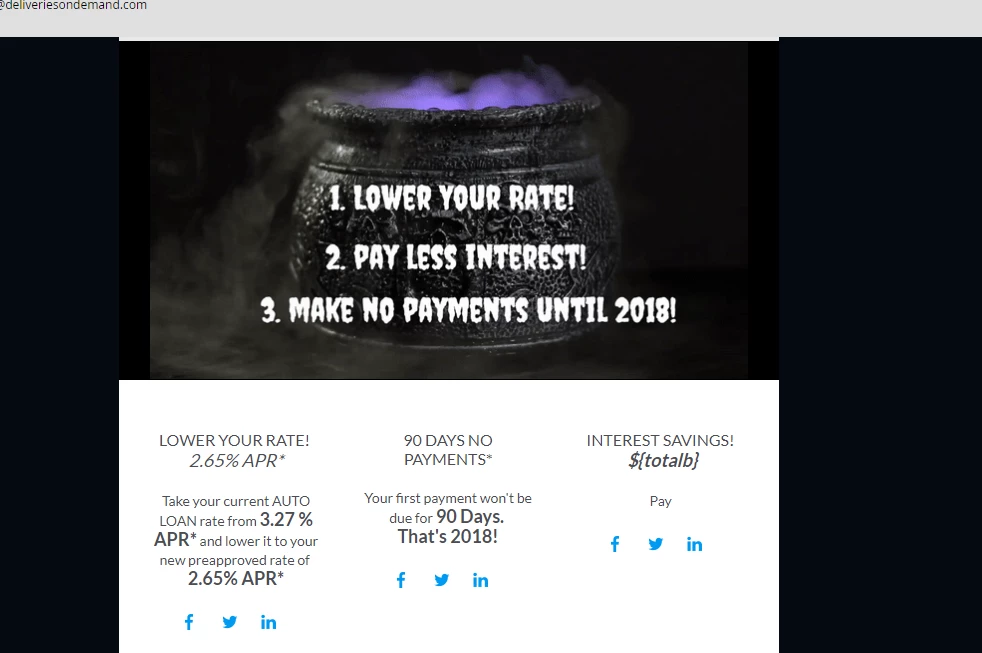
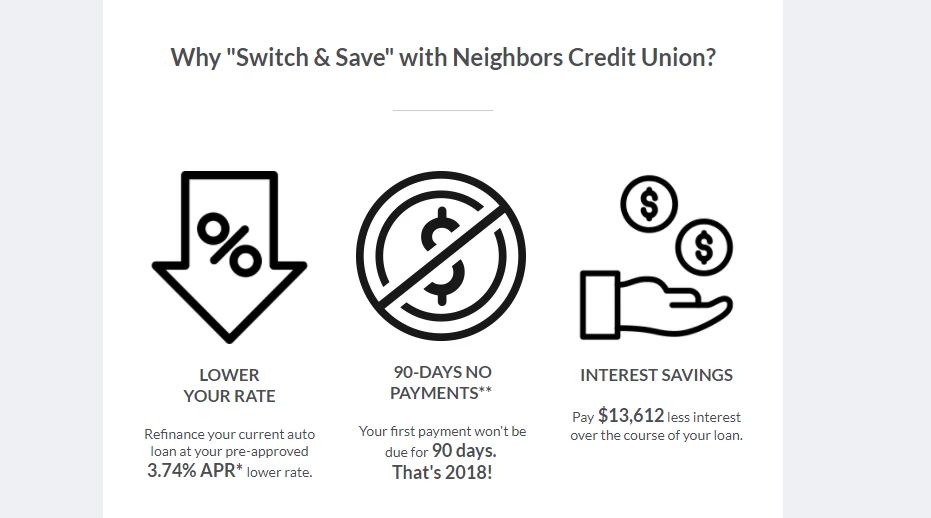
Why is my script working in one of my workspaces and not the other?

## First, covert the variable to currency format

#set($total = $number.currency($${lead.Finance_Savings__c})) ##our code from before, e.g., $121,237.10

#set($stringLength = $total.length() - 3) ##get the total string length and calculate what we want to keep, e.g., 8 --note the specific spacing between the commands here! screwing up the syntax will crash it (e.g. if you remove the space)

#set($totalb = $total.substring(0,$stringLength)) ##takes the sub string of just the first 3 characters, e.g., $121,237

## Then, for the email output

${totalb}

@
This post is no longer active and is closed to new replies. Need help? Start a new post to ask your question.
Best answer by SanfordWhiteman

Do you have Finance_Savings__c checked off in the right-hand-side tree in Script Editor?

Also, use

$math.sub( $total.length(), 3 )

instead of the more fragile minus sign operator.

Also, what are you trying to do with the substring()?  You just want the number without decimal points?

4 replies

SanfordWhiteman
New Participant
October 28, 2017

Yes, a Velocity token is 2 things: code and context. If you use the same code without exporting necessary objects/fields into its context it won't work. (Or, more accurately, it's *unlikely* to work: it would still function if *another* token in the same email had exported the object.)

DeAnna_Humphrey
New Participant
October 27, 2017

Sanford,

Thank you for your assistance.  What my snippet revealed was I needed to checkmark the field at the program/folder level in all my workspaces.  I didn't realize when the scripting token is created it only applies to that program/folder and I would have to remark the finance savings token.  As far as the script, what I have is working.  Not sure what happened when I tried replacing out with your code suggestions, the code broke.  Thanks again for all your help.

Best regards,

DeAnna

DeAnna_Humphrey
New Participant
October 27, 2017

SanfordWhiteman
New Participant
October 27, 2017

I don't really understand your response -- this is solved now, though?

Anyway, if you want the variable to be comma-thousands-delimited but not have a decimal point, you don't want number.currency().  By definition, Currency has two digits after the decimal point, which you just end up stripping off.  You just need the one line:

${esc.d}${number.format(lead.Finance_Savings__c)}

number.format() adds the commas (in the US locale, which I can see you're in) but not the decimal points.

SanfordWhiteman
SanfordWhitemanAccepted solution
New Participant
October 27, 2017

Do you have Finance_Savings__c checked off in the right-hand-side tree in Script Editor?

Also, use

$math.sub( $total.length(), 3 )

instead of the more fragile minus sign operator.

Also, what are you trying to do with the substring()?  You just want the number without decimal points?