Solved
Velocity Dynamic Content Sorting
I have imported a list of records to custom objects which contains data based on user visits in the website. By using this list trying to create email in Marketo. From CO list, selecting only recent visit of the product. In the given list, have product name, image, URL and recent visit date.
Problem- I have created three velocity script and sorting the list based on recent visit date. But, in email output is display incorrect.
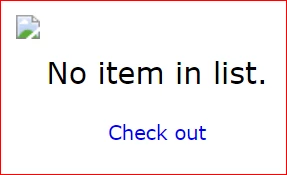
Below three velocity script used for sorting the product name, image and URL.
Script-1

<html>
<body>
<table>
## start product image select
<tbody>
#set( $DEFAULT_Product = "No item in list." )
<tr>
#if( $pro_cList.isEmpty() )
#set( $outputItemimage = $DEFAULT_Product )
#else
#foreach( $pro_c in $sorter.sort($pro_cList, "date:desc") )
#if( !$display.alt($pro_cList["productImage"],"").isEmpty() )
#set( $outputItemimage = $pro_c["productImage"] )
#break
#end
#end
#set( $outputItemimage = $display.alt($outputItemimage, $DEFAULT_Product) )
#end
<td>
<img width="189" align="right" src="${outputItemimage}" border="0"/>
</td>
</tr>
</tbody>
</table>
</body>
</html>
Script-2

<html>
<body>
<table>
## start product name select
<tbody>
#set( $DEFAULT_Product = "No item in list." )
<tr>
#if( $pro_cList.isEmpty() )
#set( $outputName = $DEFAULT_Product )
#else
#foreach( $pro_c in $sorter.sort($pro_cList, "date:desc") )
#if( !$display.alt($pro_cList["productName"],"").isEmpty() )
#set( $outputName = $pro_c["productName"] )
#break
#end
#end
#set( $outputName = $display.alt($outputName, $DEFAULT_Product) )
#end
<td>
${outputName}
</td>
</tr>
</tbody>
</table>
</body>
</html>
Script-3

<html>
<body>
<table>
## start product URL select
<tbody>
#set( $DEFAULT_Product = "No item in list." )
<tr>
#if( $pro_cList.isEmpty() )
#set( $outputItemCTA = $DEFAULT_Product )
#else
#foreach( $pro_c in $sorter.sort($pro_cList, "date:desc") )
#if( !$display.alt($pro_cList["productCTA"],"").isEmpty() )
#set( $outputItemCTA = $pro_c["productCTA"] )
#break
#end
#end
#set( $outputItemCTA = $display.alt($outputItemCTA, $DEFAULT_Product) )
#end
<td>
<a href="${outputItemCTA}">Check out</a>
</td>
</tr>
</tbody>
</table>
</body>
</html>