
Velocity token rendering differently on desktop and mobile
I have an email using velocity script and I am getting different results between the desktop and mobile versions and I don't know how to solve this.
Here are the emails showing the same code:
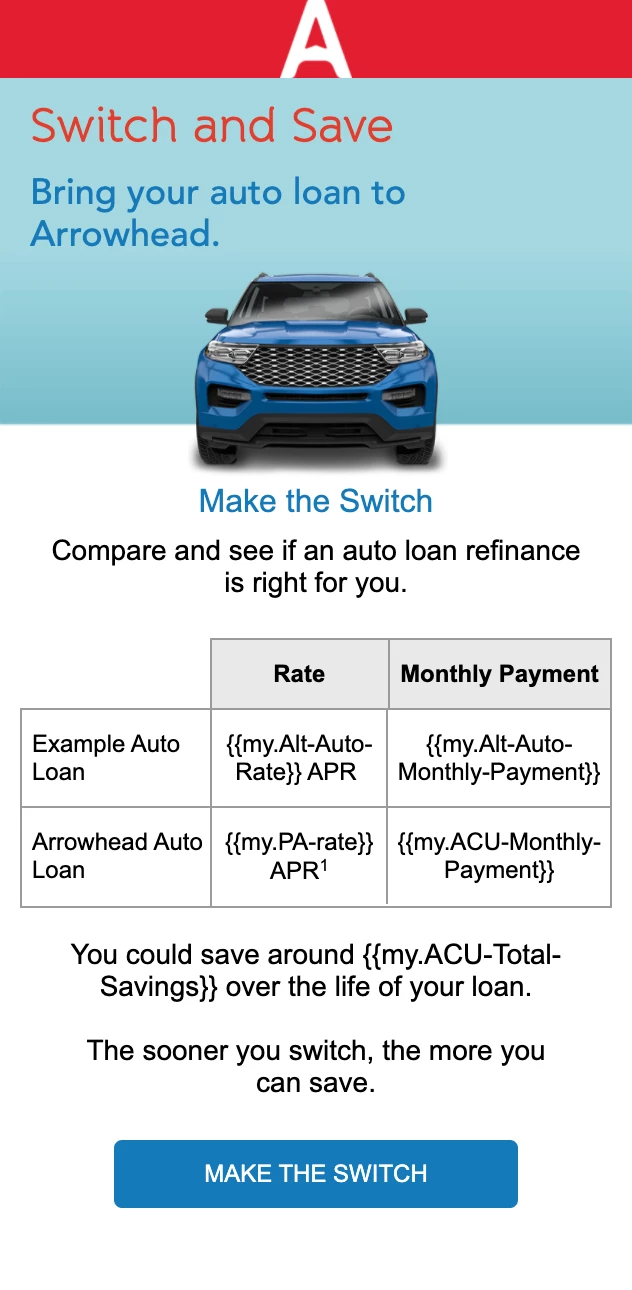
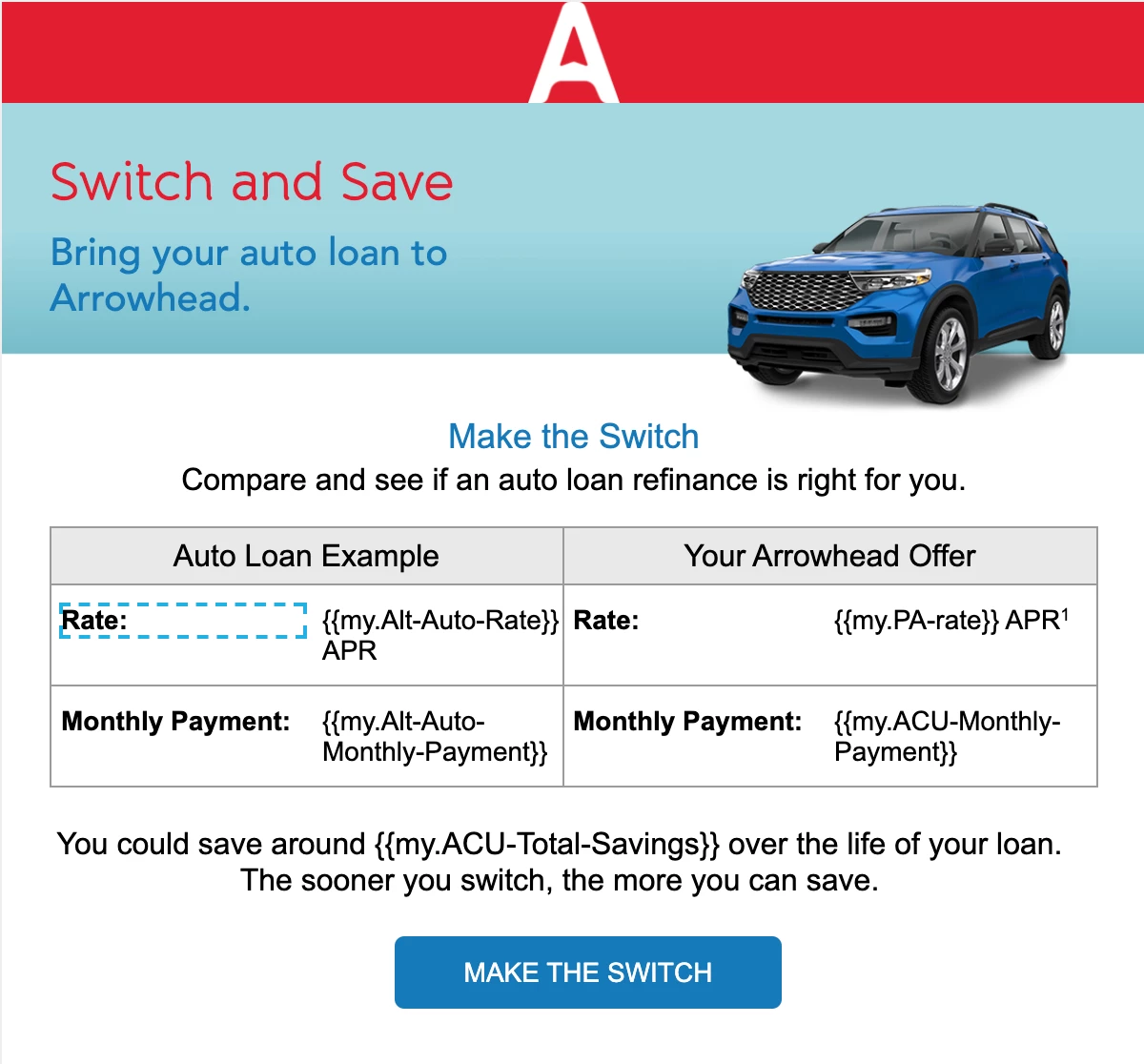
But when I view it as a member of the list, it gives me the desired result on desktop, but mobile produces the results from the {{My.ACU-Total-Savings}} token. I'm not sure why it would be doing this... even if there was an error, why does it render correctly on desktop and incorrectly on mobile using the same token?
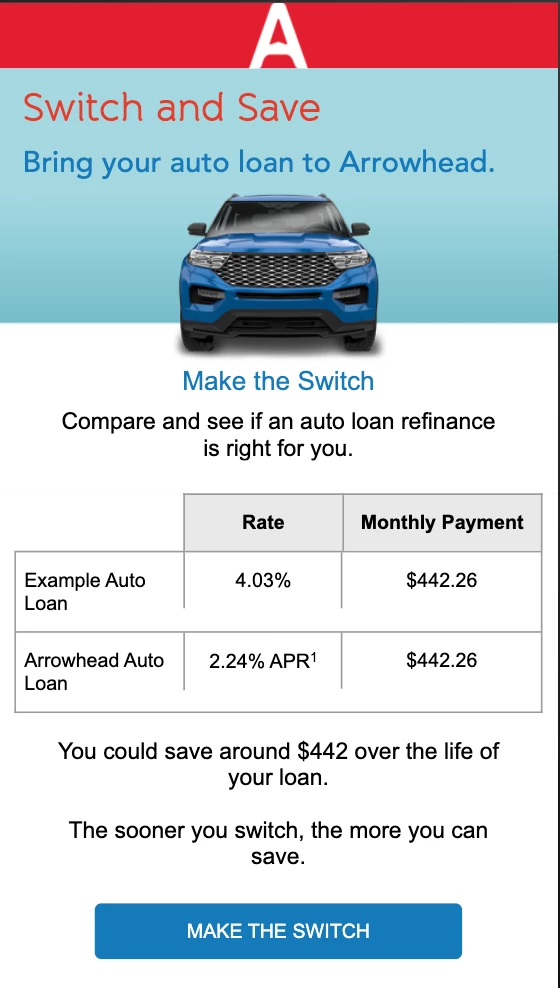
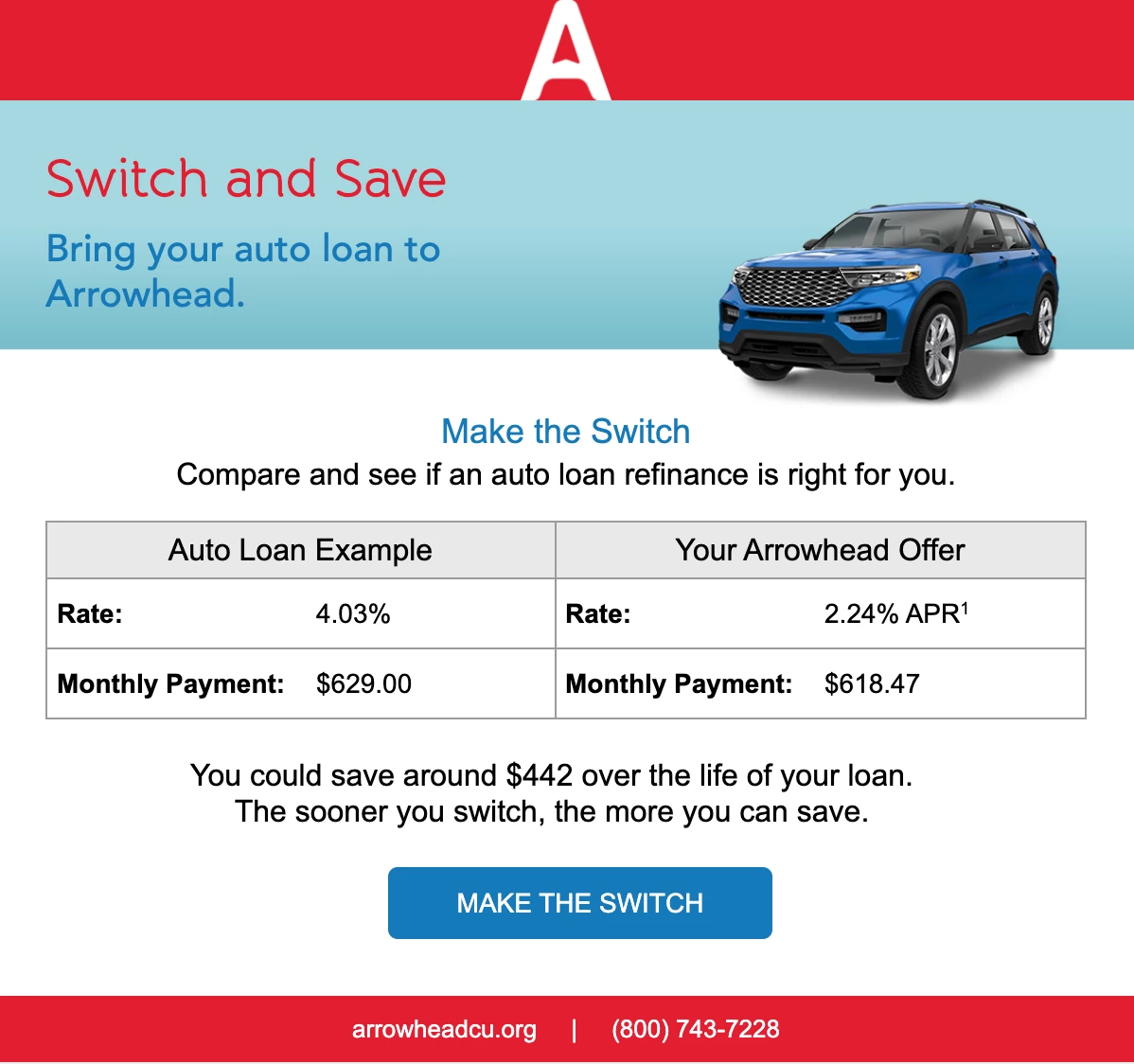
I've double checked and confirmed that the correct field is being checked in the velocity token. Here is the script for each:
{{my.ACU-Monthly-Payment}}
#set($total = $number.currency(${lead.altAutoACUMonthlyPayment}))
#set($stringLength = $total.length())
#set($totalb = $total.substring(0,$stringLength))
${totalb}##
#if( $display.alt($lead.altAutoACUMonthlyPayment,"$0") )
#set( $lead.altAutoACUMonthlyPayment = '<span style="font-size:14px;"><p>Contact us.</p></span>' )##
#end
{{my.Alt-Auto-Monthly-Payment}}
#set($total = $number.currency(${lead.altAutoMonthlyPaymentnotACU}))
#set($stringLength = $total.length())
#set($totalb = $total.substring(0,$stringLength))
${totalb}##
#if( $display.alt($lead.altAutoMonthlyPaymentnotACU,"$0") )
#set( $lead.altAutoMonthlyPaymentnotACU = '<span style="font-size:14px;"><p>Contact us.</p></span>' )##
#end
{{my.ACU-Total-Savings}}
#set($total = $number.currency(${lead.altAutoACUFinanceSavings}))
#set($stringLength = $total.length() - 3)
#set($totalb = $total.substring(0,$stringLength))
${totalb}##
#if( $display.alt($lead.altAutoACUFinanceSavings,"$0") )
#set( $lead.altAutoACUFinanceSavings = '<span style="font-size:14px;"><p>Contact us.</p></span>' )##
#end
Any ideas on what is going on here?
